Instant connection
Welcome new followers within minutes of the follow, while your account is still top of mind.
Automatically send personalized welcome messages to new Instagram followers. Turn every new follower into an engaged customer with multi-language support, follow-ups, and smart automation.
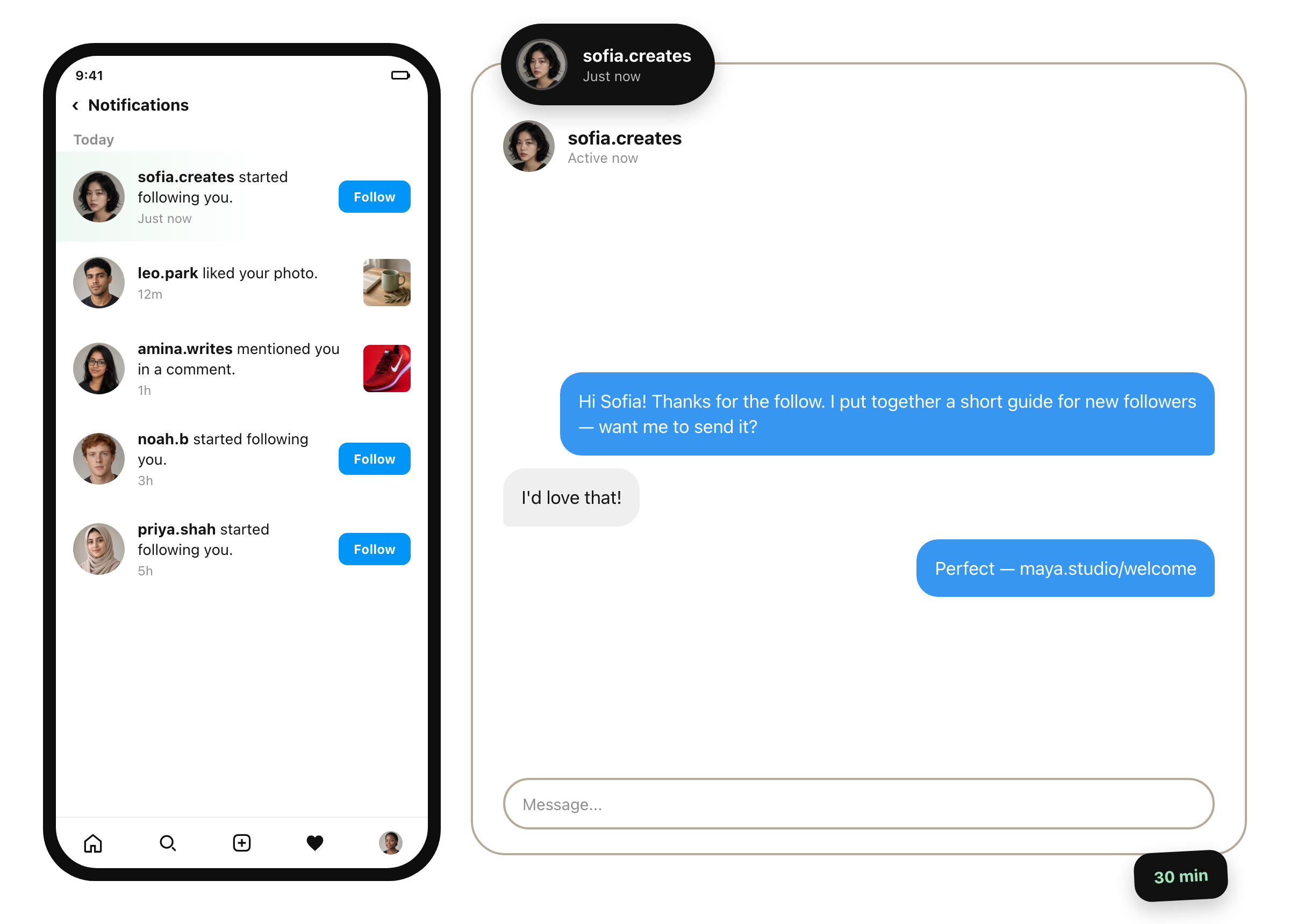
Reach people while the follow is still fresh, then keep the conversation moving without manual work.
Welcome new followers within minutes of the follow, while your account is still top of mind.
Message every new follower with the same high-quality first touch, even when you are busy.
Guide followers into a resource, offer, or booking flow before interest fades.
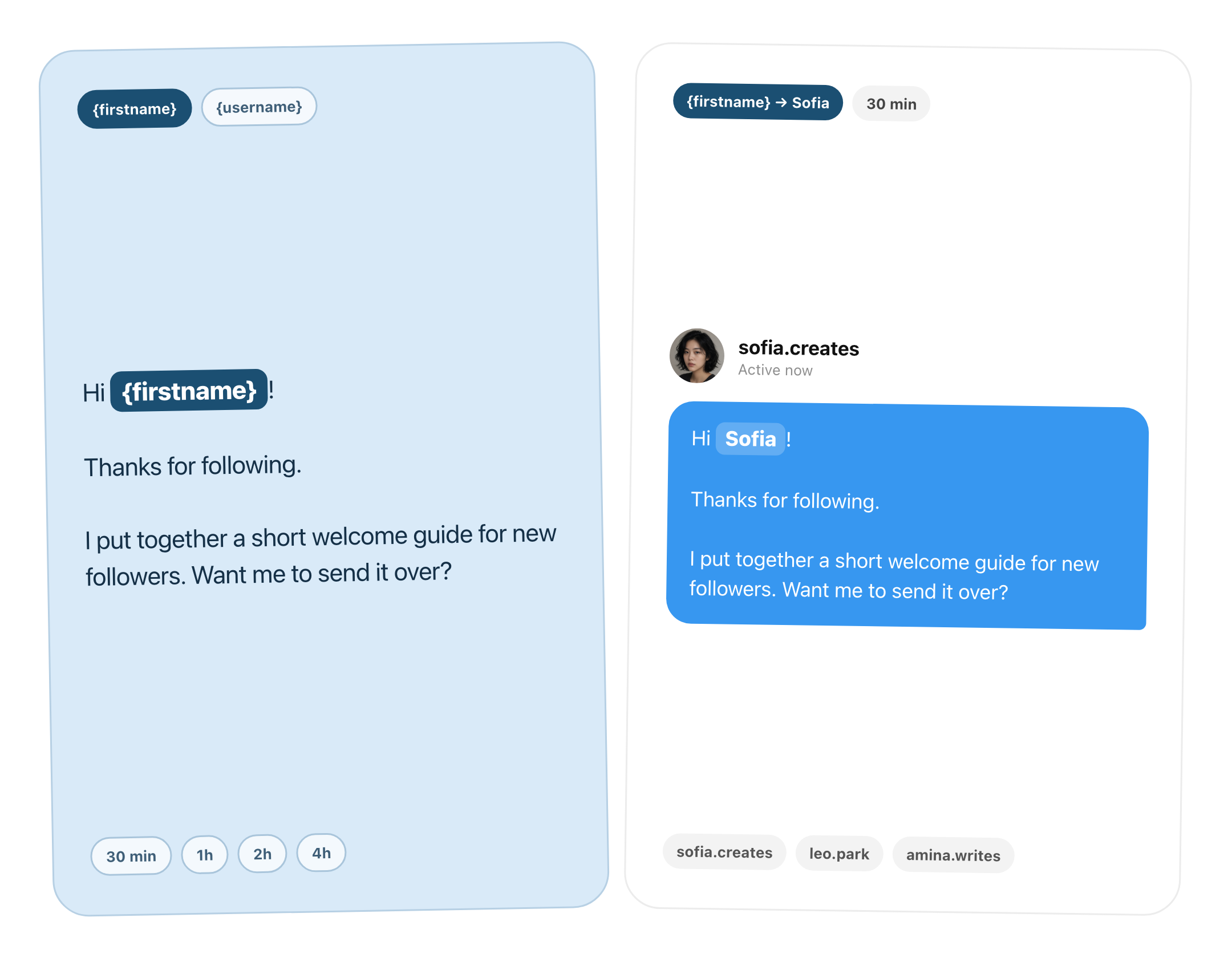
Write one clear welcome DM, then personalize it with variables and a send delay that fits your account.
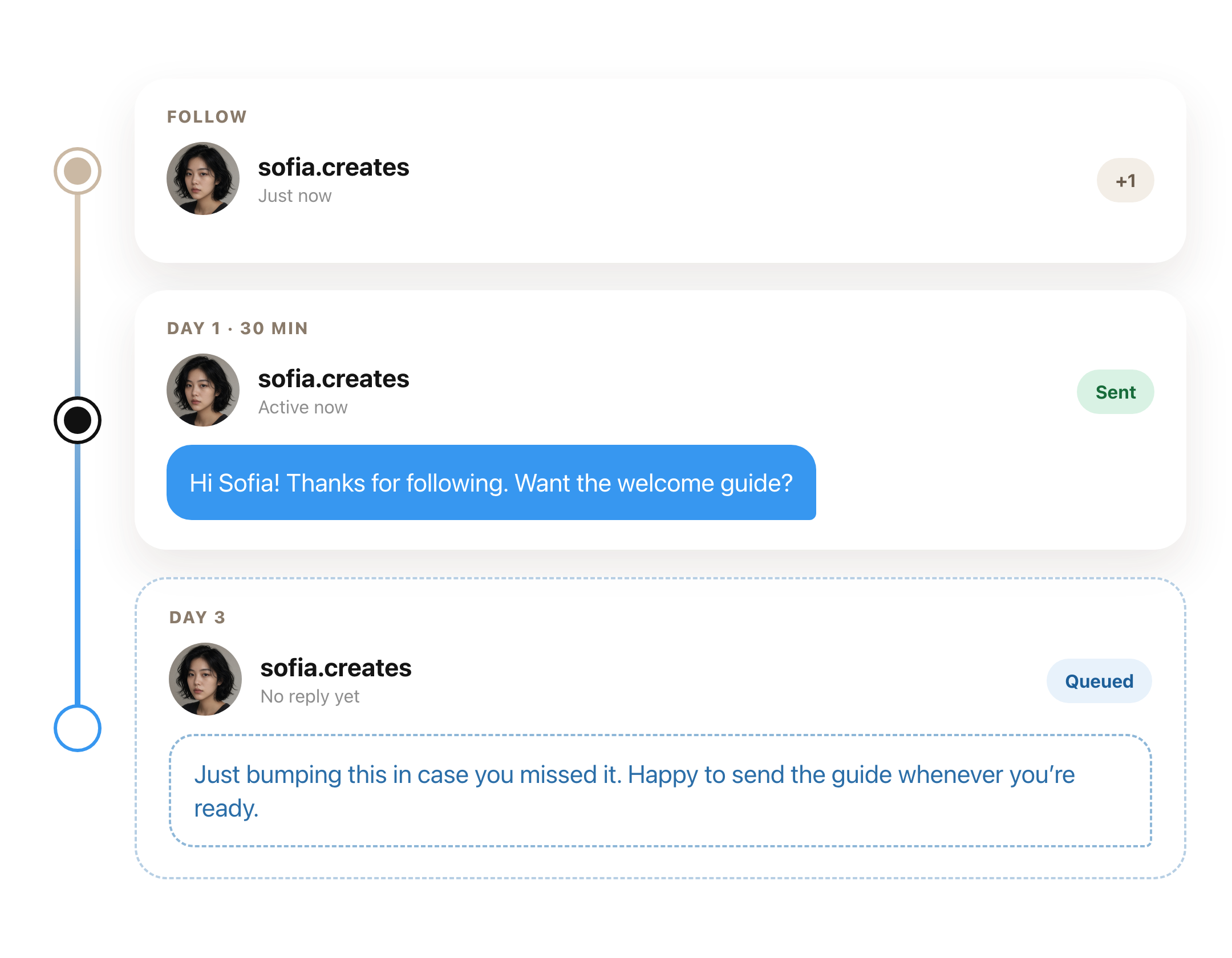
Keep the conversation going with a scheduled follow-up after the welcome DM.
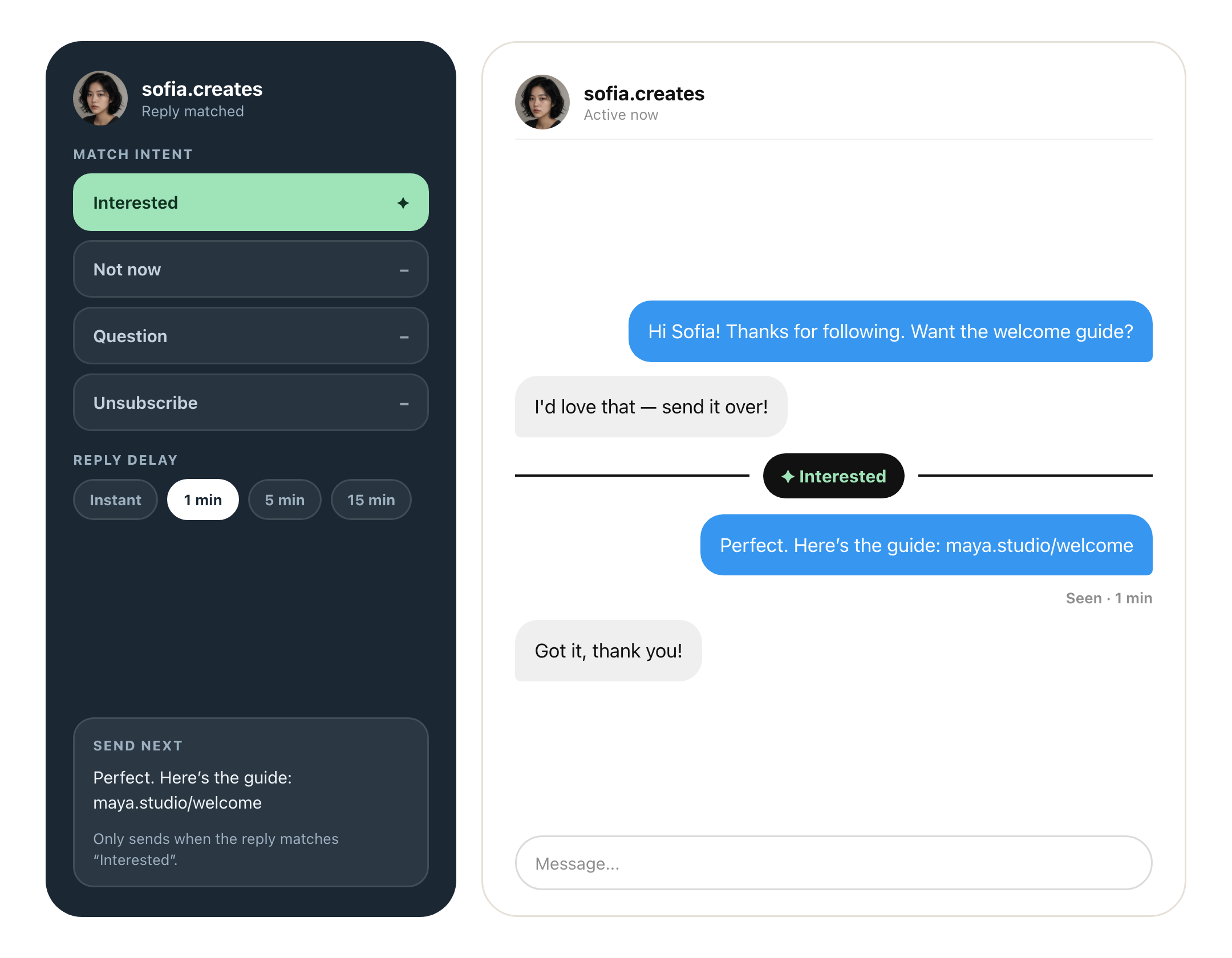
Reply when a follower answers your welcome message, based on the intent you want to match.
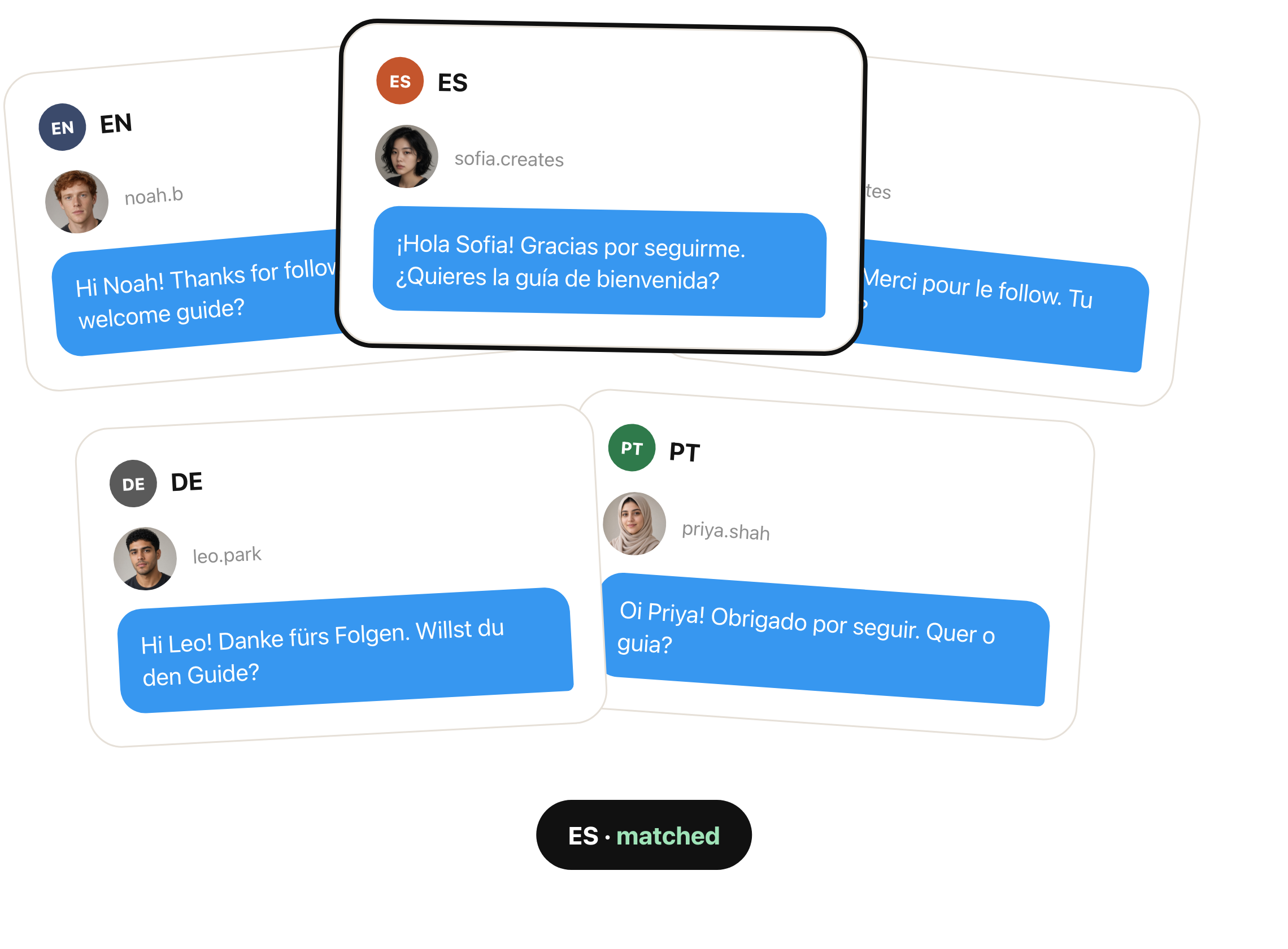
Create alternate message versions that automatically match your followers' language:
Built-in protections to keep your account safe while automating
Welcome new followers with a discount, drop, or product path while interest is high.
Share what you offer and invite new followers to book a call or ask a question.
Point followers to a free resource, course, or community on day one.
Start a conversation with people who just showed interest in your profile.
Welcome followers from paid traffic before the campaign spend cools off.
Greet every new member with the same clear next step.
Write the first DM and add personalization variables.
Create alternate language or wording versions if you need them.
Set delays, follow-ups, auto-replies, and skip rules.
Turn the toggle on, keep the app running, and review replies.
You have the option to configure the delay: 30 minutes, 1 hour, 2 hours, or 4 hours.
The app must be running for the automation to work. If you close the app, it will resume from where it left off when you reopen it.
You can create multiple message versions in different languages or with different wording. IGdm Pro will detect the follower's language from their bio and send a matching message. If no match is found, it randomly selects a version. This also helps reduce spam detection.
Yes! Schedule follow-up messages to be sent 1, 2, or 3 days after the initial welcome message. You can also choose whether to skip the follow-up if the follower has already responded.
You can set up automatic responses for followers who reply to your welcome message based on specific conditions (like keywords they mention).
IGdm Pro includes safety features like natural timing delays, message variation, duplicate prevention, and the option to skip existing conversations. However, you should always follow Instagram's terms of service and use automation responsibly.
Yes! IGdm Pro includes a template system so you can save and reuse your best-performing welcome messages.
Start a 10-day free trial and turn new follows into conversations from day one.
✓ 10 Days Free Trial ✓ No Credit Card Required ✓ Cancel Anytime