How to Resolve the "IGdm Pro isn't Commonly Downloaded" Warning on Windows
Some Windows users see a download warning in Microsoft Edge (or another browser) when they download the IGdm Pro installer. The message usually says IGdm Pro isn't commonly downloaded. Make sure you trust IGdm Pro before you open it.
This does not mean IGdm Pro is malware. Microsoft Defender SmartScreen shows this when a file is newer or less widely downloaded, so Windows does not yet have enough reputation data for it. IGdm Pro is safe to keep and open when downloaded from igdm.me.
Edge may leave the download incomplete until you confirm that you trust the file. Chrome and other browsers can show a similar "not commonly downloaded" or "may be dangerous" prompt with a Keep / Keep anyway path.
Quick fix (recommended): Keep the download in Edge
Only do this if you downloaded the installer from igdm.me:
1. Open the Downloads panel in Edge (press Ctrl+J, or click the Downloads icon in the toolbar).
2. Hover over the IGdm Pro installer, click the three-dot More actions menu, then click Keep.
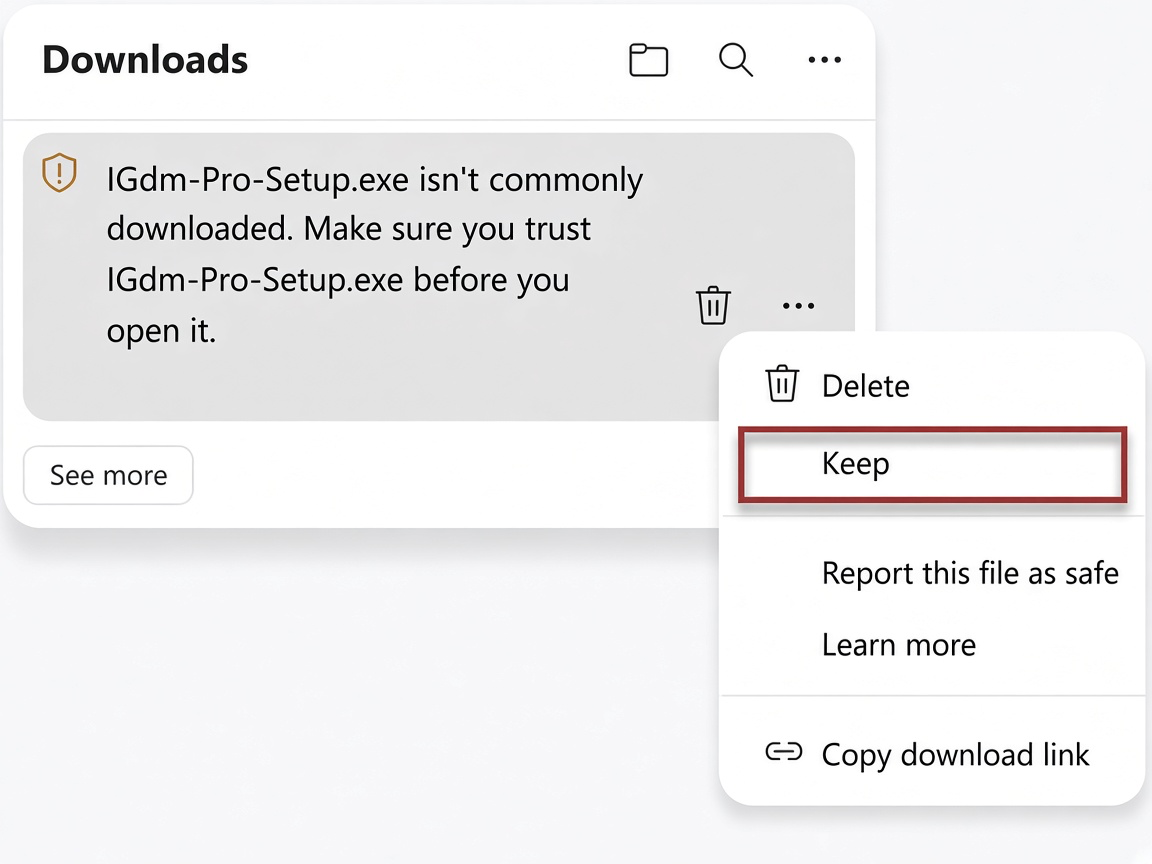
3. In the next prompt, click the arrow on the Delete button, then click Keep anyway.
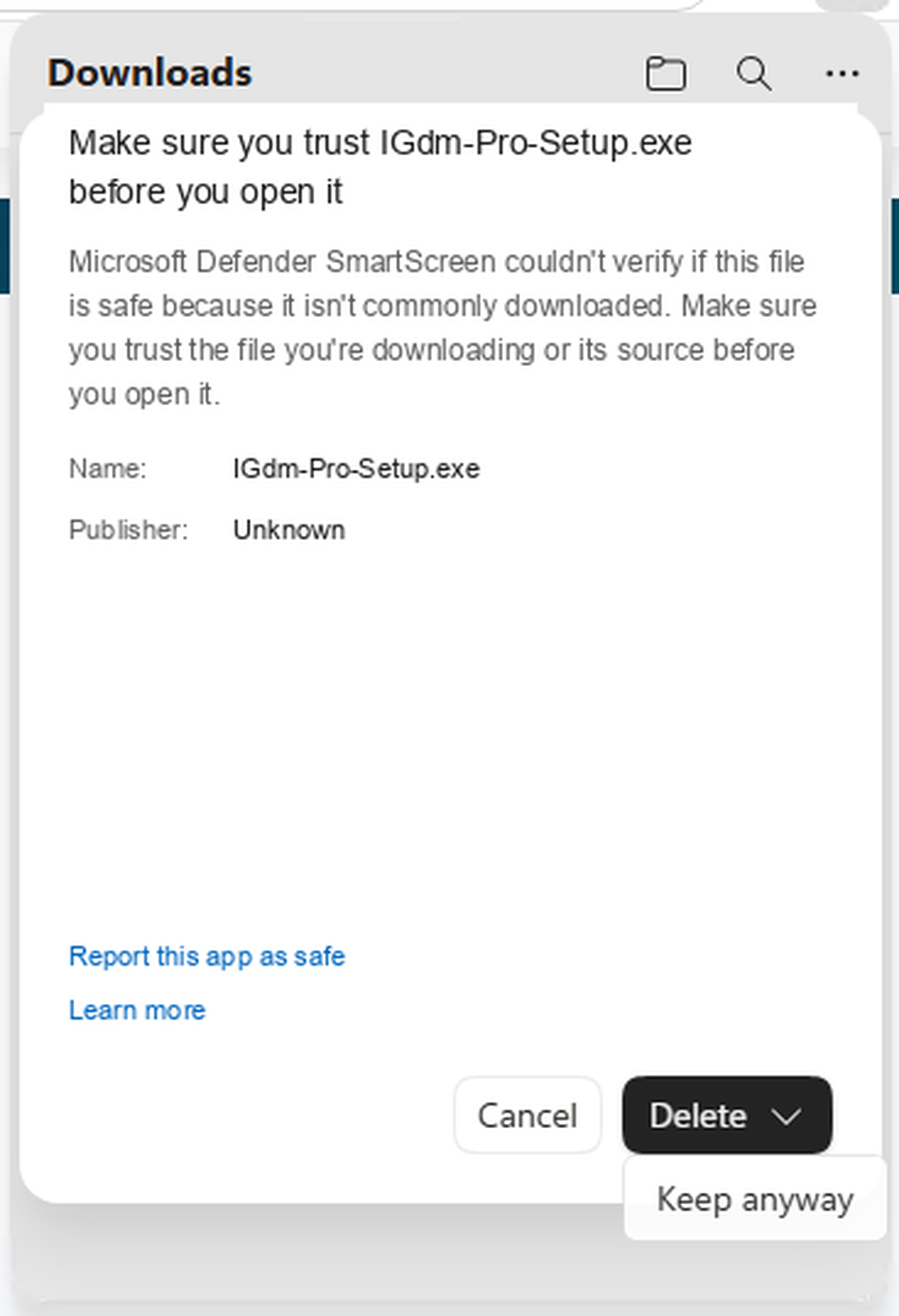
4. When the download finishes, click Open file (or open the installer from your Downloads folder) and complete setup.
Note: If Keep anyway is missing, your PC may be managed by an organization that blocks this override. On a work or school device, ask IT to allow the file, or try downloading on a personal PC.
If Windows then shows "Windows protected your PC"
After you keep the file, Windows may still show a SmartScreen dialog when you run the installer. That is a separate step. Follow How to Resolve Windows SmartScreen When Installing IGdm Pro (More info → Run anyway, or unblock the file in Properties).
Still stuck?
Email us with a screenshot of the exact message you see, your Windows version, which browser you used, and whether you downloaded from igdm.me. We will help you get set up.