Easiest Way to See Who Doesn't Follow You Back on Instagram
Instagram will not show you a simple “doesn’t follow back” list. You can open profiles one by one, guess from mutual badges, or paste follower exports into spreadsheets. That works until your following list gets long.
The easiest way is a tool that compares who you follow with who follows you, then shows the gap in one place.
In IGdm Pro, that list is called Users not following back. Open it from your account menu, wait for the check to finish, and you get the accounts you follow that do not follow you back.
Table of Contents
- What “doesn’t follow you back” means
- Why Instagram makes this hard
- The easiest method in IGdm Pro
- Account size limit to know
- What to do with the list
- Common mistakes
- Conclusion
What “doesn’t follow you back” means
In plain terms, these are people you follow who do not follow you.
That is different from:
- People who used to follow you and later unfollowed (historical unfollow tracking)
- People who follow you that you do not follow
- Soft bans, restricted accounts, or blocked users
Most people searching this want the first list: one-way follows you are still giving attention to.
Why Instagram makes this hard
Instagram’s app is built for browsing, not audit workflows. There is no native screen that says “here is everyone you follow who does not follow back.”
So people usually try:
- Opening following lists and checking profile badges manually
- Third-party websites that ask for your Instagram password (risky)
- Exporting lists and comparing them in a spreadsheet
Manual checks do not scale. Password-sharing “checkers” are a security risk. Spreadsheets work, but they are slow if you just want a quick answer.
The easiest method in IGdm Pro
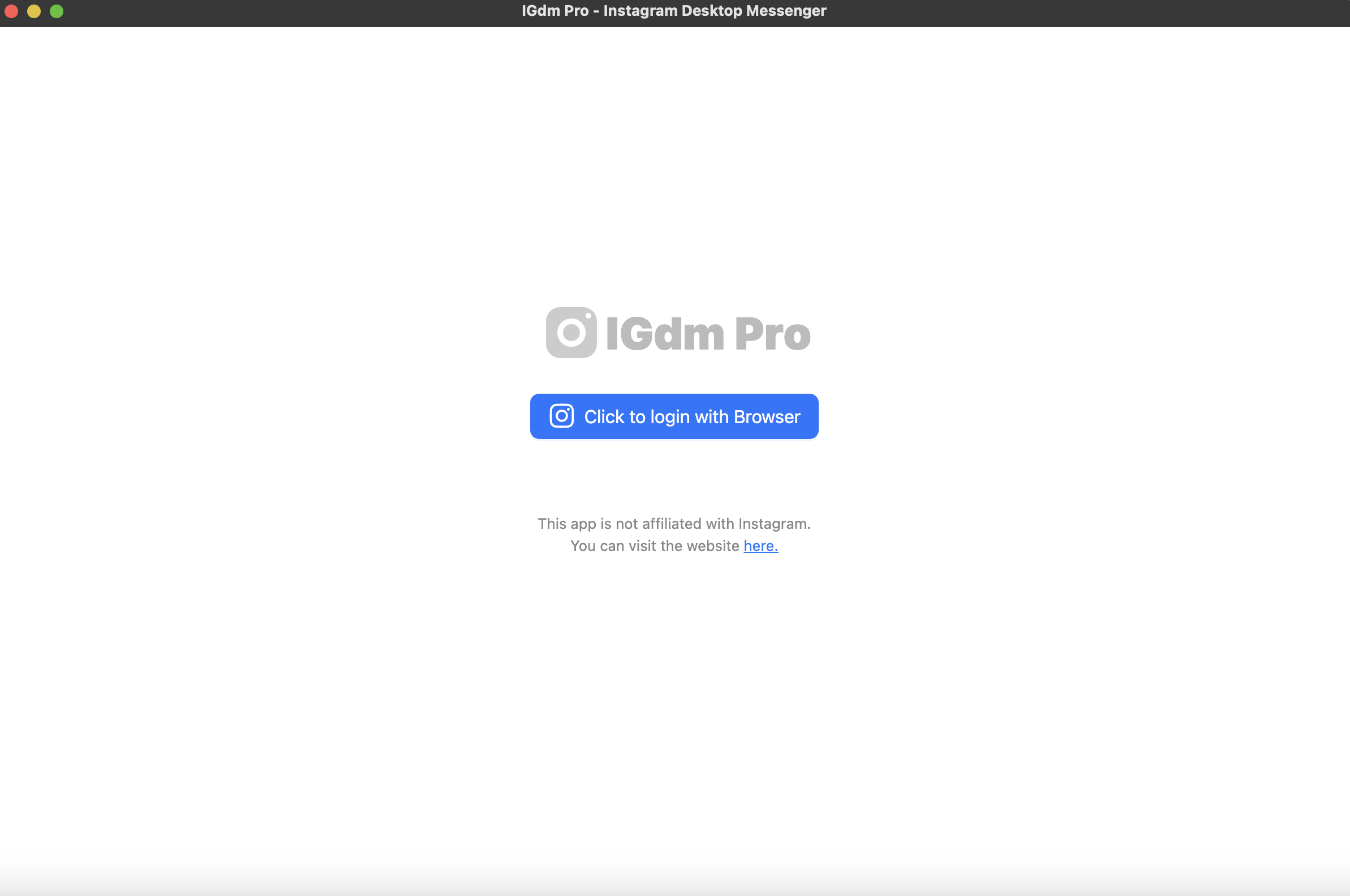
Step 1: Download and log in
- Download IGdm Pro for Windows, macOS, or Linux.
- Launch the app and click Click to login with Browser.
- Sign in to the Instagram account you want to audit, then return to IGdm Pro.
Step 2: Open Users not following back
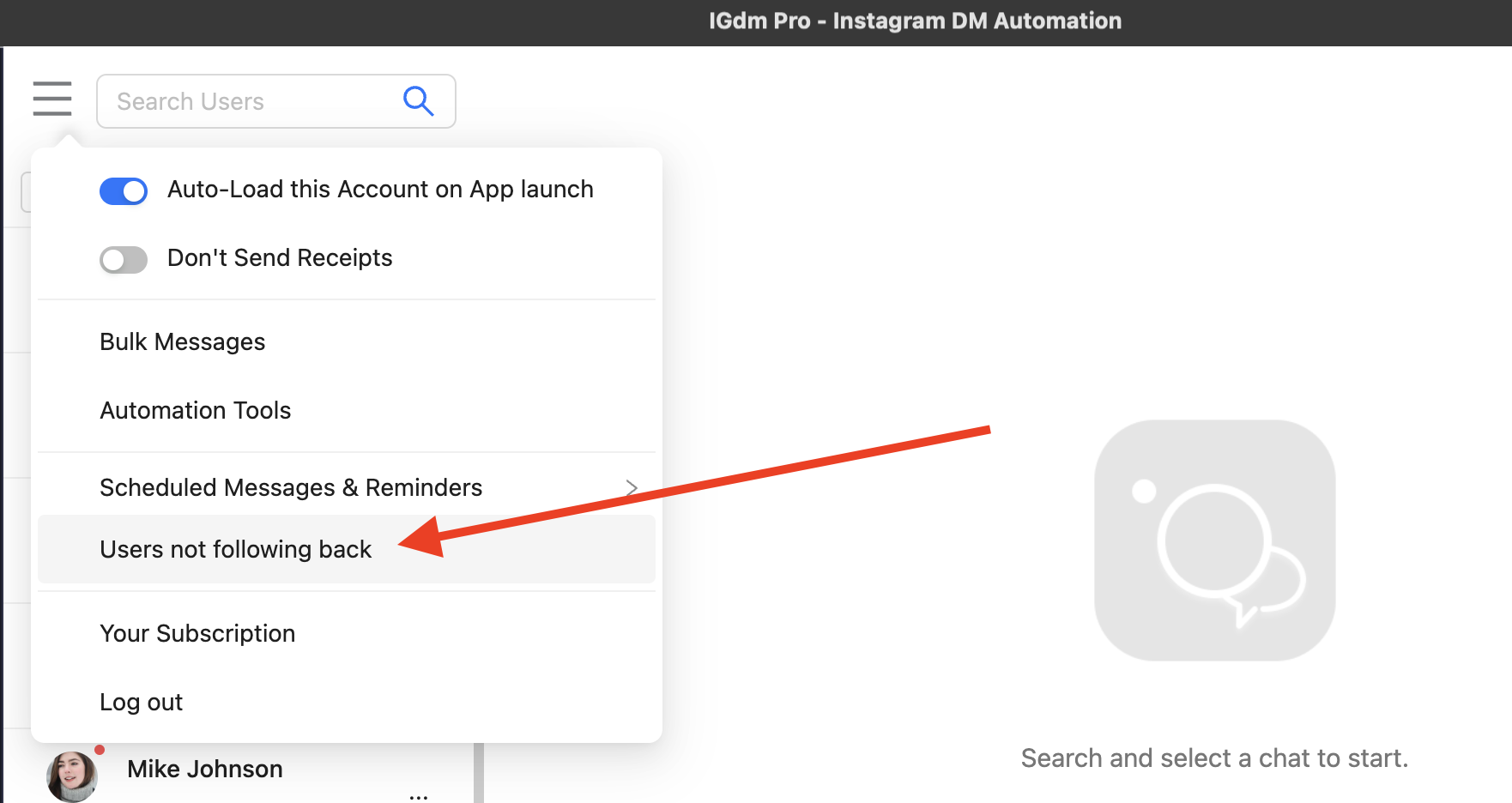
- Click your profile picture in the top-left corner.
- In the menu, click Users not following back.
Step 3: Review the list
IGdm Pro loads a modal titled Users not following back with usernames and profile photos.
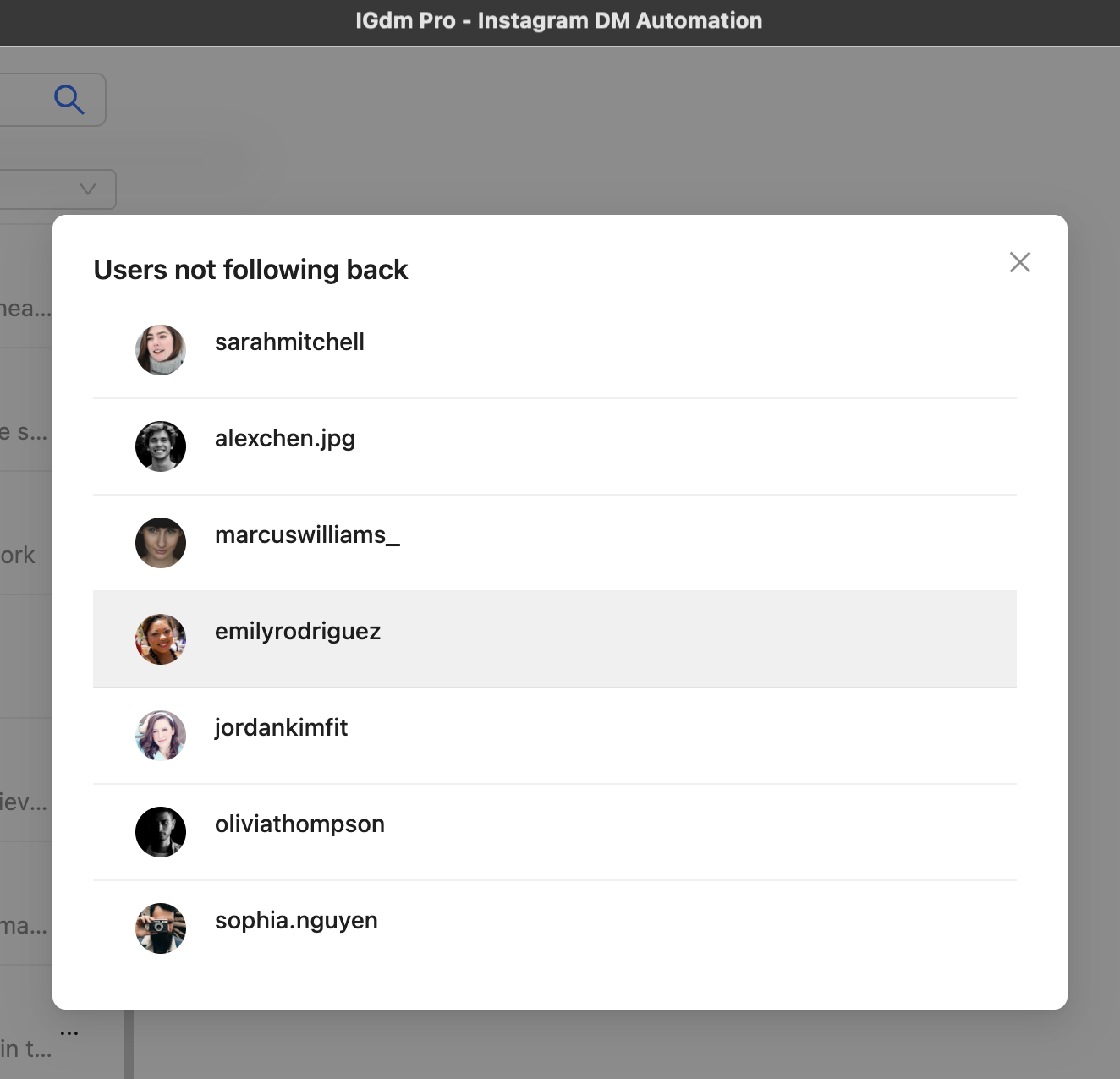
Click any username to open that Instagram profile in your browser. From there you can unfollow, mute, or decide to leave the follow alone.
That is the whole workflow. No spreadsheet. No password pasted into a random website.
Account size limit to know
IGdm Pro can show this list when your followers and following counts are both at or under 2,000.
If either number is over 2,000, the unfollowers check is skipped and the list cannot be displayed. In that case you will see a message that unfollowers cannot be shown because followers or followees exceed 2,000.
If your account is larger than that limit, use a different audit approach (for example exporting lists and comparing them), or trim lists first if that fits your growth strategy.
What to do with the list
Seeing the list is step one. What you do next depends on your goal:
- Clean up one-way follows if you want a tighter following ratio.
- Keep strategic follows (partners, clients, creators you still want to see) even if they do not follow back.
- Avoid mass-unfollowing in one burst. Large sudden unfollow waves can look unnatural. Spread cleanup over days.
- Use the insight for content, not only vanity. If a niche you chase never follows back, your targeting or content may be off.
If you also care about welcoming people who do follow you, pair cleanup with a Follow to DM workflow. See What Is Follow to DM? How to DM New Instagram Followers.
For broader unfollower strategy, see Manage Unfollowers: Tips for Sustainable Instagram Growth.
Common mistakes
- Using random “unfollow checker” sites. Giving your Instagram login to unknown tools is a bad trade for a list.
- Expecting Instagram’s mobile app to have a built-in button. It does not.
- Mass-unfollowing everyone on the list immediately. Pace cleanup.
- Treating every non-follow-back as a failure. Some follows are research, networking, or inspiration.
- Ignoring the 2,000 account-size limit in IGdm Pro. If you are over it, the in-app list will not load.
Conclusion
The easiest way to see who does not follow you back on Instagram is to stop checking profiles one by one. Use a tool that compares following vs followers for you.
In IGdm Pro, open your avatar menu, click Users not following back, and review the list. Click through to any profile when you want to unfollow or keep following on purpose.
Ready to check your account? Start with a 10-day free trial of IGdm Pro.