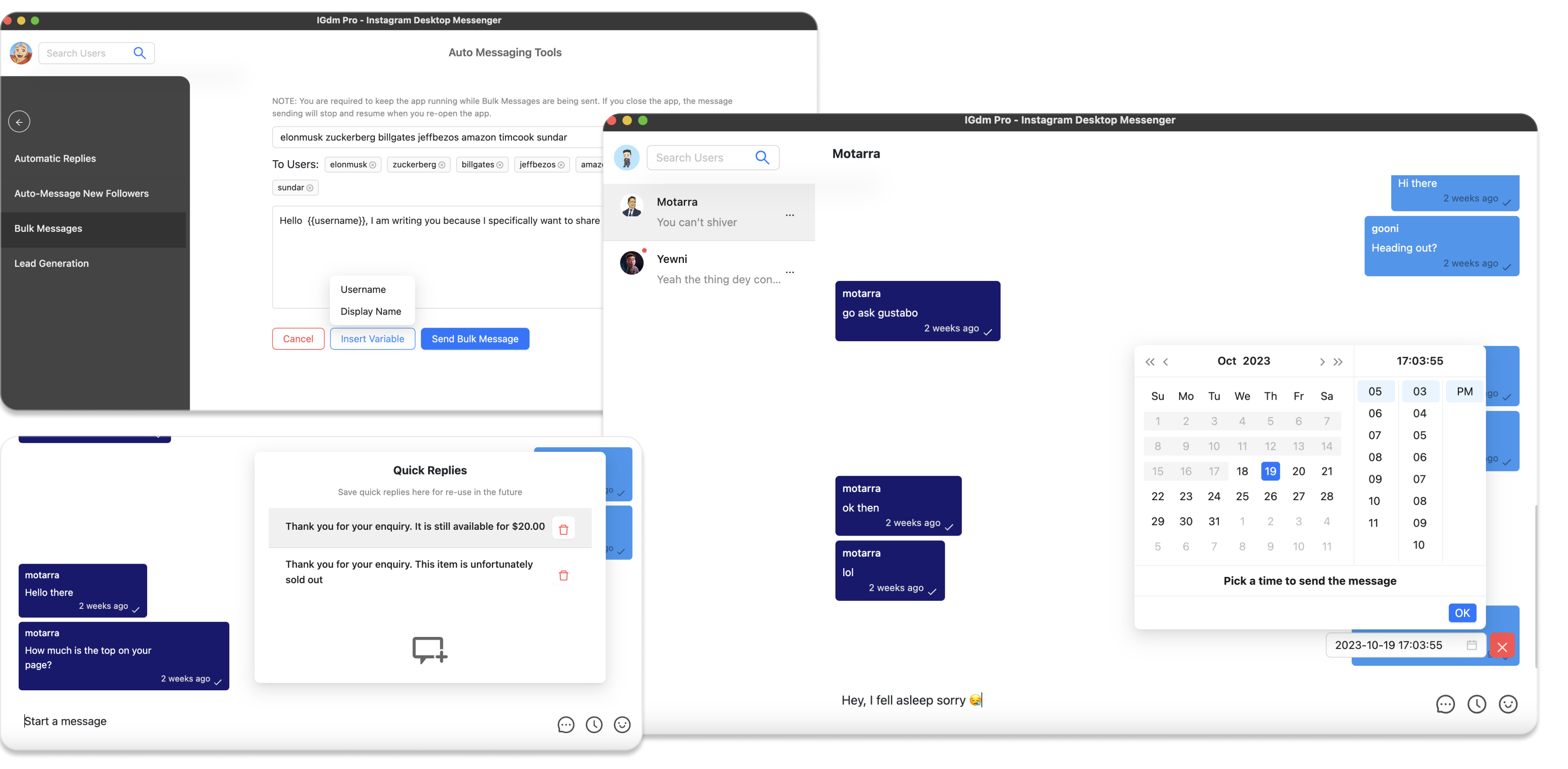
Best Way to Send Instagram Voice Messages in Bulk
Instagram voice notes feel personal. A short audio clip sounds more human than another text template, and people often listen when they would skim past a cold DM.
The problem is scale. The Instagram app lets you record a voice note one chat at a time. There is no built-in “send this voice message to 200 people” button.
The best way to send Instagram voice messages in bulk is straightforward:
- Record one clear, short voice note (or prepare a short audio file).
- Attach it to a bulk DM campaign.
- Send it with pacing, preferably to people who already follow you so media delivery works.
That workflow is available in IGdm Pro’s bulk messaging campaigns: attach audio once, then let the campaign deliver it as a voice note to each recipient on your list.
Table of Contents
- Why voice notes work better than text alone
- Why Instagram alone is not enough
- Step-by-step in IGdm Pro
- Who you can send media DMs to
- Voice note best practices
- Common mistakes
- Conclusion
Why voice notes work better than text alone
Text DMs are crowded. Everyone can blast the same pitch with a first-name merge tag.
A voice note changes the feel of the first contact:
- It takes more effort to fake, so it often signals real attention.
- Tone, pace, and warmth come through in ways plain text cannot.
- Recipients can listen while scrolling, which lowers the friction of “reading another sales DM.”
Voice is not magic. A 90-second pitch still sounds like spam. A 15 to 40 second note with one clear reason you reached out, and one simple next step, performs much better.
Why Instagram alone is not enough
In the native Instagram app you can:
- Open a chat
- Hold to record a voice note
- Send it to that one person
You cannot:
- Attach one voice note to a recipient list
- Schedule or pace hundreds of voice sends
- Reliably manage follow-ups and campaign limits from the phone UI
Manual copy-paste recording does not scale. If you need voice outreach for welcome messages, client updates, creator outreach, or a warm list, you need a desktop workflow that supports audio attachments in bulk.
Step-by-step in IGdm Pro
Step 1: Download and install IGdm Pro
Visit https://igdm.me and download the build for your operating system (Windows, macOS, or Linux). Install the app, then launch it.
Step 2: Log in with your Instagram account
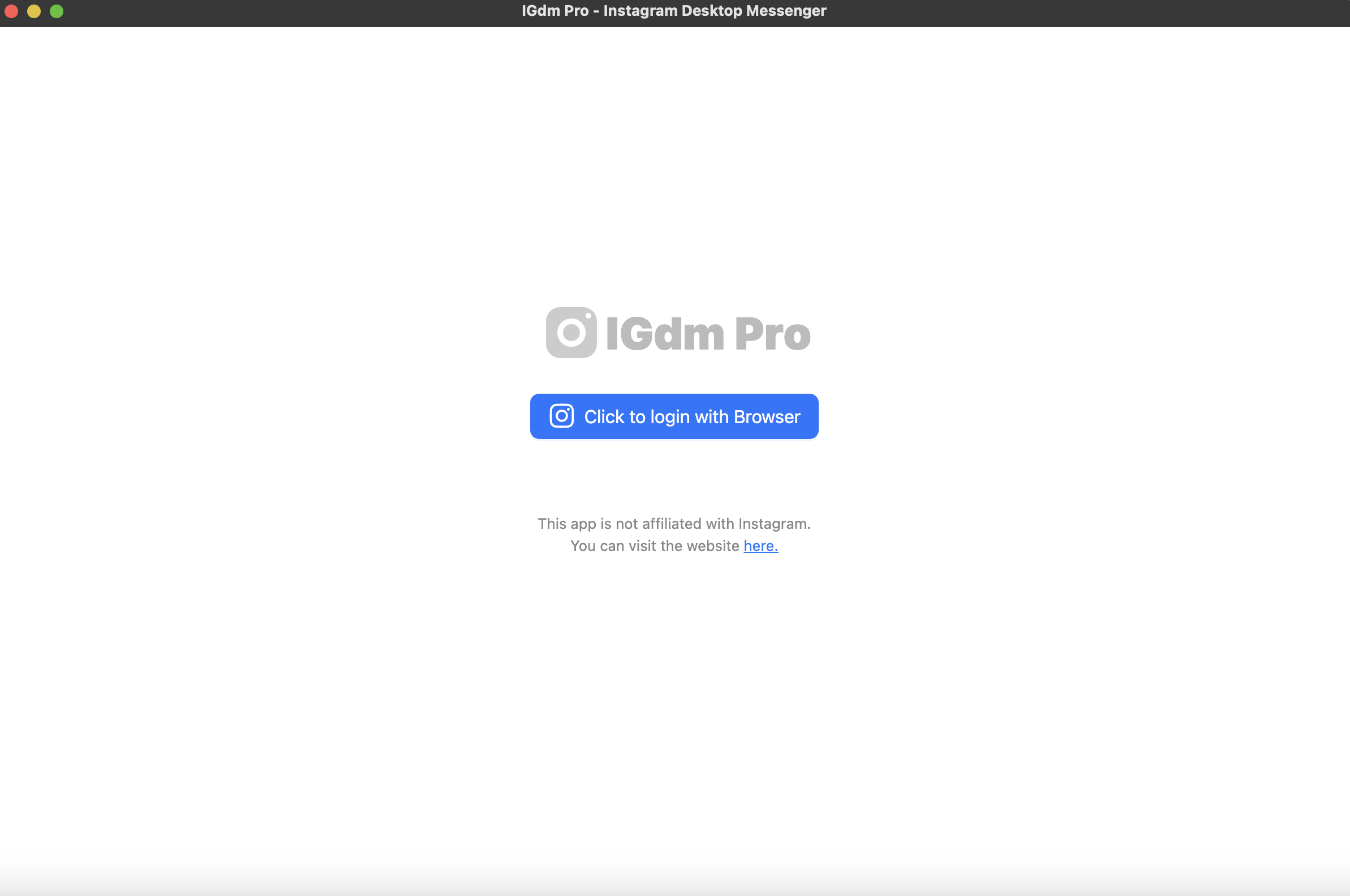
- In IGdm Pro, click Click to login with Browser. That opens Instagram in the app’s Chromium browser.
- Sign in to the Instagram account you want to use.
- When login finishes, switch back to IGdm Pro while it loads your account.
Step 3: Open Bulk Messages
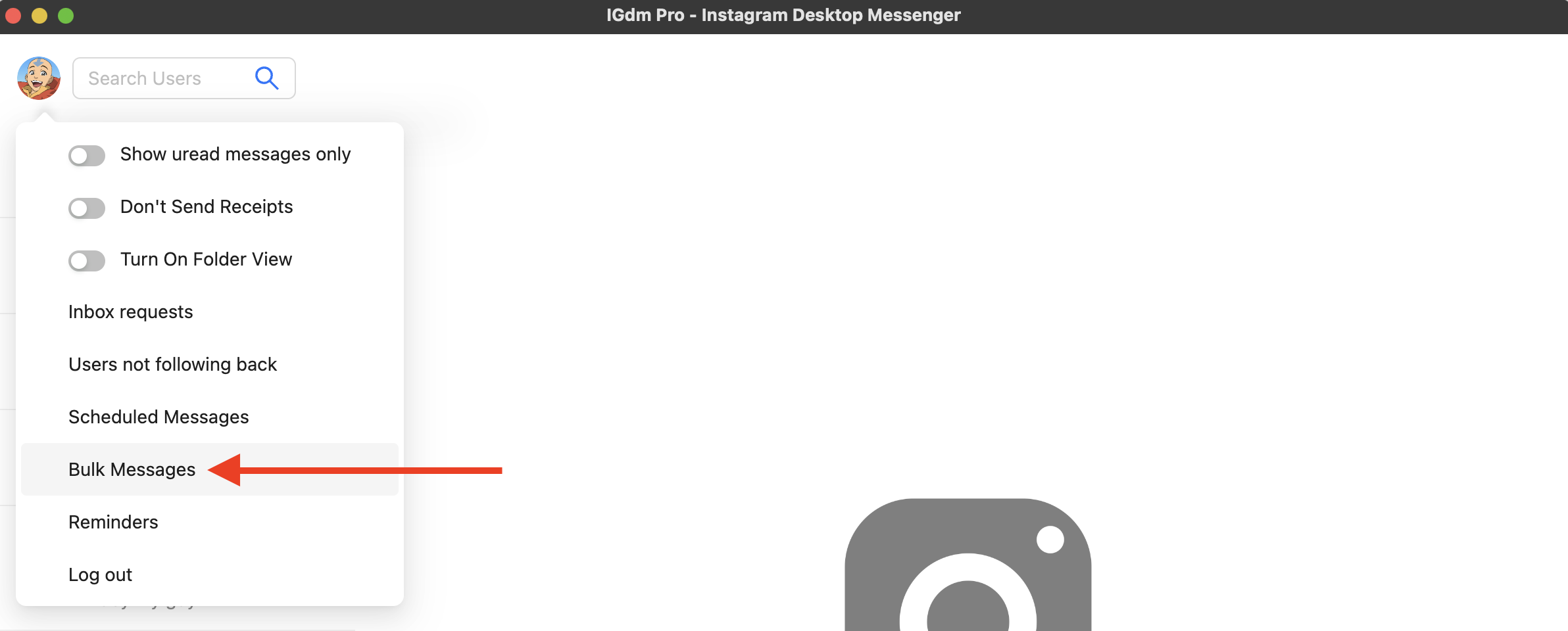
- Hover over your profile picture in the top-left corner.
- In the dropdown, click Bulk Messages.
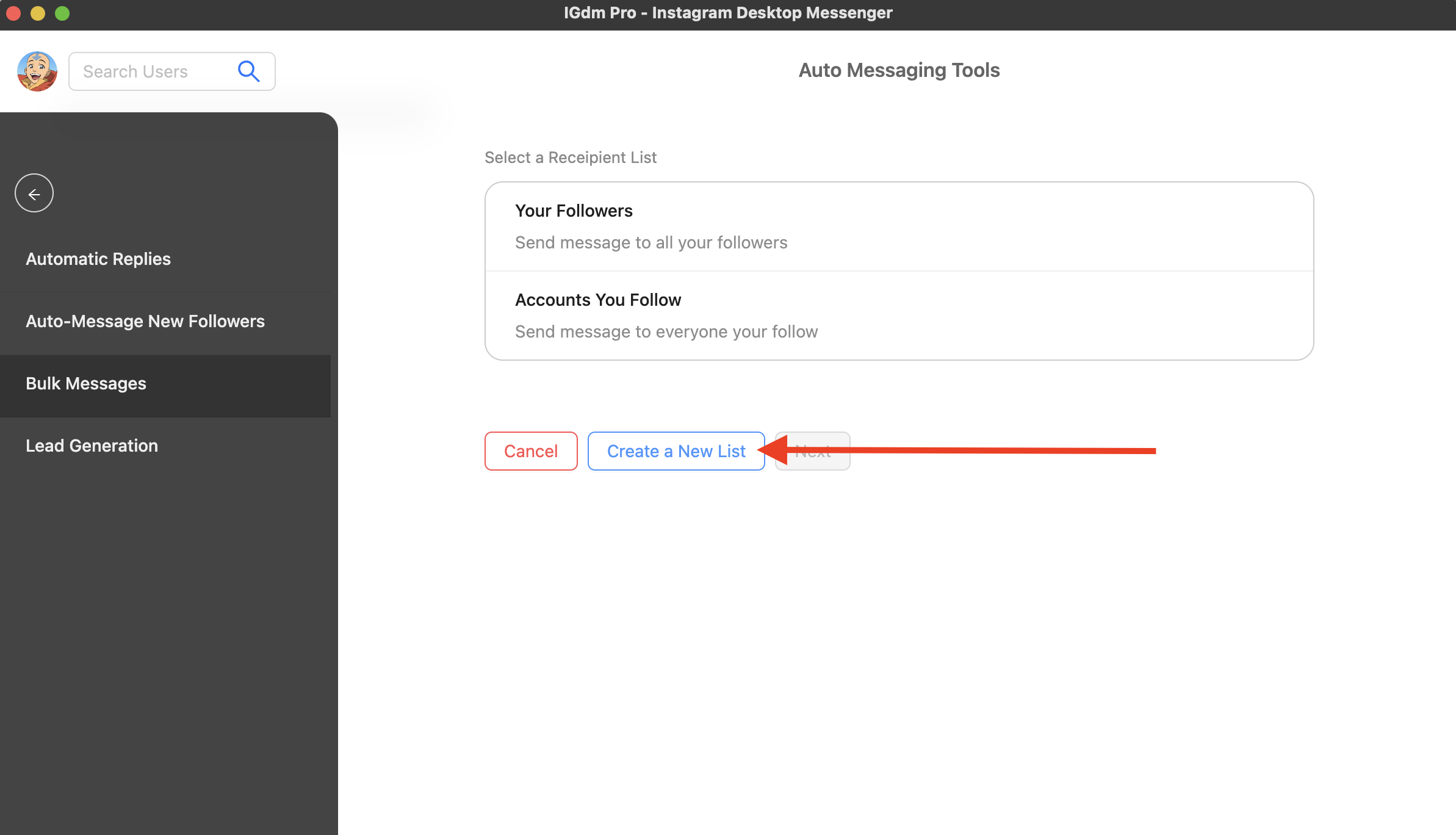
- Choose recipients. For voice notes with media, start with people who follow you (followers list, or a custom list of warm contacts).
Step 4: Attach your voice audio
On the Campaign tab, use the message composer:
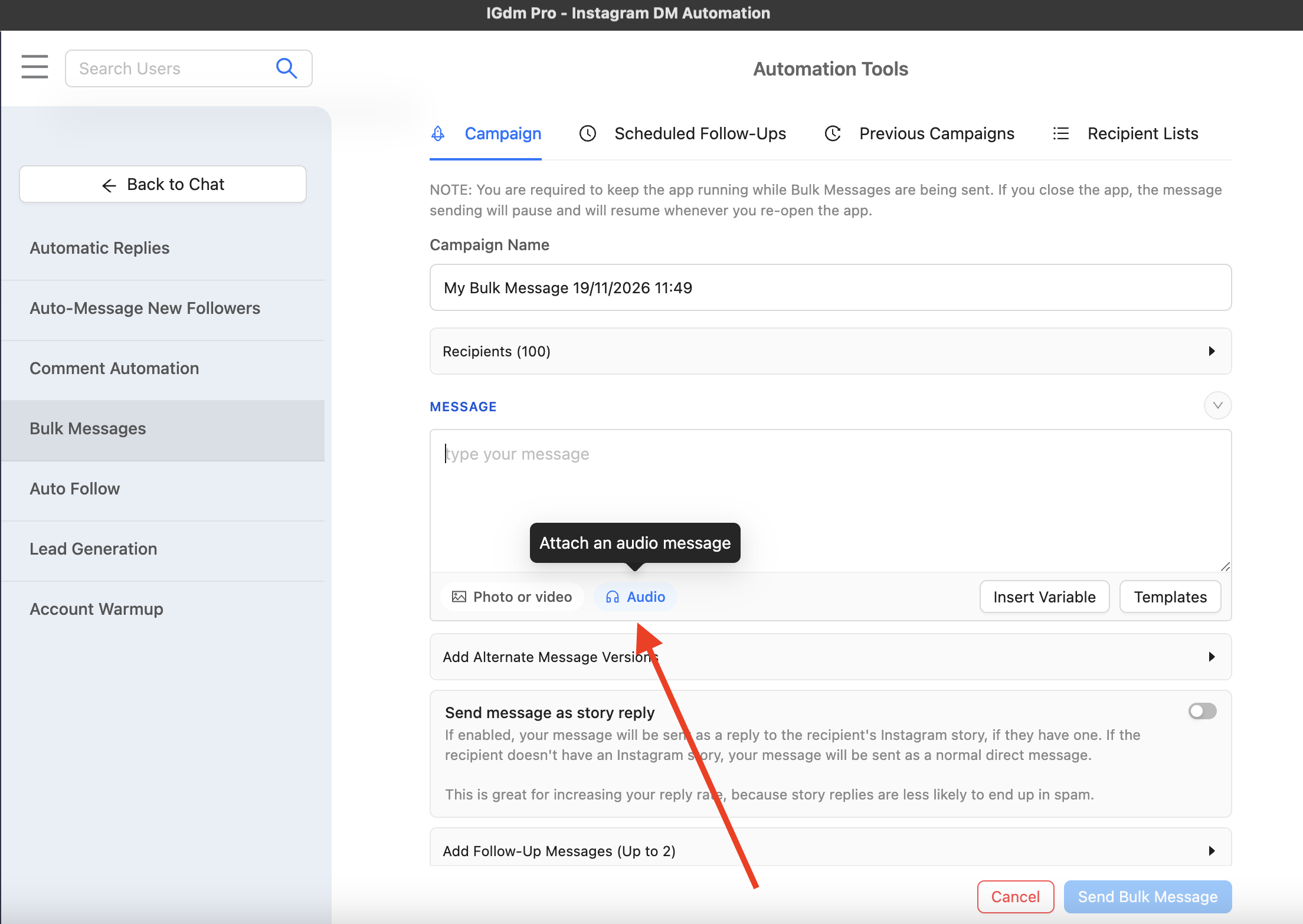
- Click Audio under the message box. The tooltip reads Attach an audio message.
- Choose your recorded voice note file.
- Optionally add a short text line with variables like
{{firstname}}.
After the file uploads, you will see the audio player in the composer, plus Instagram’s media delivery warning.
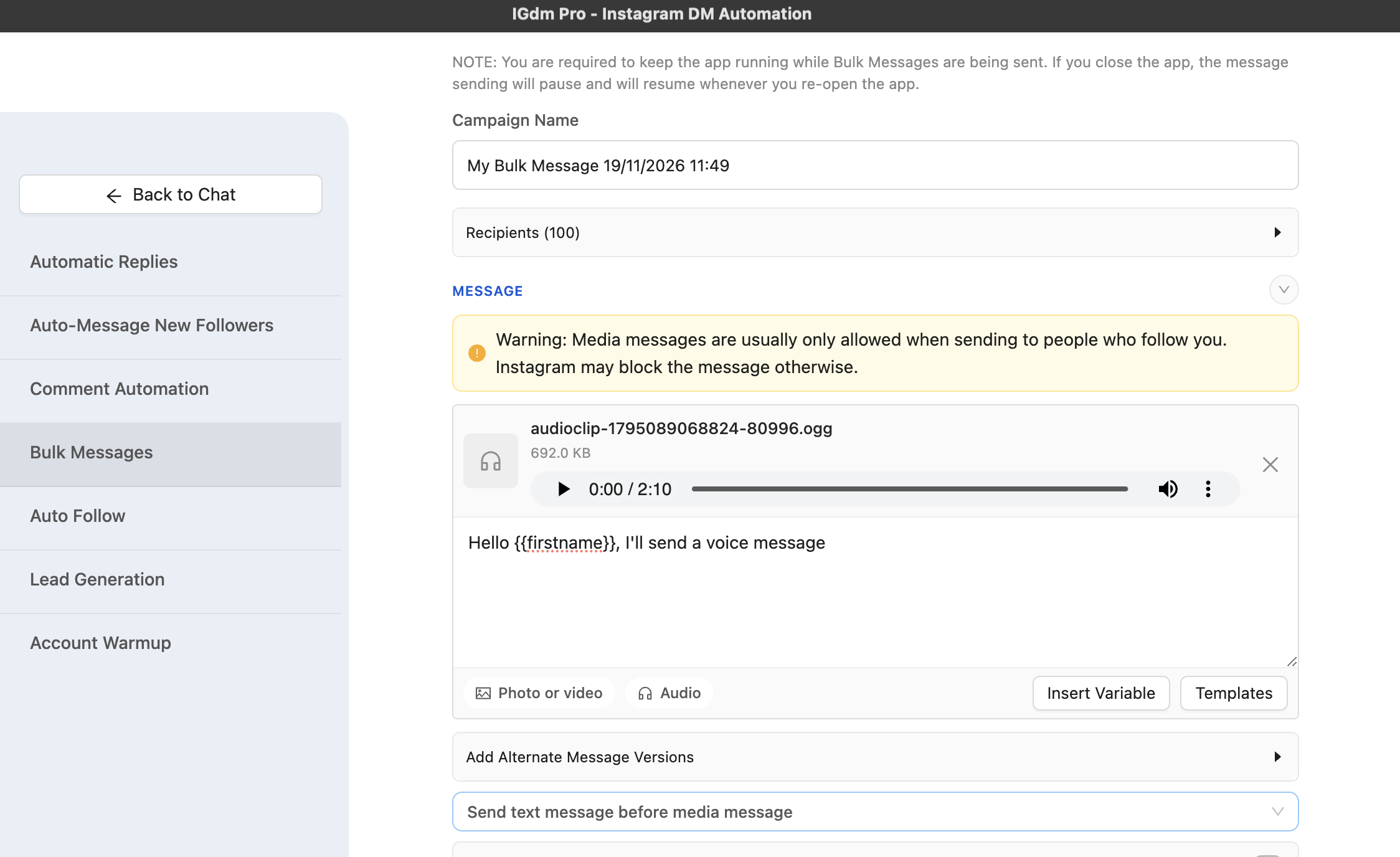
IGdm Pro sends attached audio as an Instagram voice note. Keep clips short. Voice notes cannot be longer than 3 minutes, and shorter almost always performs better.
If you attach both text and audio, use the send-order dropdown and choose:
- Send text message before media message
- Send media message before text message
For most outreach, text before media works well: a tiny written hook, then the voice note that carries the personality.
Step 5: Set limits and start the campaign
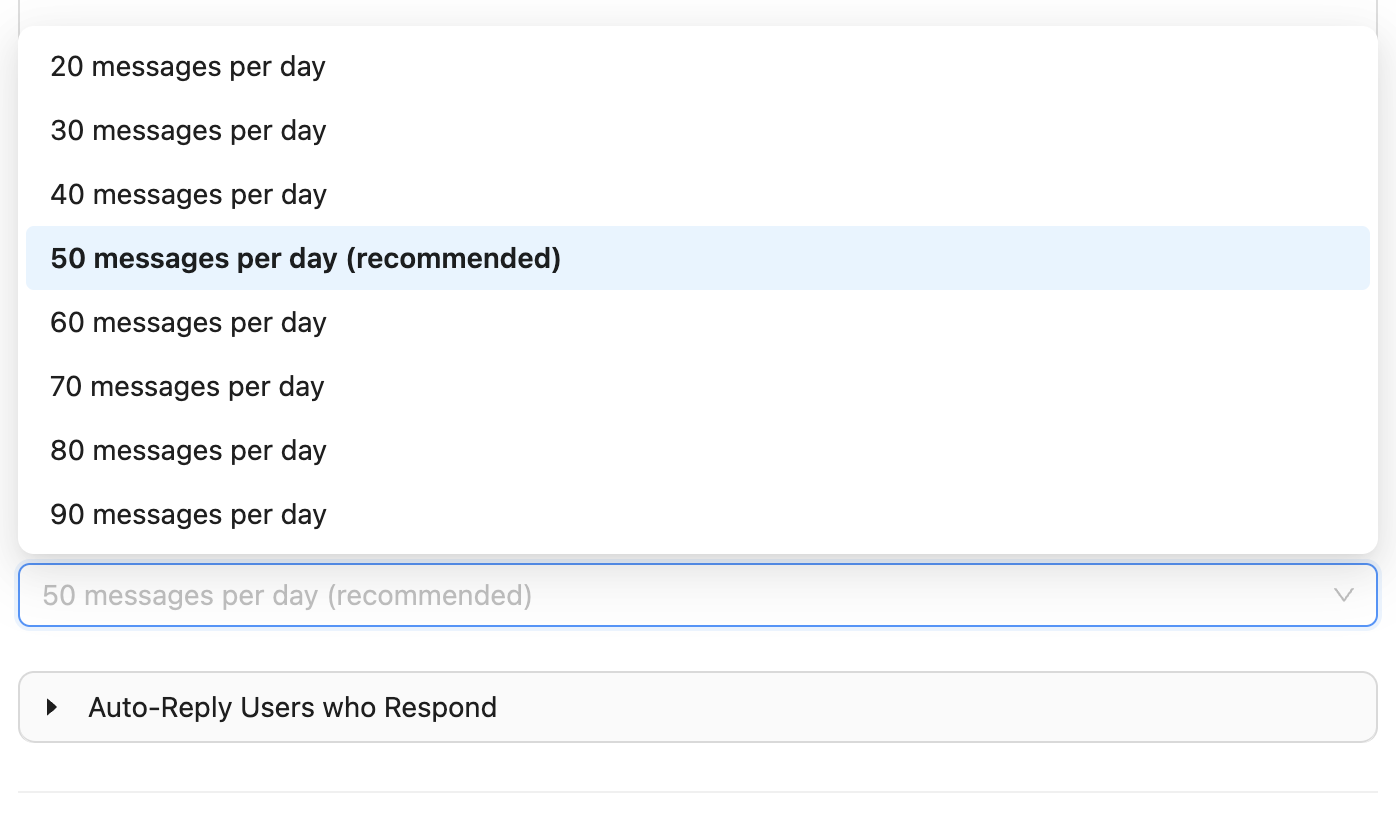
- Set a conservative Daily Message Limit while you test. 50 messages per day (recommended) is a solid starting point.
- Click Send Bulk Message and keep the app running while the campaign sends.
- Spot-check the first few deliveries in Instagram to confirm the voice note lands as expected.
Voice outreach still counts as account activity. Pair it with sensible pacing and account warmup. See How to Automate Instagram Outreach Without Getting Banned and How to Warm Up Your Instagram Account Automatically.
Who you can send media DMs to
This matters more for voice notes than for plain text.
Instagram often restricts media DMs when the recipient does not follow you. As soon as you attach audio, IGdm Pro shows the warning in the composer: media messages are usually only allowed when sending to people who follow you. Otherwise Instagram may block the send.
Practical takeaway:
- Best fit: welcome voice notes to new followers, updates to existing followers, nurture lists, and warm audiences.
- Risky fit: cold lists of people who do not follow you. Prefer text-first cold outreach there, then use voice once the relationship (or follow) exists.
If your goal is cold outreach reply rates with text, see How to Get More Replies to Your Instagram Cold DMs.
Voice note best practices
- Keep it short. Aim for 15 to 40 seconds. Say who you are, why them, and what to do next.
- Record in a quiet place. Background noise makes you sound less credible.
- One offer, one ask. Do not ramble through your whole funnel.
- Sound like yourself. A slightly imperfect natural take beats a stiff script read.
- Match the list. A welcome note for new followers should not sound like a cold sales pitch.
- Test on yourself or a teammate first. Confirm volume, clarity, and length before a full campaign.
- Use alternate text carefully. If you vary accompanying text, keep the voice note consistent so the audio still matches the promise in the text.
Common mistakes
- Trying to bulk-send voice notes from the Instagram mobile app. There is no native bulk voice workflow.
- Sending media to cold non-followers. Delivery often fails.
- Recording a long pitch. People abandon long voice notes the same way they ignore long text.
- Blasting high volume on a fresh account. Warm up and keep daily limits modest.
- Using noisy or low-quality audio. Bad sound kills the “personal” advantage.
- No CTA. End with one clear next step: reply, book a link, check a post, or answer a simple question.
Conclusion
The best way to send Instagram voice messages in bulk is not recording the same note hundreds of times by hand. It is one strong voice note + a paced bulk campaign, aimed at people who can actually receive media DMs.
That is what IGdm Pro is built for: attach audio in Bulk Messages, optionally pair it with a short text line, set your daily limit, and send without living inside the Instagram recorder all day.
Ready to try it? Start with a 10-day free trial of IGdm Pro.