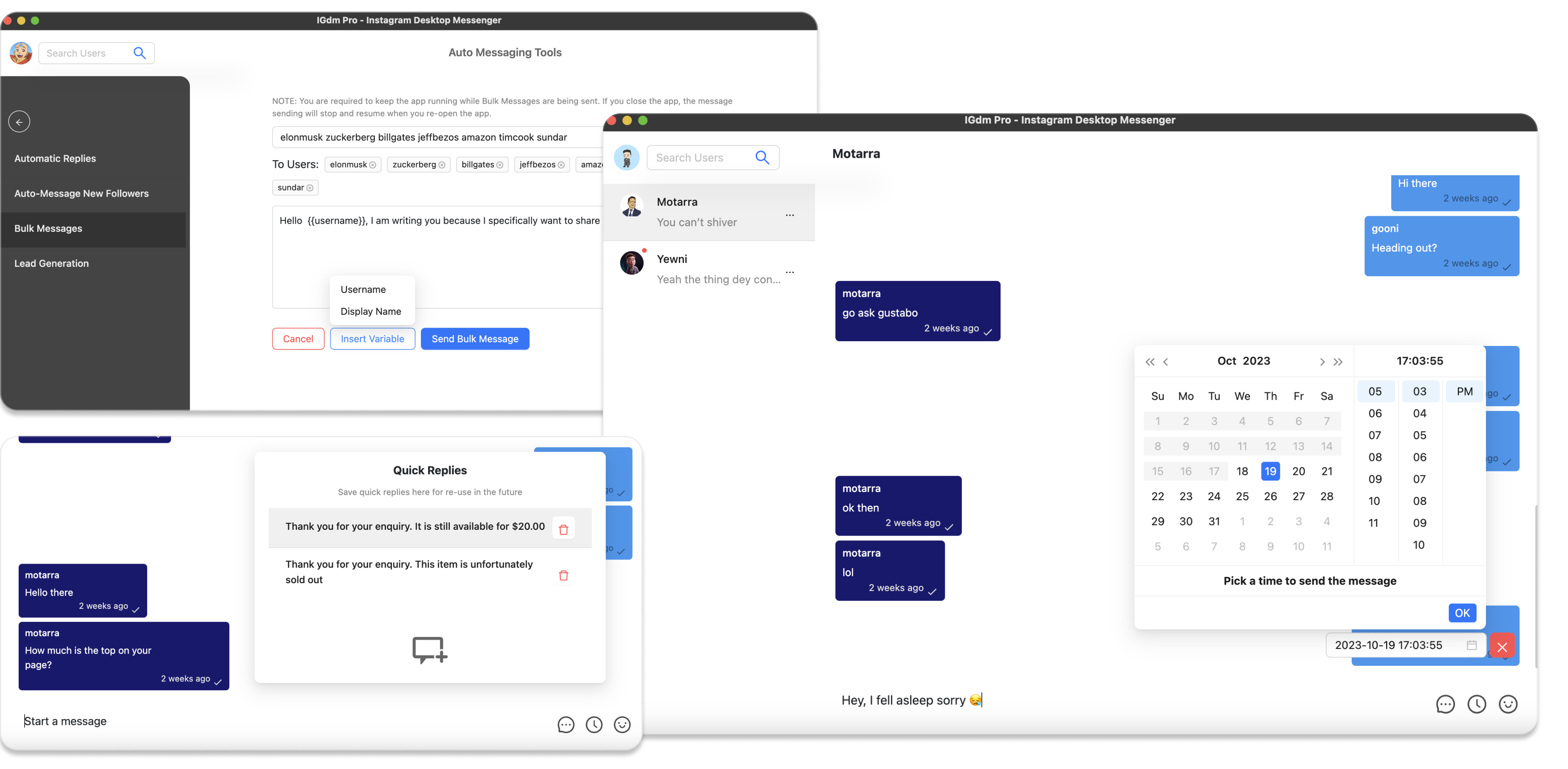
The Best Way to Personalize Instagram Cold DMs with AI
Most “personalized” Instagram cold DMs are not personalized. They are templates with a first name stuck on top.
Recipients notice. So does Instagram’s spam pattern detection when hundreds of people get the same pitch with one word swapped.
The better approach is simple: keep a clear base offer, then let AI rewrite a relevant middle section for each person using their bio and recent posts. You can run that workflow at scale in IGdm Pro’s bulk messaging campaigns.
This guide walks through the full setup, from download to a tested personalized send.
Why bio and post context beats merge tags
{{firstname}} proves almost nothing. Anyone can scrape a display name.
A line that references someone’s bio niche, creator category, or a recent caption proves you looked at the profile. That is what lifts reply rates:
- The message feels written for them, not a list.
- Each send is unique, so you avoid the identical-blast pattern.
- Your offer stays consistent while the personalization layer changes per recipient.
IGdm Pro’s AI personalization is designed around that split: you own the offer, the AI owns the contextual bridge.
Step 1: Download and install IGdm Pro
Visit https://igdm.me and download the build for your operating system (Windows, macOS, or Linux). Install the app, then launch it.
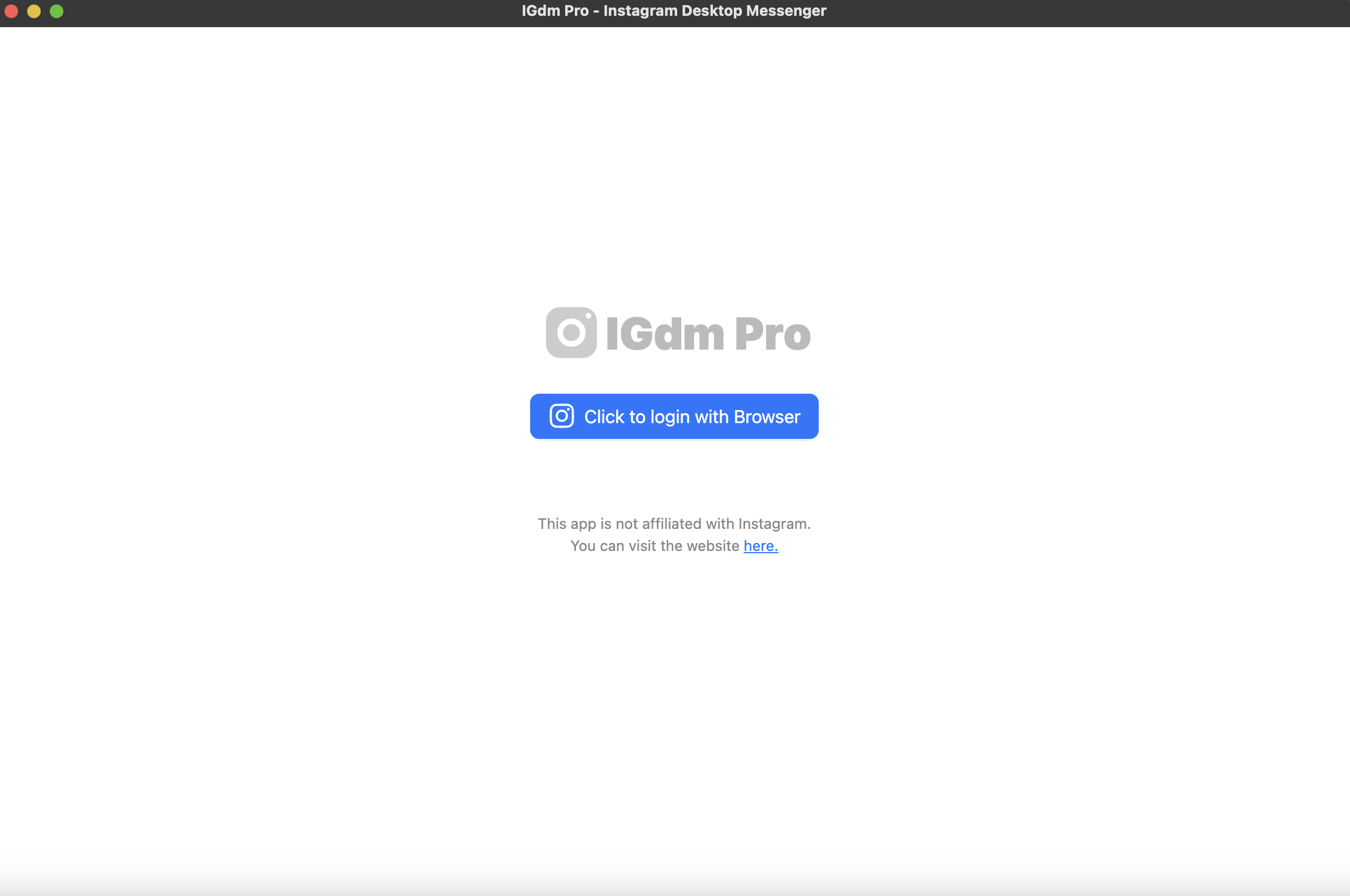
Step 2: Log in with your Instagram account
- In IGdm Pro, click Click to login with Browser. That opens Instagram in the app’s Chromium browser.
- Sign in to the Instagram account you want to use for outreach.
- When login finishes, the browser closes automatically. Switch back to IGdm Pro while it loads your account.
Step 3: Open Bulk Messages
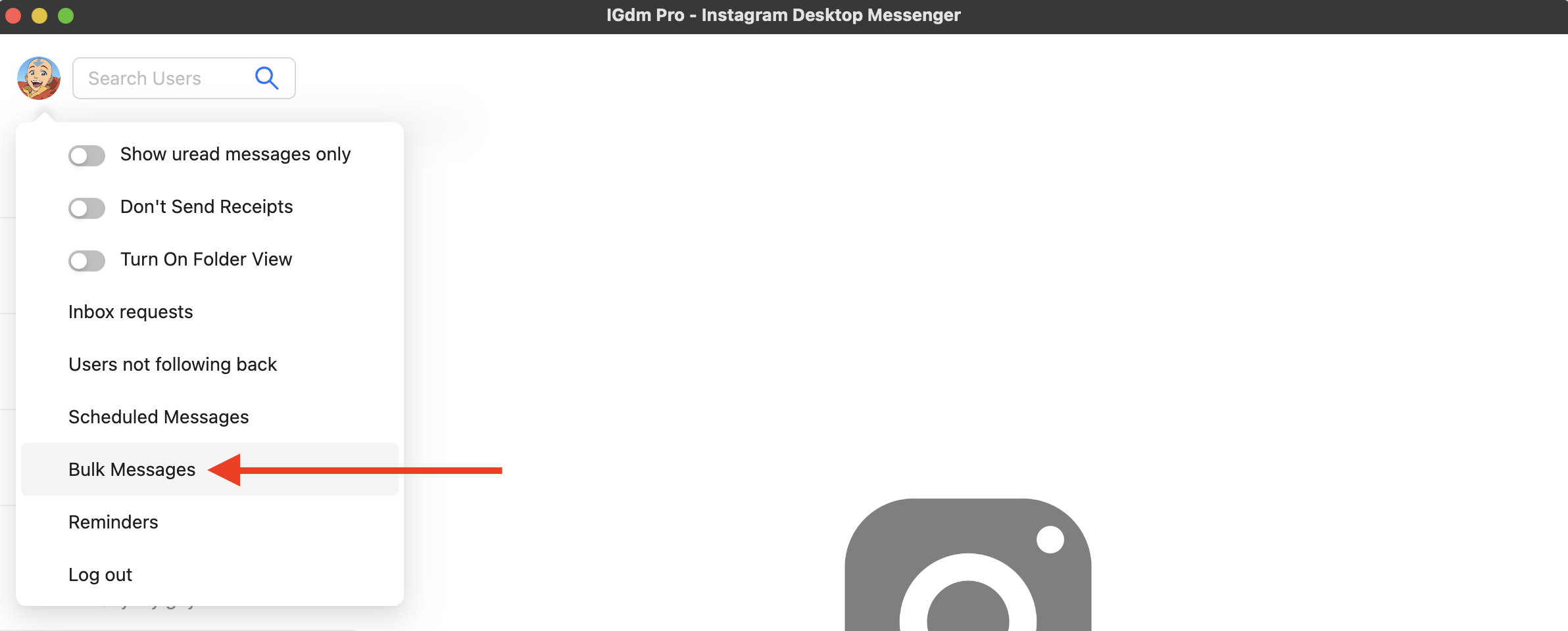
- Hover over your profile picture in the top-left corner of the app.
- In the dropdown, click Bulk Messages.
- Choose how you want to pick recipients (followers, accounts you follow, or a custom list). For cold outreach, create or select a custom list, add usernames, then continue to the campaign composer.
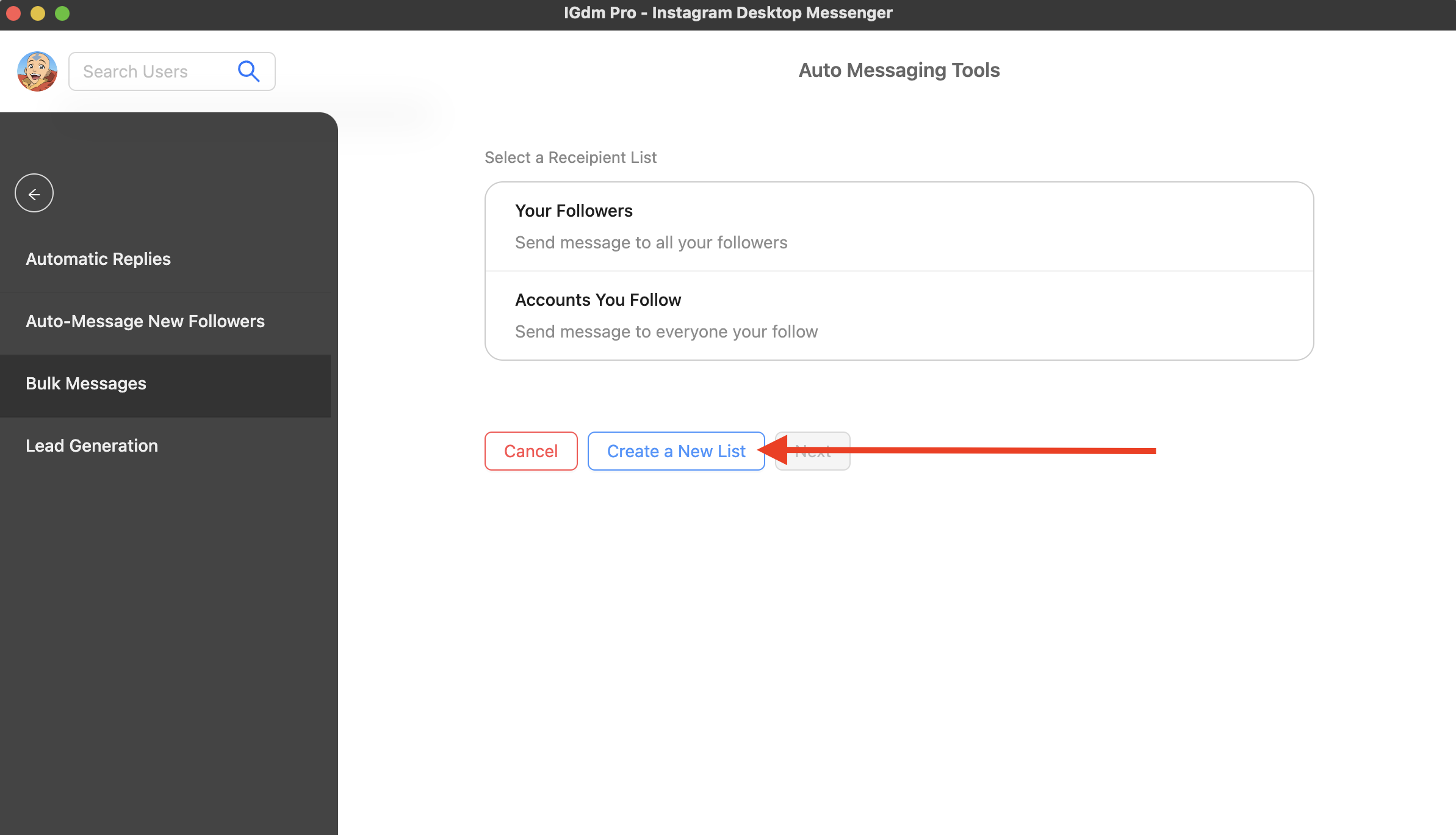
You are now on the bulk messaging campaign page where AI personalization lives.
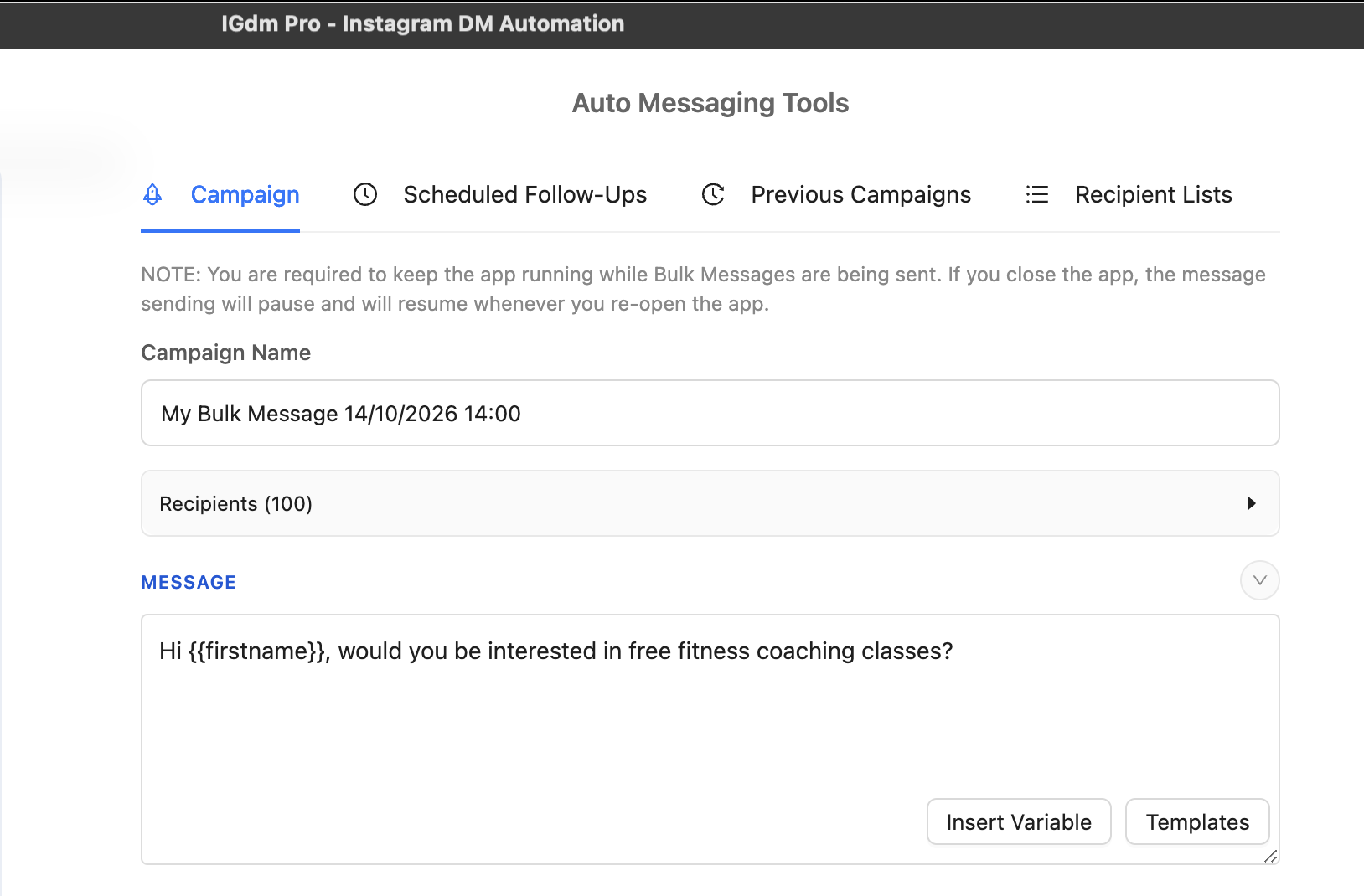
Step 4: Write a clear base message
Write the message you would send if you had time to customize it yourself.
Good base messages are:
- Short
- Specific about what you are offering or asking
- Still usable with merge variables like
{{firstname}}
Leave room in the middle for personalization. Do not stuff the entire pitch with clever one-liners you expect the AI to preserve word for word.
Step 5: Turn on AI message personalization
In the campaign settings list below the editor, expand Ai Message Personalization.
Configure it like this:
- Turn on Personalise message per recipient.
- Choose the profile signals the AI can read. For cold DMs, start with Bio Text and Captions from recent Posts.
- Set Where to insert personalisation. Middle of message is usually best: greeting and CTA stay yours, the AI fills the relevance gap.
- Enable personalisation styles that match your tone. Common picks are Compliment, Direct tie-in, and Simple observation.
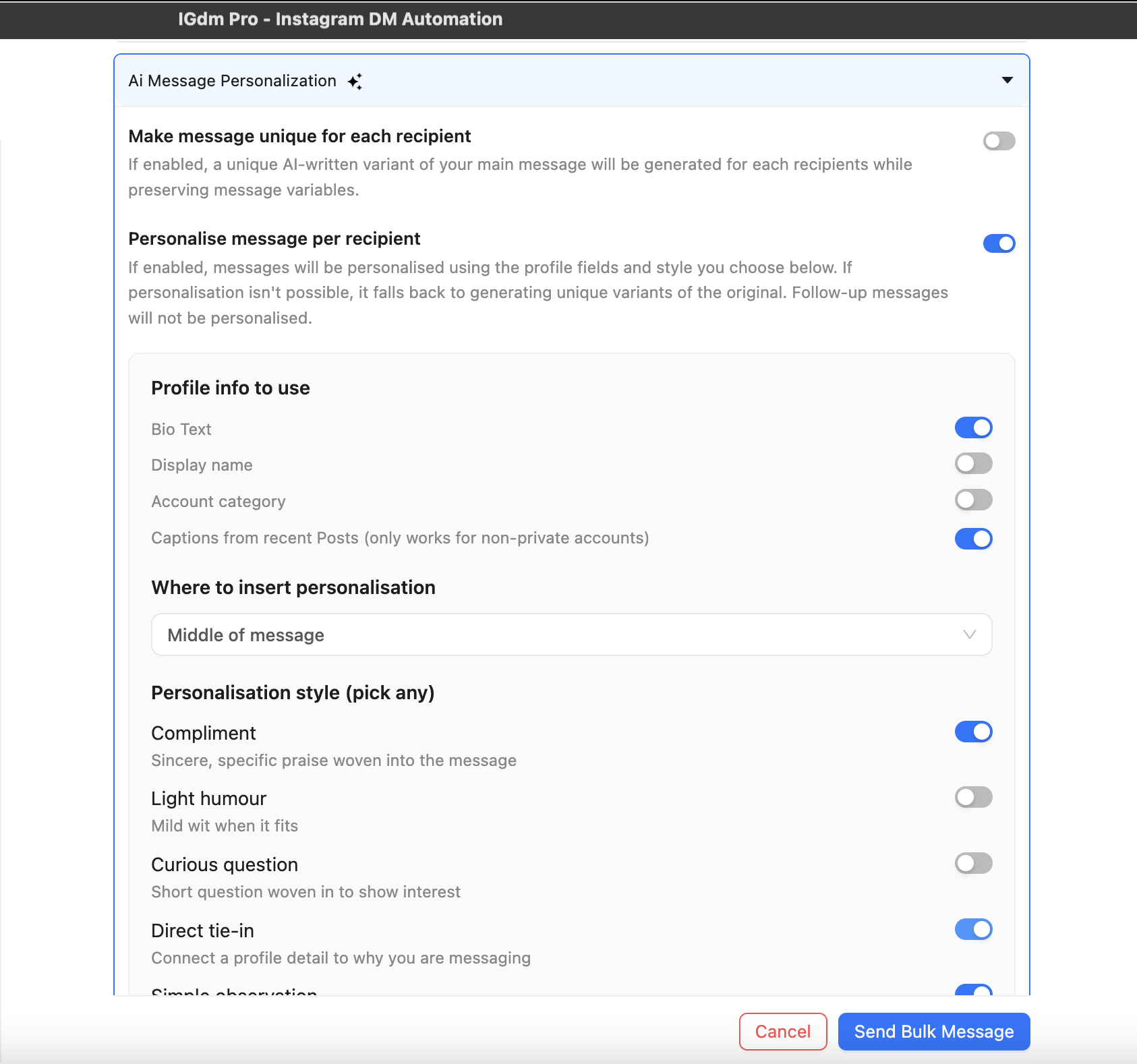
That combination is the core of the method: bio + recent posts for context, middle insertion so the AI does not overwrite your offer, and styles that keep the tone human.
AI message personalization is part of AI Personalization & Intent Matching on the Ultra plan. Use automation responsibly and within Instagram’s Terms of Service.
Step 6: Test before you send
Do not learn your settings on a 200-person list.
Click Test Personalization and review a real preview.
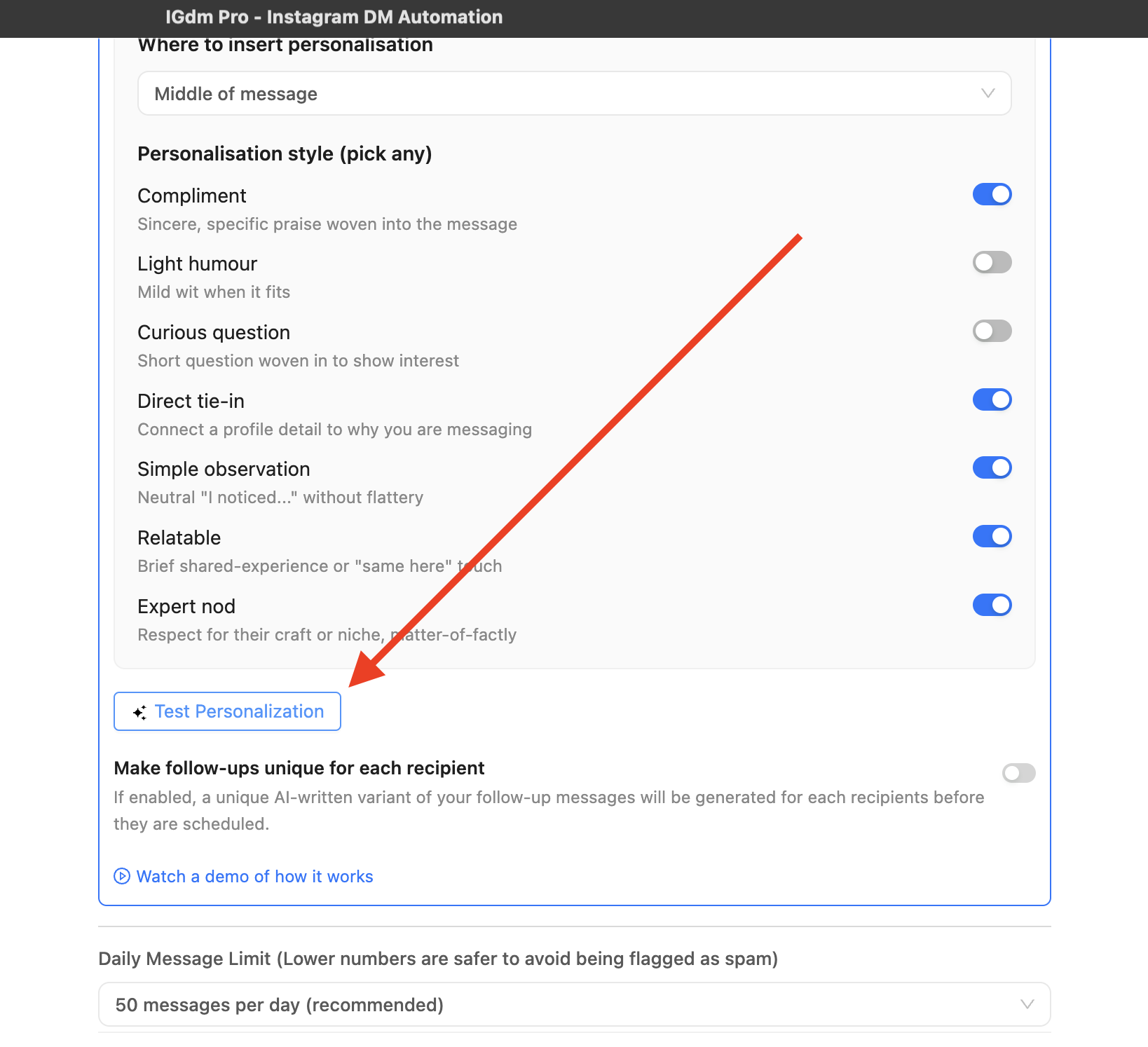
The preview shows:
- The profile context the AI used (bio, captions, and related signals)
- The final personalized message
In the example below, the fitness offer stays intact while the AI weaves in a bio detail (“sharing daily inspirations”).
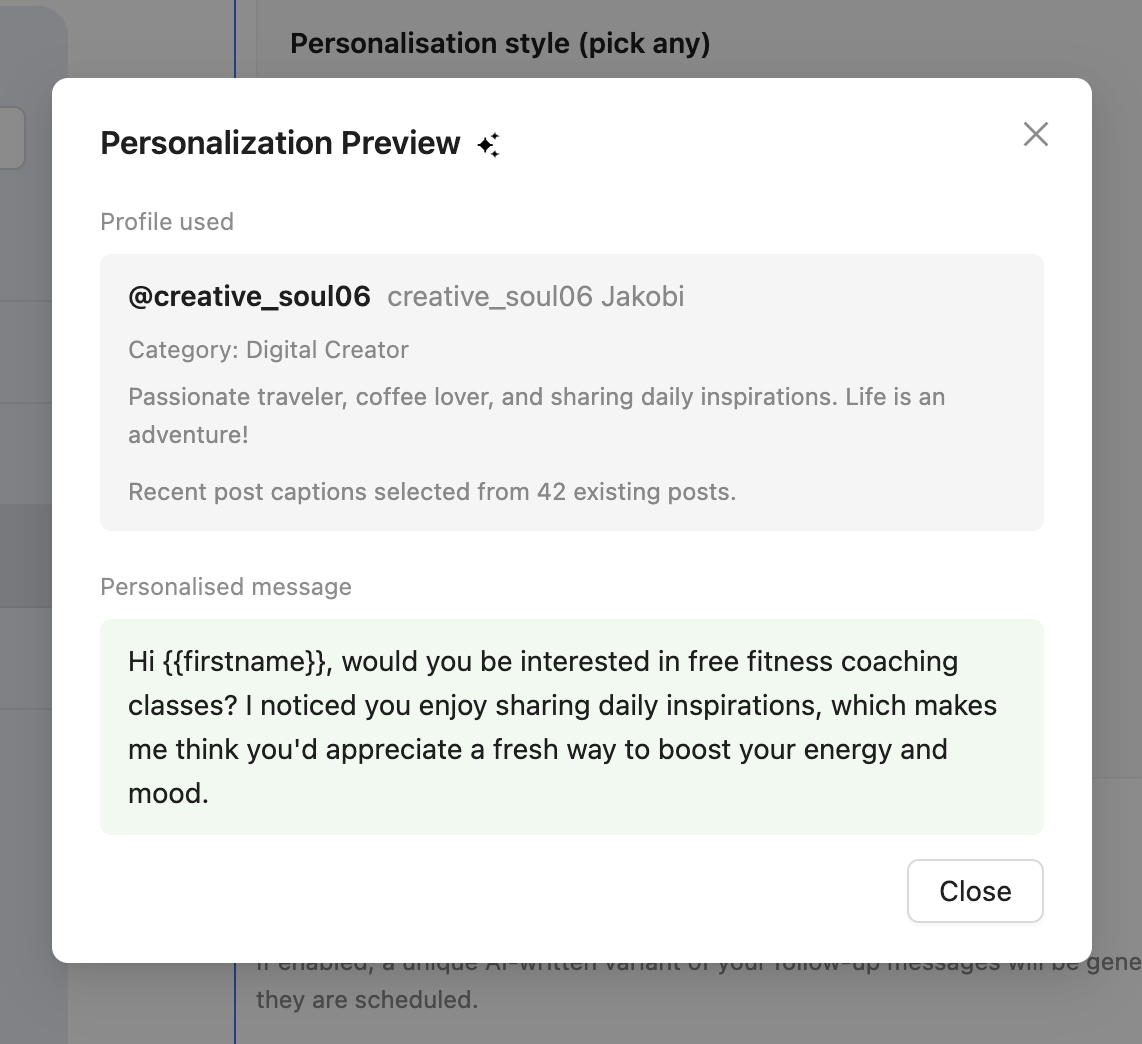
If the preview feels off, adjust styles, insertion point, or which signals are enabled, then test again. A good test looks like something you would send manually after spending 30 seconds on their profile.
Step 7: Send with sensible limits
Once the preview looks right:
- Keep a conservative Daily Message Limit while you measure replies (for example 50 per day).
- Start the campaign with the app running.
- Spot-check a few live sends after the first batch.
Personalization improves quality. It does not remove the need for pacing, warm accounts, and clean targeting. For safer outbound habits, see How to Automate Instagram Outreach Without Getting Banned.
Want to stack personalization with follow-before-DM and story replies? See How to Get More Replies to Your Instagram Cold DMs.
Common mistakes to avoid
- Letting the AI write the entire pitch. Keep the offer in your base message.
- Skipping the test preview. One weird compliment can burn trust fast.
- Using weak or empty signals. If bios are blank and posts are sparse, expect weaker personalization. Tighten your list.
- Over-sending while you tune settings. Fix quality first, then raise volume.
- Same template, no AI. Merge tags alone are not personalization.
Conclusion
The best way to personalize Instagram cold DMs with AI is not “generate a full message from scratch.” It is your offer + their context: a solid base template, then AI that reads bio and recent posts and inserts a relevant bridge for each recipient.
That is exactly what IGdm Pro’s bulk campaign AI personalization is for. Write once, test the preview, then let each send feel hand-written.
Ready to try it on your next list? Start with a 10-day free trial of IGdm Pro.