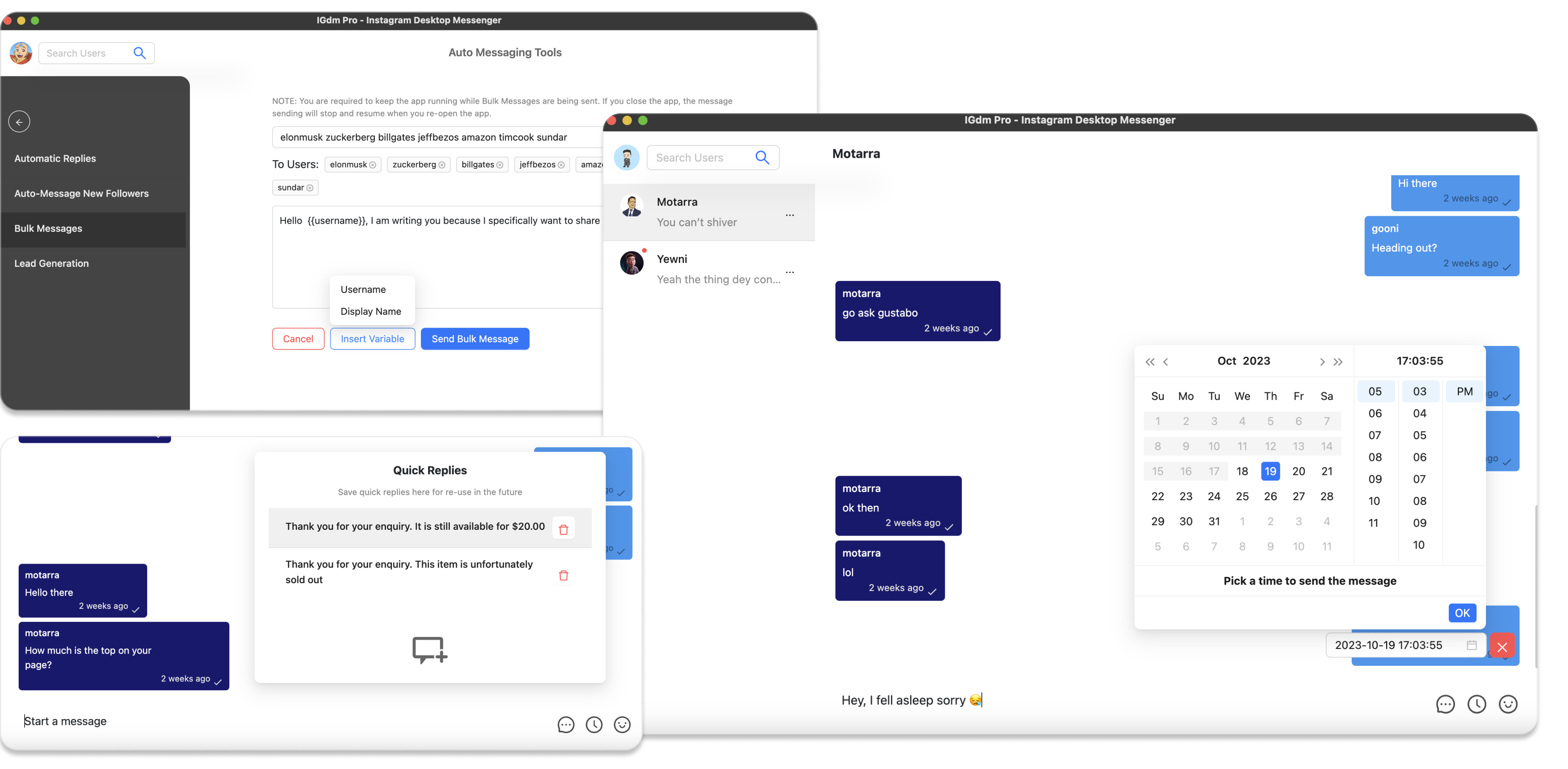
What Is Follow to DM? How to DM New Instagram Followers
When someone follows your Instagram account, interest is highest in that first window. Most creators and businesses still wait days, or forever, before saying hello.
Follow to DM closes that gap: as soon as someone follows you, they get a direct message. Instagram does not offer this natively, so people use automation tools like IGdm Pro to detect new followers and send the DM for them.
This article explains what Follow to DM is, when to use it, and how to set it up so new followers get a timely welcome message.
What is Follow to DM?
Follow to DM (also called follow-to-DM or new-follower auto DM) is a workflow where:
- Someone follows your Instagram account.
- Your automation detects the new follower.
- A welcome DM is sent after a short delay you choose.
It is different from cold outreach. Cold DMs go to people who never opted into your account. Follow to DM goes to people who already chose to follow you, so the first touch feels warmer and more expected.
Typical uses include:
- Welcoming new followers and pointing them to a free resource
- Offering a discount or lead magnet while interest is fresh
- Introducing what you sell or how to book a call
- Starting a conversation that can continue with follow-ups or auto-replies
Why DM new Instagram followers?
A new follow is a signal. The person saw enough of your profile to hit Follow. A good DM in that window can:
- Move them from passive scrolling to a clear next step
- Answer “what do you do?” before they forget you exist
- Create a consistent onboarding experience even when you are offline
- Feed warmer leads into sales or community workflows
Keep the first message short, useful, and easy to reply to. A hard pitch in line one usually underperforms a simple hello plus one clear CTA.
How to DM new Instagram followers with IGdm Pro
Below is the practical setup: download, log in, open Follow to DM, write the message, and turn it on.
Step 1: Download and install IGdm Pro
Visit https://igdm.me, download the build for your operating system (Windows, macOS, or Linux), install it, and open the app.
Step 2: Log in to Instagram
- Click Click to login with Browser.
- Sign in to the Instagram account that should send welcome DMs.
- When login finishes, return to IGdm Pro while your account loads.
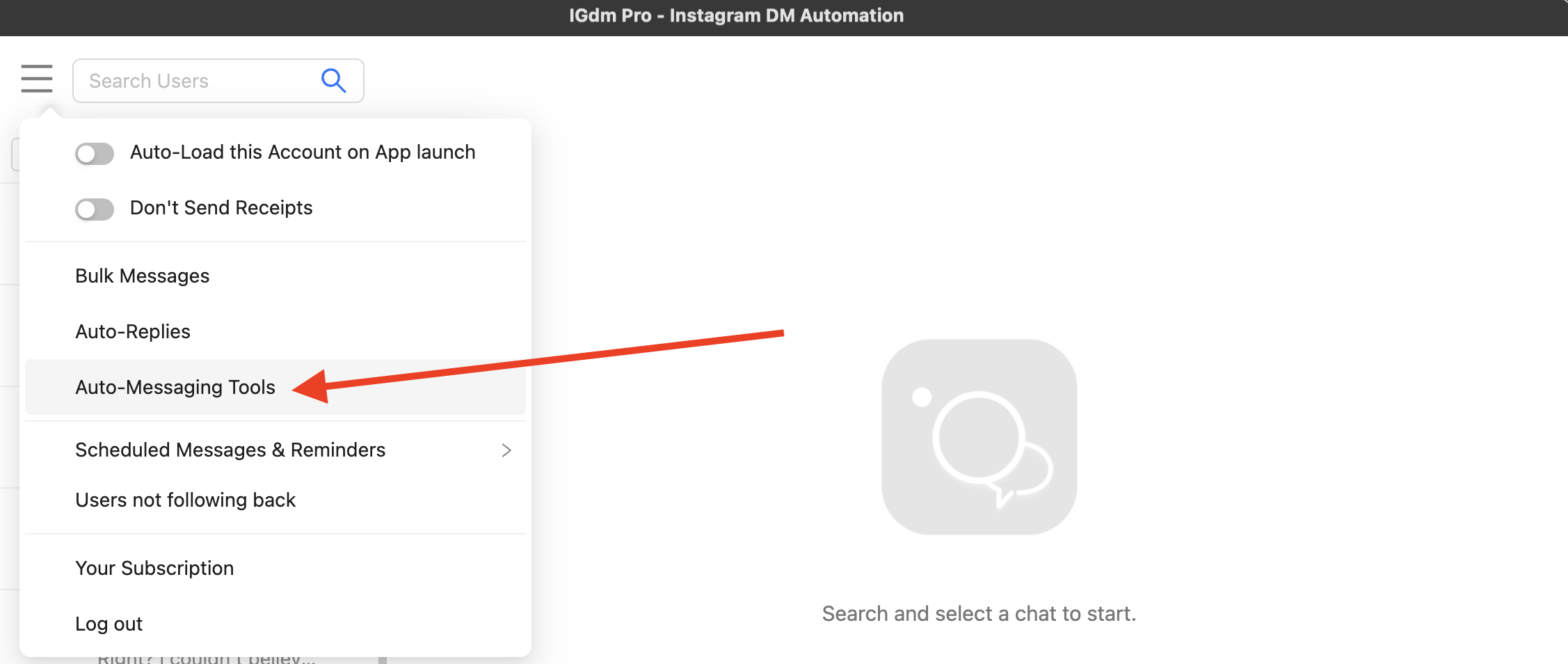
Step 3: Open Auto Message New Followers
- Hover over the menu in the top-left corner.
- Click Auto-Messaging Tools.
- In the sidebar, select Auto Message New Followers.
That screen is your Follow to DM control center.
Step 4: Write your welcome DM
In the main message box:
- Write the message you want new followers to receive.
- Use Insert Variables for personalization (for example
{firstname}or{username}). - Choose a send delay from the dropdown (for example 30 minutes after they follow).
- Click Save Automatic Message.
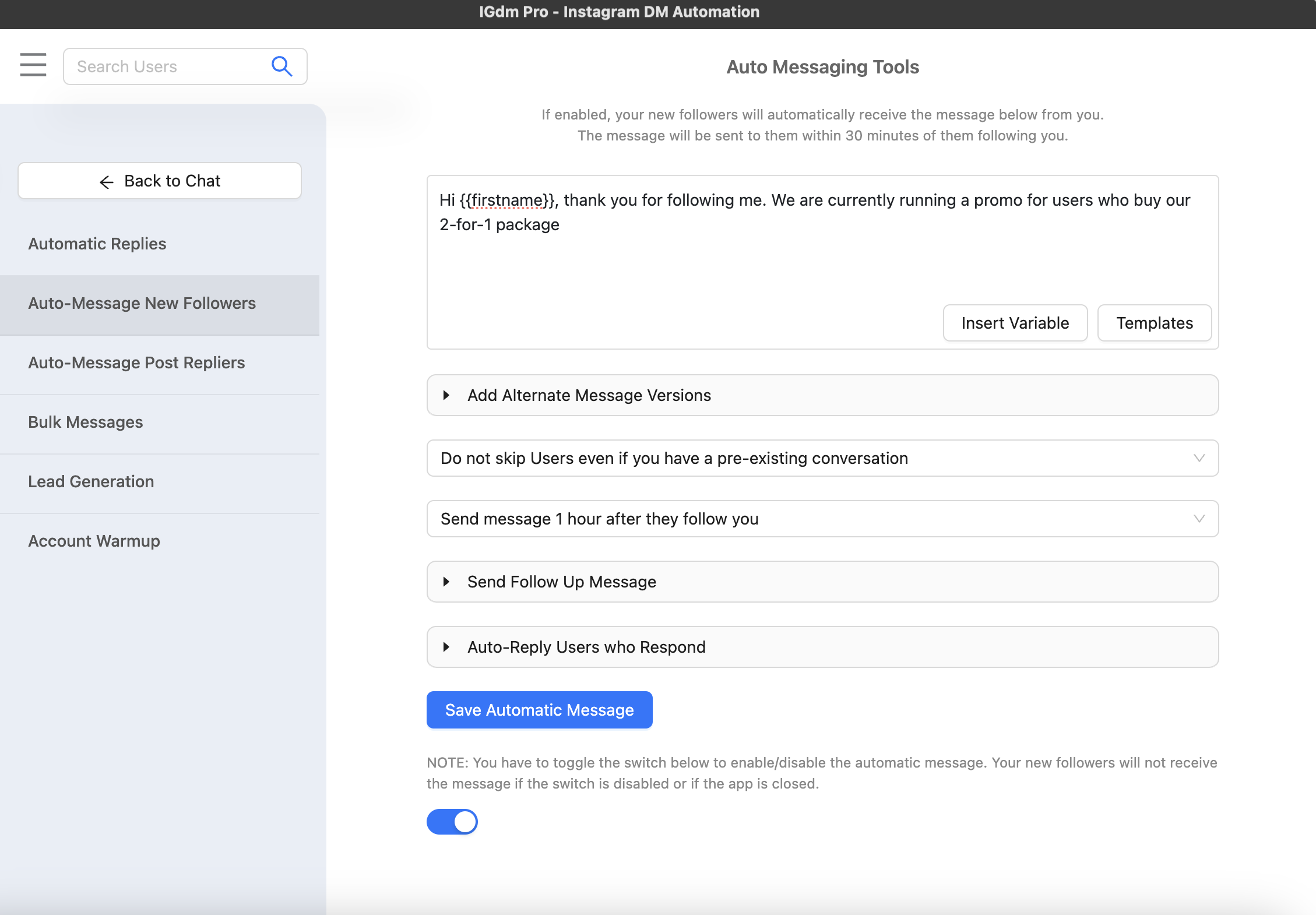
Saving stores the message. You still need to enable the toggle in the next step.
Step 5: Add optional follow-ups and replies
Once the welcome DM is solid, you can layer more automation:
- Send Follow Up Message: schedule a second DM days later, and skip it if they already replied.
- Auto-Reply Users who Respond: reply when someone answers your welcome message.
- Ai Message Personalization: generate a unique AI-written variant per follower so the welcome (and follow-up) does not feel copy-pasted.
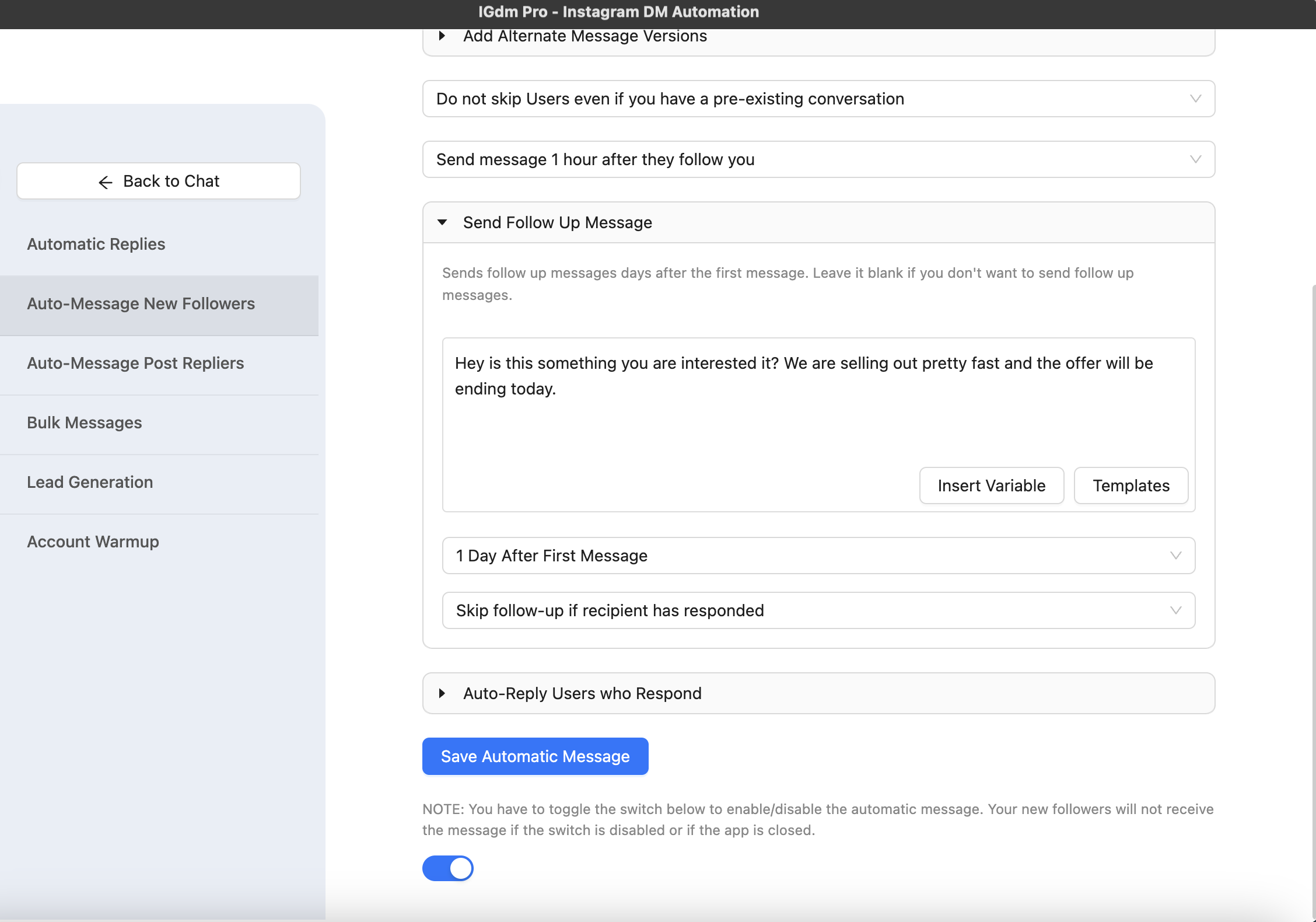
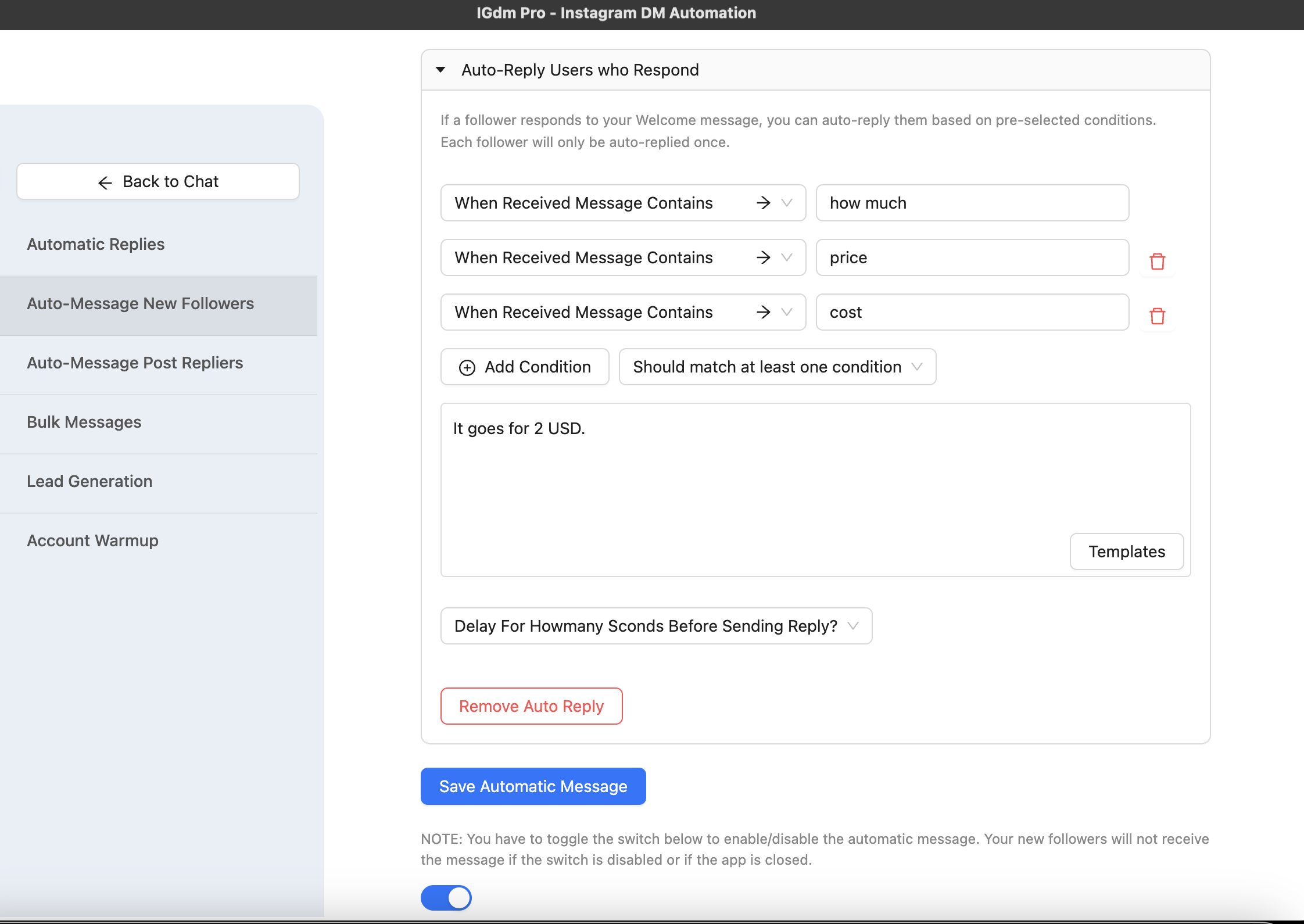
Start with the welcome message alone if you are new to Follow to DM. Add follow-ups after you like the first-touch results.
Step 6: Turn Follow to DM on
- Flip the toggle ON on the Follow to DM screen.
- Keep IGdm Pro running on your computer so new followers can be processed.
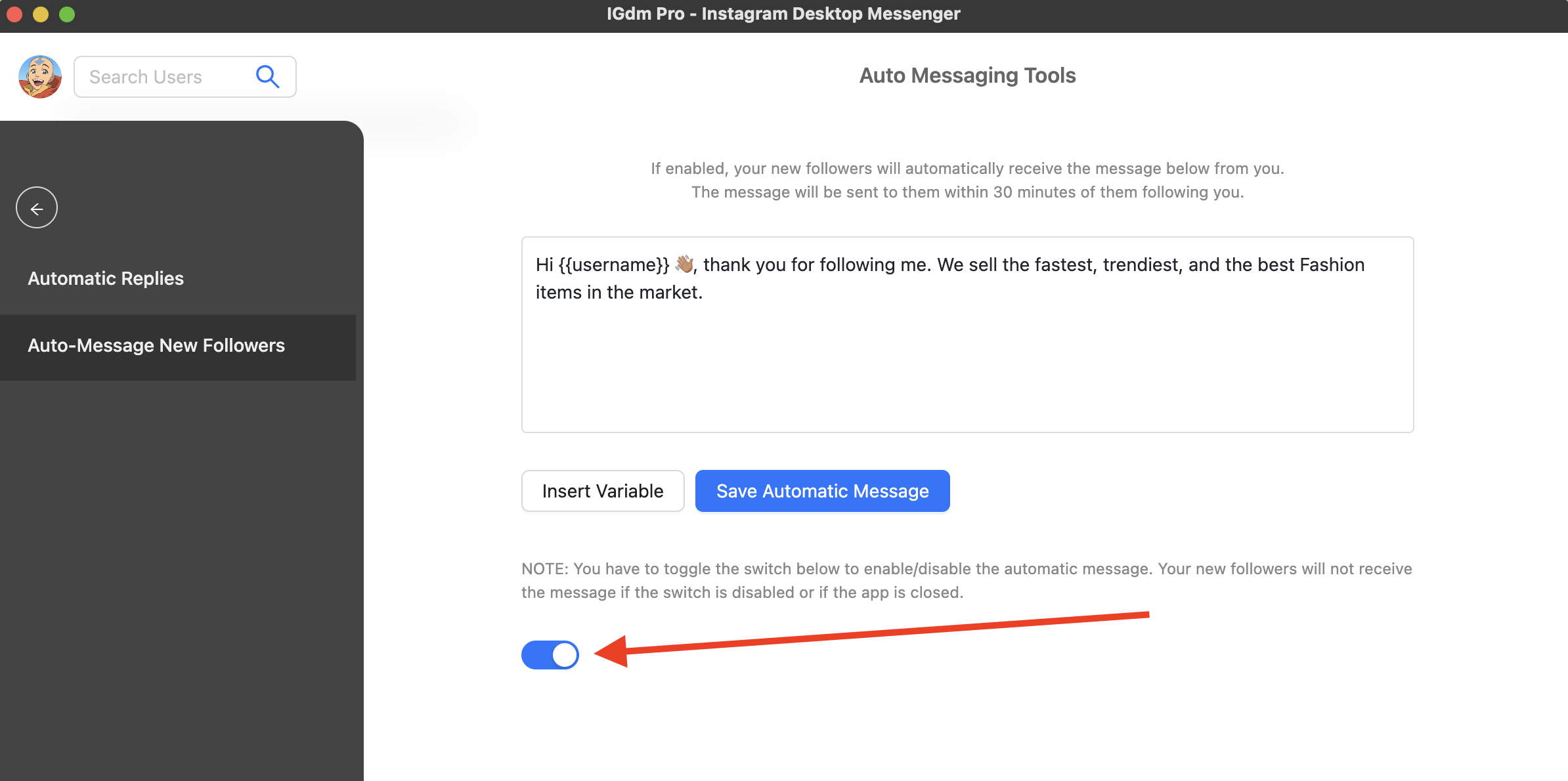
If the app is closed, automation pauses. When you reopen it, processing resumes. New followers typically get the welcome DM within about 30 minutes of following, depending on your delay setting and how many new followers arrive at once.
Follow to DM best practices
- Lead with value. Offer a guide, tip, or clear intro before a hard sell.
- One idea, one CTA. Short messages get more replies.
- Personalize. Use variables or AI personalization so each DM feels written for that person.
- Test from a second account. Follow yourself and confirm timing, wording, and links.
- Do not spam follow-ups. One helpful reminder beats three pushy nudges.
- Stay within Instagram’s rules. Use sensible delays and keep volume natural.
For a deeper setup walkthrough with more optional blocks, see How to Set Up Instagram Follow to DM Automation.
Conclusion
Follow to DM is simply this: when someone follows you on Instagram, they get a DM while that interest is still fresh. Instagram will not do it for you, but IGdm Pro can detect new followers, send a personalized welcome message, and optionally continue with follow-ups and auto-replies.
If you want new followers to hear from you automatically, start with a 10-day free trial of IGdm Pro.