How to Set Up Instagram Follow to DM Automation
Follow to DM automation lets you automatically message people shortly after they follow your Instagram account. Instead of hoping new followers discover your offer on their own, you can greet them with a timely, personalized DM while interest is still high.
Instagram does not offer this natively, but you can set it up with IGdm Pro. This guide walks through the full setup: welcome message, optional follow-ups, optional auto-replies, and optional AI personalization.
Why Use Follow to DM Automation?
Faster engagement: Reach new followers while your account is still top of mind.
Better conversions: Turn passive followers into leads, customers, or community members with a clear next step.
Consistent onboarding: Every new follower gets the same high-quality first touch, even when you are busy.
Scalable nurturing: Add follow-up messages and auto-replies so conversations can continue without manual work.
Installing IGdm Pro
IGdm Pro is a desktop app for Instagram DM automation. Beyond Follow to DM, it includes bulk messaging, message scheduling, comment to DM automation, auto-replies, and more.
To install:
- Visit https://igdm.me
- Download the version for your operating system (Windows, macOS, or Linux)
- Run the installer and open the app
Log In to Your Instagram Account
- Launch IGdm Pro
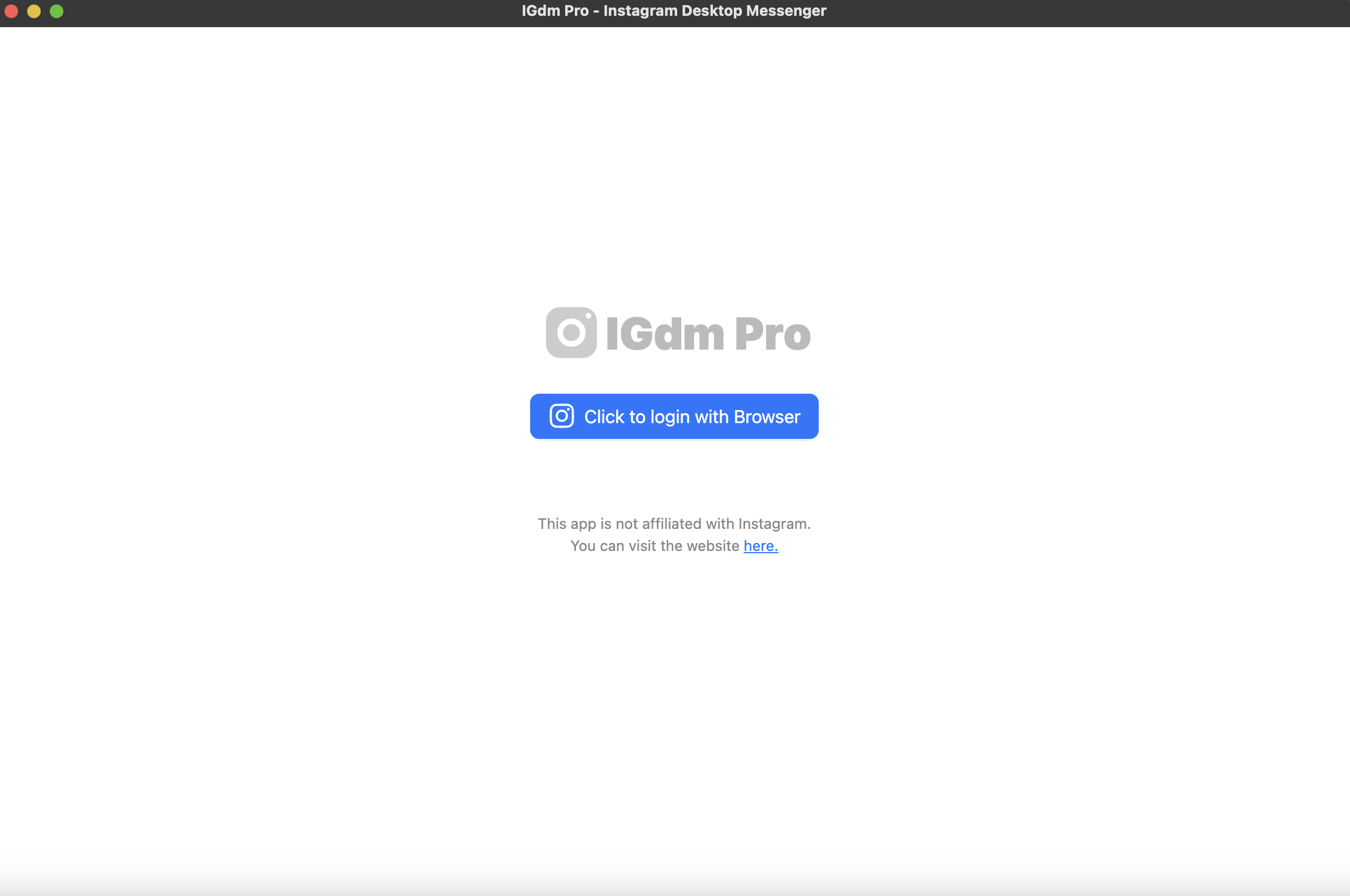
- Click Click to login with Browser
- Log in to Instagram in the browser window that opens
- When login completes, return to IGdm Pro as your account loads
Open the Follow to DM Tool
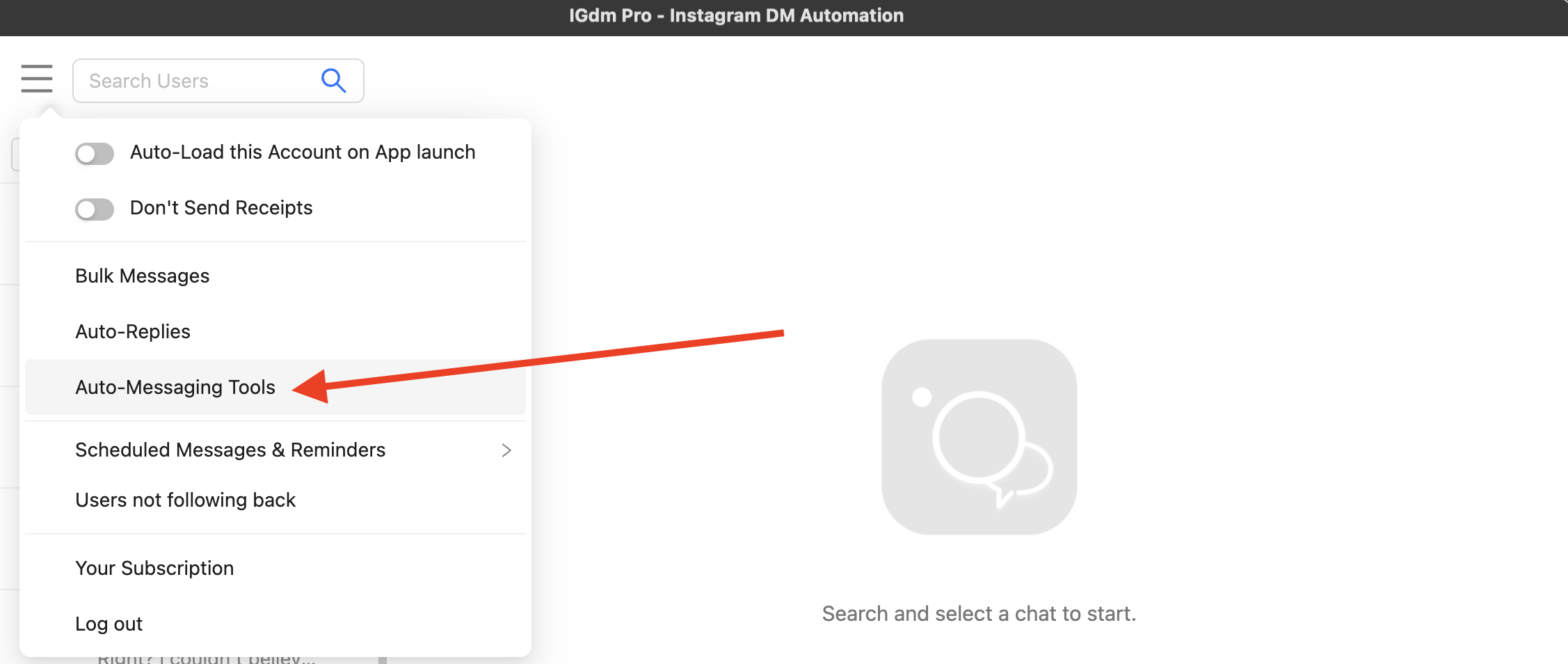
- Hover over on the menu in the top-left corner
- Click Auto-Messaging Tools
- In the sidebar, select Auto Message New Followers
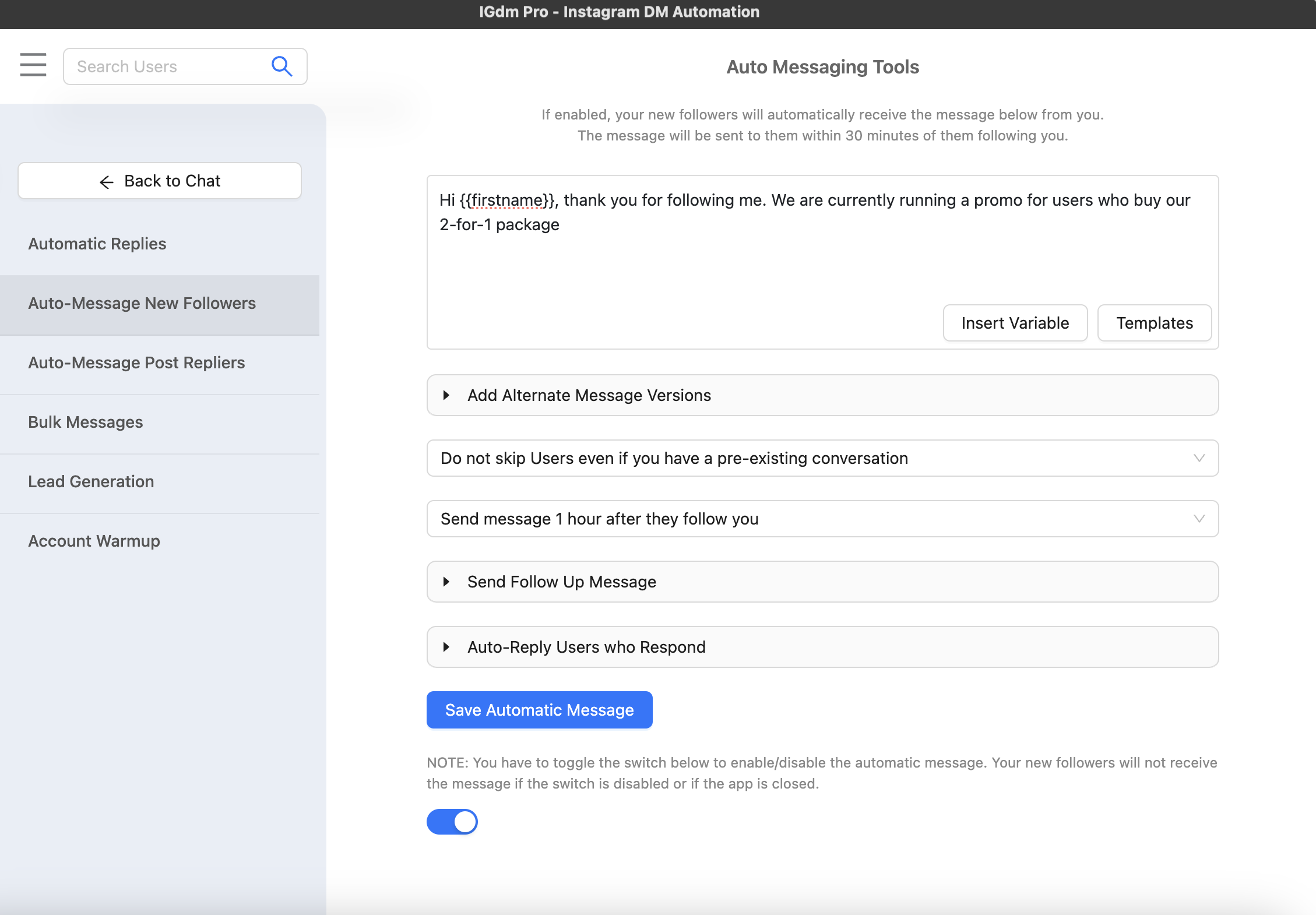
You will see the Follow to DM form where you can compose your welcome message, set delays, and configure optional automation blocks.
Compose Your Welcome Message
In the main message box:
- Write the welcome message you want new followers to receive
- Use Insert Variables to add personalization (for example
{username}or{firstname}) - Choose a send delay from the dropdown (for example 30 minutes after they follow)
- Click Save Automatic Message
Optional: Add Follow-Up Messages
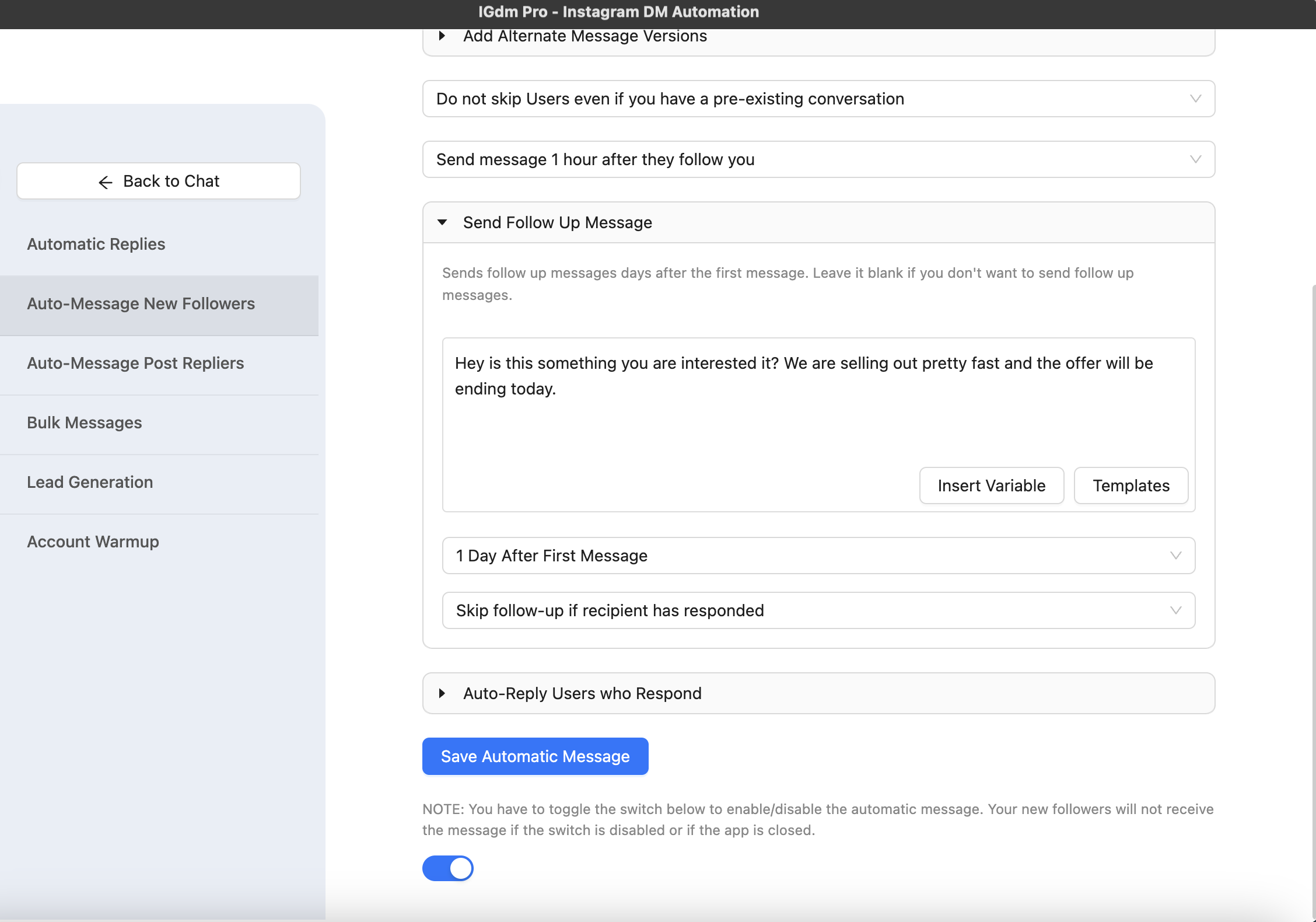
To continue the conversation automatically, expand Send Follow Up Message:
- Add your follow-up text
- Choose when it should send (for example 1 to 3 days after the welcome DM)
- Choose whether to skip the follow-up if the recipient already replied
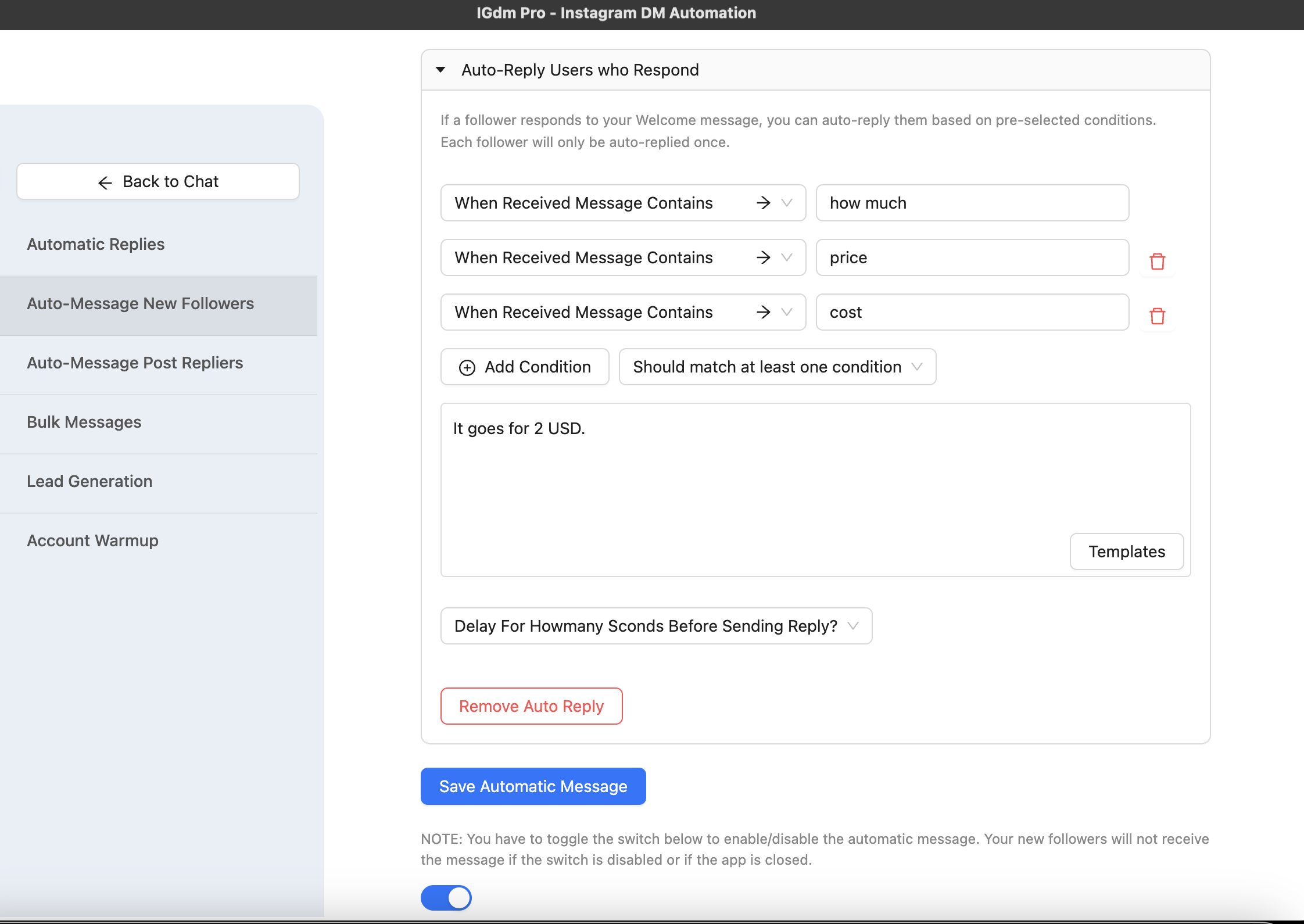
Optional: Add Auto-Reply When Followers Respond
If you want IGdm Pro to reply when someone answers your welcome message, expand Auto-Reply Users who Respond:
- Set the conditions for when auto-reply should trigger
- Write the response message and optional delay
- Save together with your main Follow to DM configuration
Optional: Use AI Message Personalization
For a more personal feel at scale, expand Ai Message Personalization:
- Make message unique for each recipient: IGdm Pro generates a distinct AI-written variant of your welcome message for each new follower while keeping your variables intact
- Make follow-up unique for each recipient: Generates a distinct follow-up variant per person before it is scheduled (requires a follow-up message)
Use merge tags for predictable placeholders, and AI personalization when you want each DM to read differently without writing hundreds of versions by hand.
Enable Follow to DM Automation
- Turn the toggle ON on the Follow to DM screen
- Keep IGdm Pro running on your computer so new followers can be processed
Important: If IGdm Pro is closed, automation pauses. When you reopen the app, it resumes. New followers typically receive the welcome DM within about 30 minutes of following you, depending on your delay setting and activity volume.
Best Practices for Follow to DM
1. Lead with value: Offer something useful (a guide, discount, or quick intro) instead of a hard sell in the first line.
2. Keep the first message short: One clear idea and one call to action is enough.
3. Personalize every send: Use {username}, {firstname}, or AI personalization so messages do not feel copied and pasted.
4. Test before you scale: Follow your account from a test profile and confirm timing, wording, and links.
5. Add follow-ups thoughtfully: A single helpful follow-up often outperforms multiple pushy reminders.
6. Respect replies: Use auto-reply for common questions, but step in manually when a conversation needs a human touch.
Conclusion
Follow to DM automation is one of the simplest ways to improve new-follower engagement on Instagram. With IGdm Pro, you can start with a single welcome message, then layer on follow-ups, response auto-replies, and AI personalization as your workflow grows.
