Autoreacher not working? Here's an Alternative for Outreach
If you used AutoReacher for Instagram outreach and cannot get into the product right now, you are not alone.
We tried visiting the AutoReacher website a couple of times and it is not loading. It is unclear whether that is a temporary outage or whether the service has stopped operating. Either way, if you cannot reach the site, you cannot run campaigns, manage leads, or access the inbox. Other users may be hitting the same blocker.
IGdm Pro is an alternative built specifically for Instagram outreach automation: import recipients, personalize and vary copy, set daily limits and delays, warm up the account, and handle replies in one workflow.
This guide shows how to rebuild a reliable Instagram outreach routine while AutoReacher is unreachable.
What you need from an Instagram outreach alternative
For most cold DM and list-based outreach workflows, the checklist is short:
- Bulk DM sending to a targeted list of usernames.
- Personalization (name/username fields, and ideally unique copy per recipient).
- Alternate message versions so the same script is not blasted identically.
- Conservative daily limits and randomized delays.
- Follow-ups for non-responders and a usable inbox while campaigns run.
IGdm Pro covers that core flow without depending on a third-party cloud dashboard staying online.
How to run Instagram outreach in IGdm Pro
1. Install IGdm Pro and connect Instagram
- Download IGdm Pro from igdm.me (Windows, macOS, or Linux).
- Open the app and use the browser login flow.
- Confirm the outreach account is loaded before creating a campaign.
2. Import your recipients
In Bulk Messages, upload a CSV of leads.
Supported columns:
username(required)message(optional, for fully custom per-contact text)
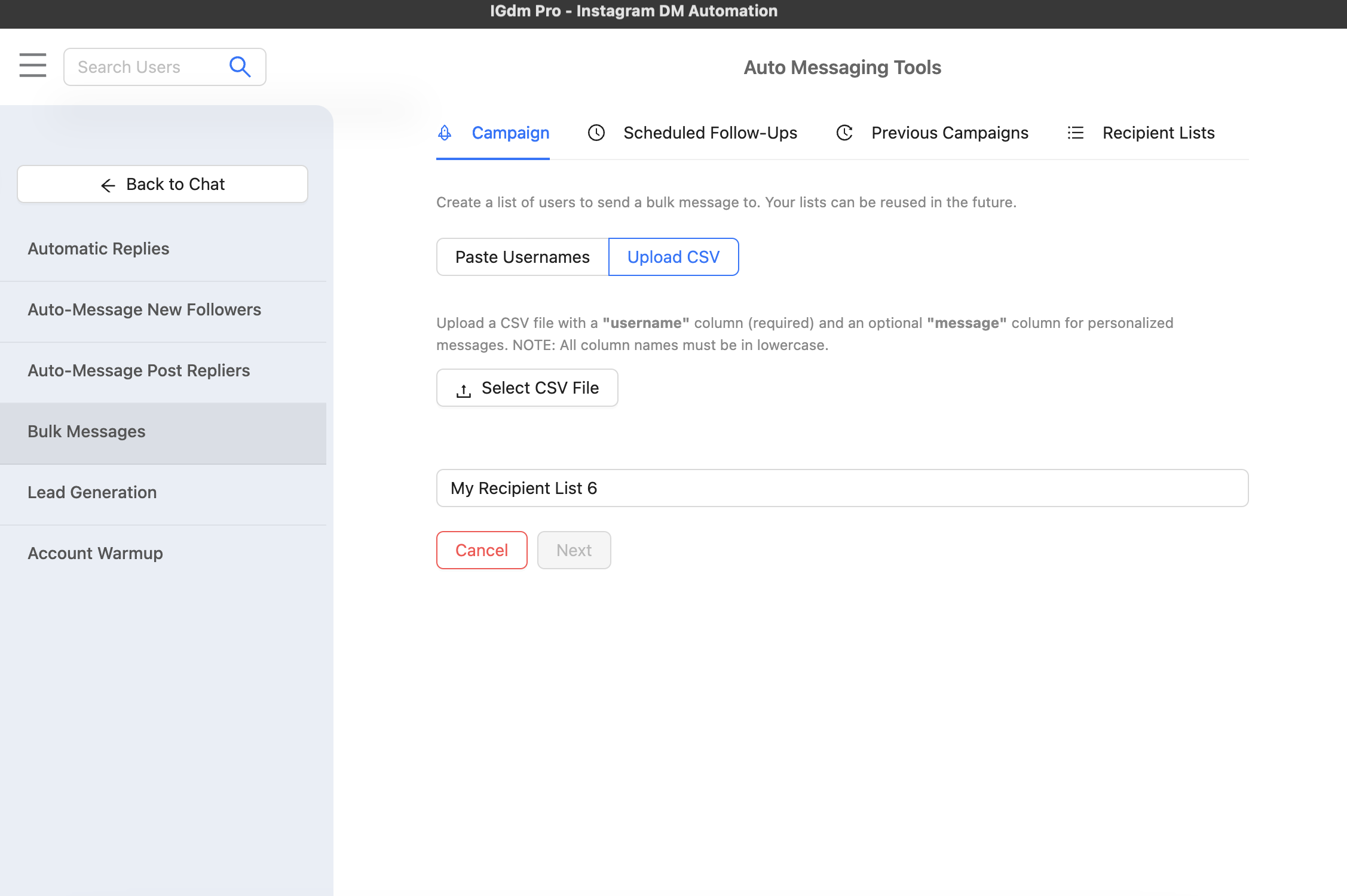
If you already had a lead list in AutoReacher or another tool, export usernames (if you still can), clean duplicates, and import here. If the dashboard is unreachable, rebuild from whatever exports, spreadsheets, or source lists you still have locally.
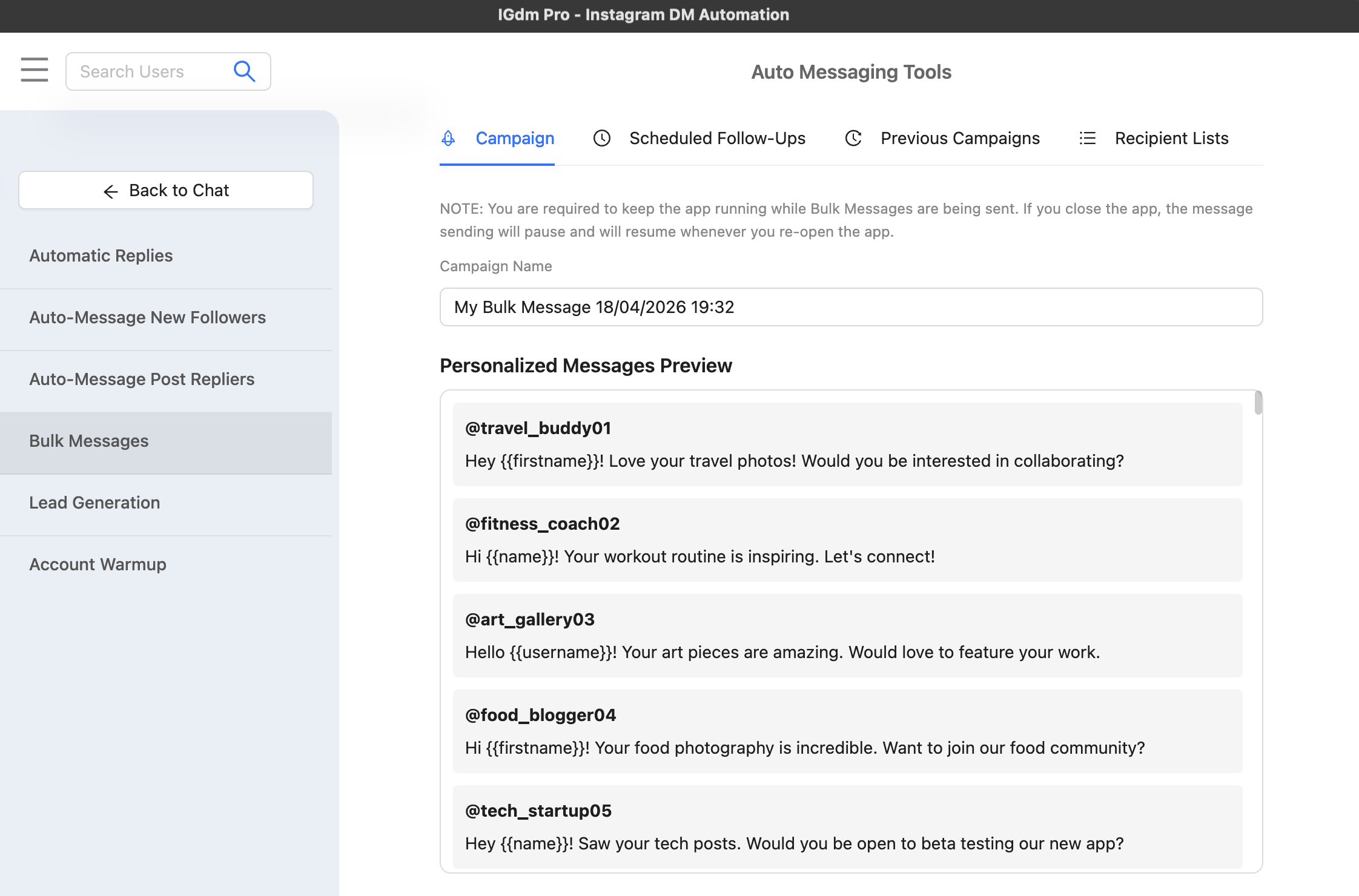
3. Build messages with variation
Identical copy to hundreds of people is a common reason outreach underperforms on Instagram’s side.
In IGdm Pro you can:
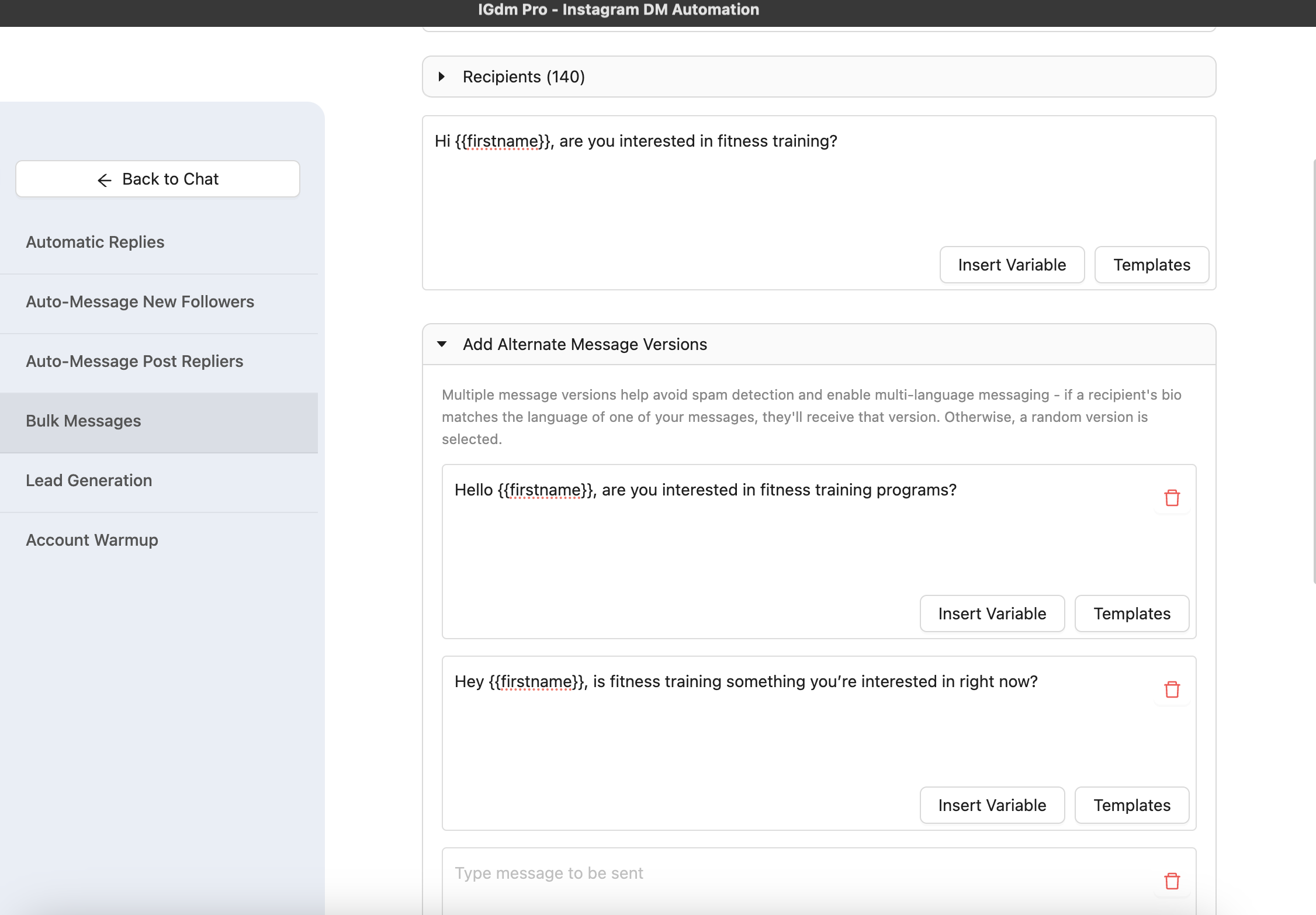
- Use alternate message versions so each send rotates wording.
- Or put unique copy in the CSV
messagecolumn. - Optionally use AI personalization from the recipient’s bio and recent posts (see The Best Way to Personalize Instagram Cold DMs with AI).
4. Set conservative sending controls
Before launching:
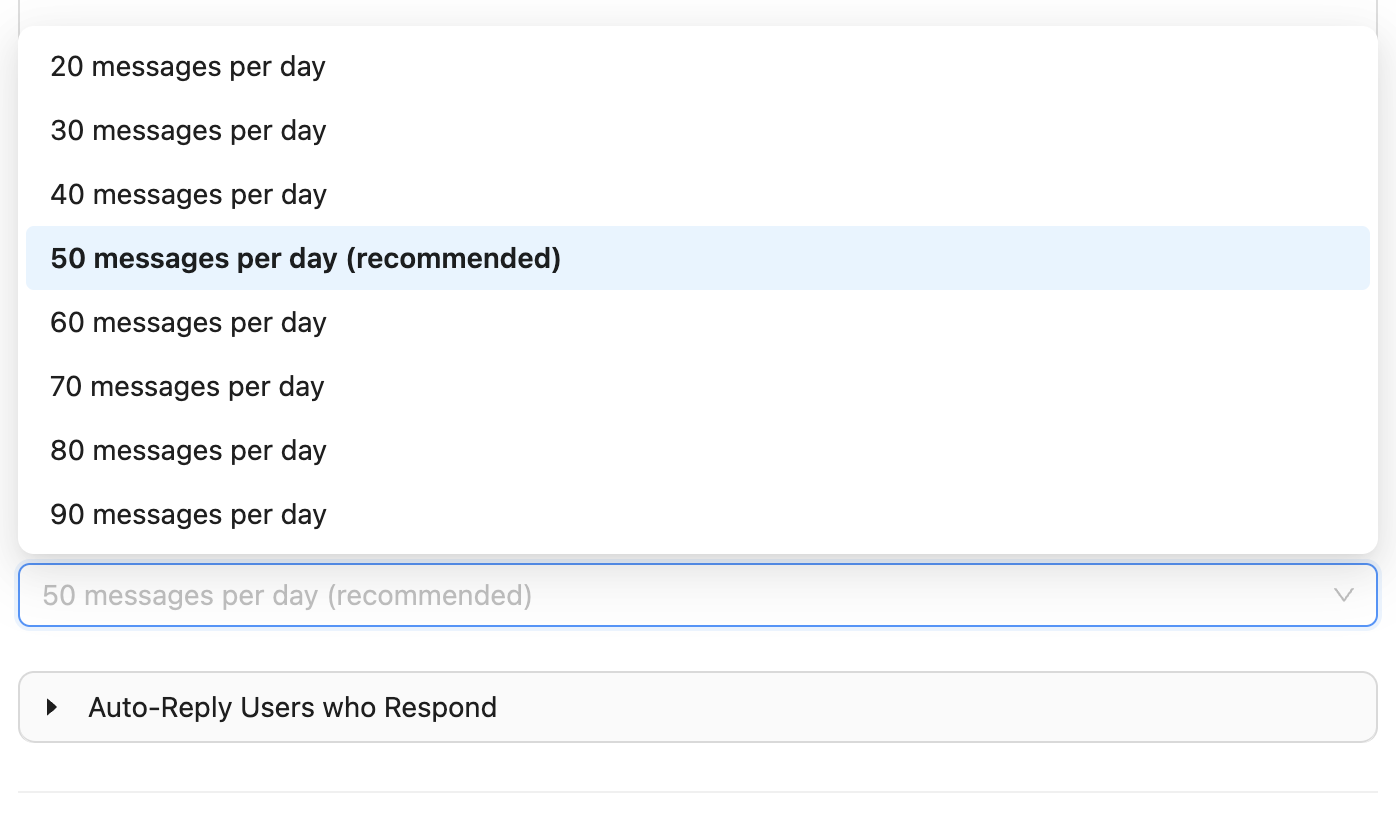
- Set a realistic daily message limit.
- Use a randomized delay between messages.
- Keep limits lower for the first week if the account is new, quiet, or recently moved off another automation tool.
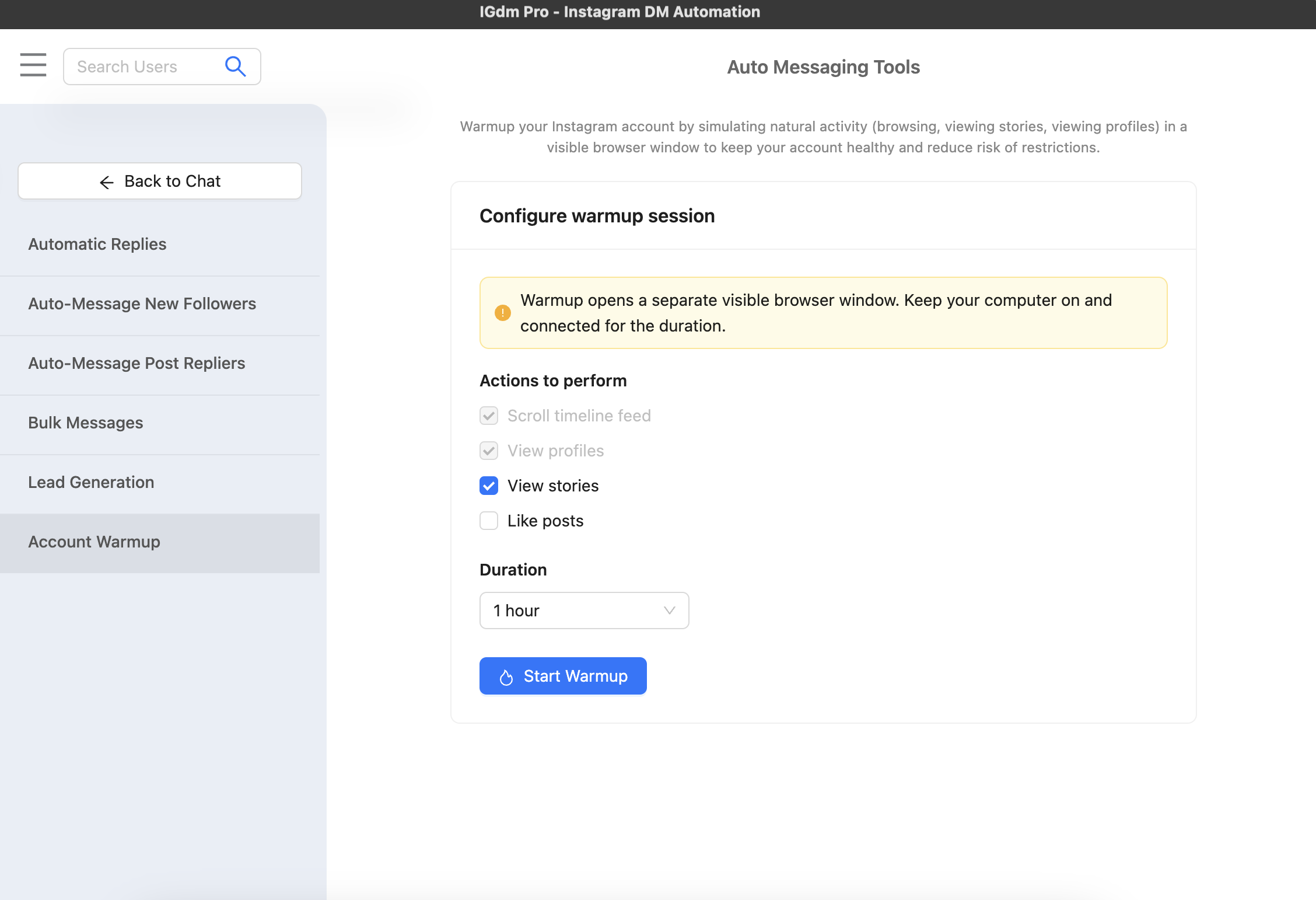
If the account has been idle or you are ramping volume again, run Account Warm up first so activity looks more natural before heavier DM days.
5. Add follow-ups and reply handling
Configure:
- Follow-ups for people who do not reply.
- Auto-replies for common inbound messages.
- Skip rules so follow-ups stop after a real human reply.
That keeps conversations moving without babysitting every step, and keeps outreach and inbox work in the same place.
Quick migration checklist (AutoReacher to IGdm Pro)
- Gather any lead lists you still have locally (exports, CSVs, notes).
- Rebuild your Instagram list as usernames and remove duplicates.
- Rewrite one strong opener plus 2 to 3 alternate versions.
- Start with conservative daily limits for the first week.
- Turn on delay randomization by default.
- Warm up for a few days if the account has been quiet.
- Review replies after the first 200 to 500 sends and adjust copy before scaling.
When IGdm Pro is the better fit
Choose IGdm Pro when:
- You need outreach that keeps working even if a vendor’s website goes down.
- You want clear pacing, warmup, CSV import, and inbox handling in one place.
- You prefer to grow send volume gradually with controls you set per campaign.
If AutoReacher comes back online and you still prefer a fully managed cloud suite for multi-account scraping and hosted proxies, you can always reassess. For day-to-day Instagram outreach automation on accounts you operate yourself, IGdm Pro is a solid backup and a practical primary workflow.
Final take
When a tool’s website will not load, troubleshooting inside that product is not an option. You need another way to keep Instagram outreach moving.
IGdm Pro gives you a practical replacement flow: import leads, vary messages, set pacing, warm the account, and manage replies in one place.
Start with one conservative campaign, validate reply quality, then scale.