How to Plan a Month's Worth of Content in One Day
- Introduction
- Why Batch Planning Your Instagram Content Works
- Step 1: Define Your Content Goals and Themes
- Step 2: Set Up a Content Calendar
- Step 3: Brainstorm and Outline Your Content
- Step 4: Production Day – Writing, Filming, and Designing
- Step 5: Schedule and Automate Your Posts
- Using Tools to Enhance Your Workflow
- Maintaining Quality and Consistency
- Conclusion and Final Takeaways
Introduction
Planning a month's worth of Instagram content in one day might sound like a superhuman feat, but trust us, it's completely achievable. By streamlining your content strategy and embracing batch planning, you not only save time, but you also build consistency in your brand communication. Whether you're a small business owner or a dedicated social media manager, this guide will walk you through practical steps to conquer content overload—without breaking a sweat.
In this article, we'll cover everything from setting clear goals and creating a robust content calendar to brainstorming creative ideas and automating your posts. Plus, we'll sprinkle in some actionable tips and clever hacks (with a dash of humor) along the way.
Why Batch Planning Your Instagram Content Works
Batch planning is all about efficiency. Instead of getting tangled in daily posts and last-minute scrambles, you can set aside one day to focus solely on content creation. Here's why this method is a game-changer:
- Time Savings: Concentrating on one task at a time eliminates the constant context switching that eats up your day.
- Consistency: A full month's content planned ahead ensures your brand stays consistent and engaged with your audience.
- Creative Flow: Once you're in the zone, ideas flow freely, leading to more creative captions and innovative visual content.
- Reduced Stress: Knowing that your content is scheduled helps reduce the pressure and overwhelm that often accompany regular posting.
Research by HubSpot shows that a well-thought-out content strategy significantly boosts engagement and can lead to higher conversion rates. Ready to get started? Let's dive in!
Step 1: Define Your Content Goals and Themes
Before you set pen to paper (or fingers to keyboard), start by defining your goals for the month. Ask yourself:
- What is the primary objective for the upcoming month? (e.g., gaining a set number of followers, launching a new product, or increasing engagement).
- Which revenue or marketing goals align with your Instagram strategy?
Next, outline two to three overarching themes that will guide your content. Examples might include:
- Educational Content: Share tips, how-to guides, or tutorials related to your niche.
- Behind-the-Scenes: Humanize your brand by showcasing your day-to-day operations or team culture.
- Promotional Posts: Highlight your products or services in a way that feels engaging and genuine.
These themes will serve as your guiding light throughout the day, ensuring every piece of content aligns with your brand's messaging and objectives.
Step 2: Set Up a Content Calendar
A solid content calendar is the backbone of your planning process. Whether you use a digital tool or a classic planner, mapping out your content in advance lets you see the big picture. Here's how to get started:
- Choose Your Tool: Options include Google Sheets, Trello, Asana, or dedicated content planning apps. For automation and ease-of-use, consider exploring tools like IGdm Pro which not only offer scheduling but also enhance your Instagram DM capabilities.
- Map Out Key Dates: Include product launches, holidays, or events relevant to your business. This helps in tying your content to specific moments that matter to your audience.
- Assign Themes to Days: Distribute your themes across the month, for example, setting Mondays for motivational content, Wednesdays for educational posts, and weekends for behind-the-scenes stories.
A well-organized content calendar doesn't just keep you on track—it also lays the groundwork for repurposing core content across multiple platforms.
Step 3: Brainstorm and Outline Your Content
Now that you've set your goals and calendar, it's time to fill in the blanks with ideas. This step is all about brainstorming without limits.
Content Buckets and Themes
Create a master list of content buckets. These are categories that resonate with your audience. For many brands, these might include:
- Tips and Tutorials: Share actionable advice related to your niche.
- Customer Stories: Feature testimonials and success stories.
- Industry News: Keep your audience updated with the latest trends and insights.
Each bucket can be broken down further. For example, under tips and tutorials, you might have quick hacks one day, detailed guides another day, and Q&A sessions on a different day.
Creating Engaging Captions and Visuals
Once you have your themes sorted, create engaging captions and pair them with striking visuals. Here are some tips:
- Write Short and Snappy Captions: Keep your paragraphs short and make every word count.
- Incorporate Emojis and Hashtags: These can boost engagement and make your posts discoverable.
- Storyboard Your Visuals: Sketch or list out the visuals you need for each post. If you're filming a short video or creating a carousel post, plan the sequence to maintain visual storytelling.
By the end of this brainstorming session, you should have a clear outline for each day's post, including a draft caption and notes on the necessary graphic or video content.
Step 4: Production Day – Writing, Filming, and Designing
Armed with your detailed outline, it's time to roll up your sleeves and produce the content. Consider segmenting your production day into focused sessions:
- Writing Session: Dedicate a block of time (typically 2–3 hours) purely for drafting your captions and any accompanying blog or newsletter posts. Avoid distractions by turning off notifications or using tools like Pomodoro timers.
- Filming / Photography Session: If you're using video, reels, or photography, gather your equipment and set up your shooting space. Change outfits, adjust lighting, and capture multiple angles. An organized shot list can save you a lot of time on the day.
- Designing and Editing Session: Use graphic design tools such as Canva or Adobe Spark to create visuals that align with your brand. Edit the footage if necessary, ensuring that each piece of content is polished and ready for posting.
- Review and Revise: Once your content is created, take a short break and return with fresh eyes. Fine-tune your captions, adjust the visuals, and ensure consistency in tone and branding.
Remember, batch planning isn't about perfection on the first go. It's about making progress, getting in the creative flow, and then refining as needed.
Step 5: Schedule and Automate Your Posts
The beauty of planning a month's worth of content in one day is the ability to schedule everything ahead of time. Doing so ensures your posts go live at the right moment without you needing to monitor constantly. Here's how:
- Social Media Scheduling Tools: Leverage tools like Later, Planoly, or IGdm Pro to automate the posting process. These tools allow you to not only schedule posts but also plan your captions and hashtags in advance.
- Set Up Automated Follow-Ups: Consider using features such as automatic replies or scheduled messages to engage with your audience even when you're not available. IGdm Pro's functionalities can be especially handy here by ensuring your Instagram DMs are always attended to.
- Review Scheduled Content: After you schedule your posts, periodically check your calendar. This allows you to make any timely tweaks, especially if sudden trends or news items emerge.
Life happens, and sometimes your planned schedule might need a little adjustment. With the right tools, making those tweaks is both simple and efficient.
Using Tools to Enhance Your Workflow
In today's fast-paced social media world, having the right tools can be a lifesaver. Investing in software that automates messaging, scheduling, and engagement can free up more time for you to focus on what truly matters:
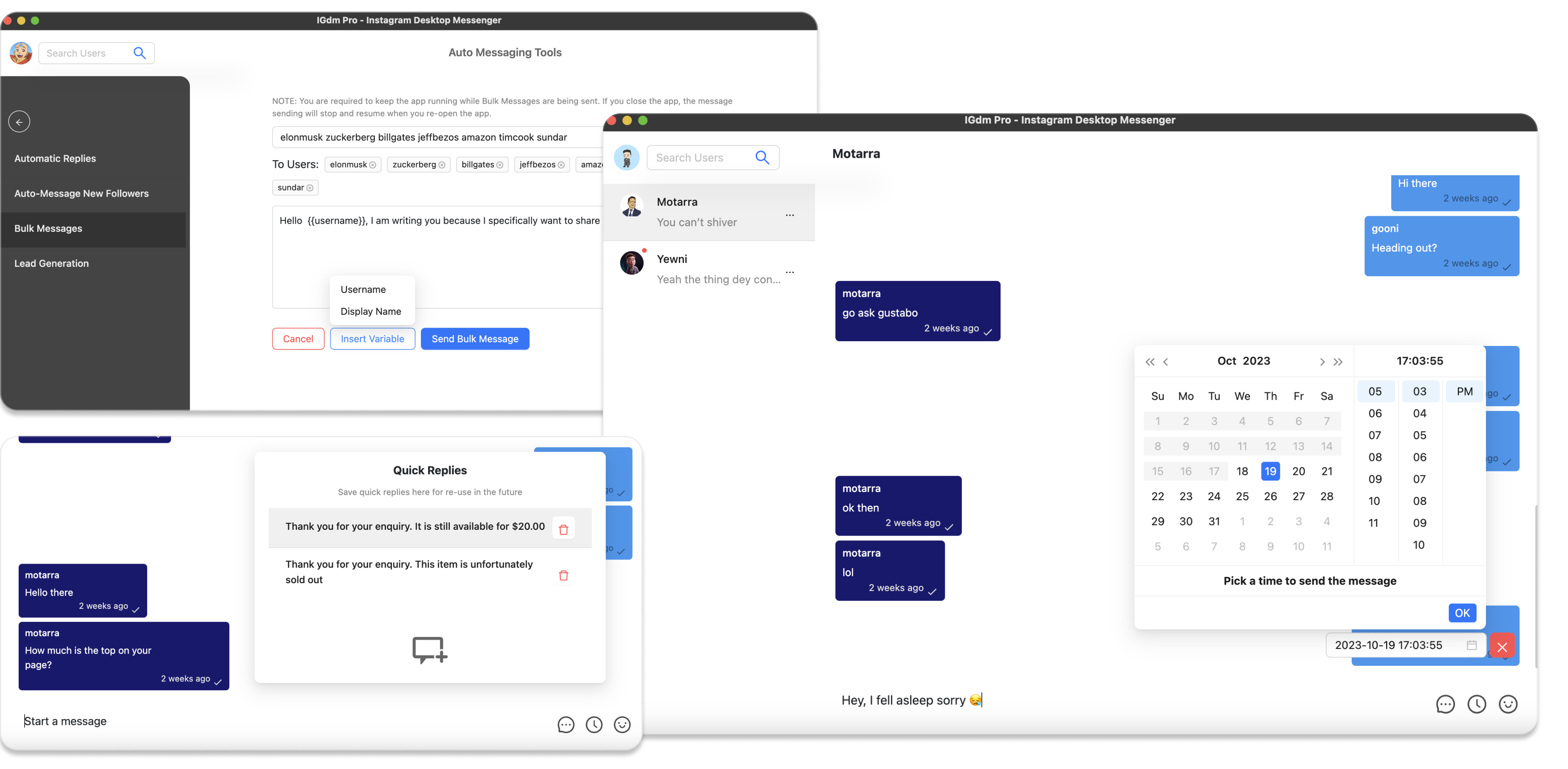
- IGdm Pro: This powerful desktop application isn't just about scheduling posts—it's a complete toolkit for managing Instagram DMs efficiently. With features like automatic replies, scheduled messages, bulk messaging, and labeled conversations, you can streamline your communications and maintain a personal touch even when you're off the clock. Find out more about IGdm Pro here.
- Content Calendar Apps: Tools like Google Calendar, Trello, or Asana help visualize your posting schedule and keep you accountable.
- Graphic Design Software: Platforms such as Canva simplify the design process, making it easy to craft visually appealing content without needing extensive design skills.
Using these tools in tandem helps form a robust workflow where each component of your content strategy supports the others.
Maintaining Quality and Consistency
While planning and scheduling are crucial, the quality of your content must remain top-notch. Here are some tips to ensure that your content remains engaging and aligned with your brand personality:
- Be Authentic: Your audience connects with authenticity. Share genuine stories and insights.
- Stick to Your Voice: Whether humorous, professional, or a mix of both, consistency in tone is key. Use your predefined themes and content buckets as guardrails.
- Monitor Engagement: Use Instagram Insights or third-party analytics tools to track which posts perform best. This data can help you tweak future content planning sessions.
- Iterate Based on Feedback: Don't be afraid to adjust your strategy based on audience feedback. Social media is dynamic, and flexibility is essential.
Remember, the goal is not just to fill your calendar but to cultivate meaningful engagement with your audience.
Conclusion and Final Takeaways
Batch planning a month's worth of Instagram content in one day isn't just a productivity hack; it's a strategic approach to social media management. By dedicating one focused day each month to content creation, you can reduce stress, ensure consistency, and free up time to engage more deeply with your audience.
Key takeaways include:
- Start by defining clear goals and themes for the month.
- Develop and maintain a robust content calendar to keep everything in perspective.
- Spend dedicated time brainstorming, creating, and refining your content.
- Leverage automation tools like IGdm Pro to schedule posts and manage your Instagram DMs effectively.
- Always focus on maintaining quality and authenticity in every post.
Embrace this process, and you'll find that not only does your content quality improve, but so does your overall engagement. Remember: planning ahead means you're always a step ahead—from brainstorming to scheduling your posts. So, grab your notebook (or open that digital planner), and turn planning into a creative, stress-free, and productive ritual.
Now, go forth and conquer your content calendar like the social media superstar you are!
Did you find these tips helpful? Feel free to share your own batch planning strategies or ask questions in the comments below. For more insights on optimizing your Instagram engagement and managing your DMs, check out IGdm Pro for a suite of features designed to make your life easier.