Instagram Outreach Automation with AI Personalisation
Instagram outreach at scale usually fails in one of two ways.
Either you automate a generic template and sound like spam, or you personalise every DM by hand and never finish the list.
Instagram outreach automation with AI personalisation sits in the middle: you keep a clear base offer, automate delivery, and let AI adapt a relevant section for each recipient from their profile signals.
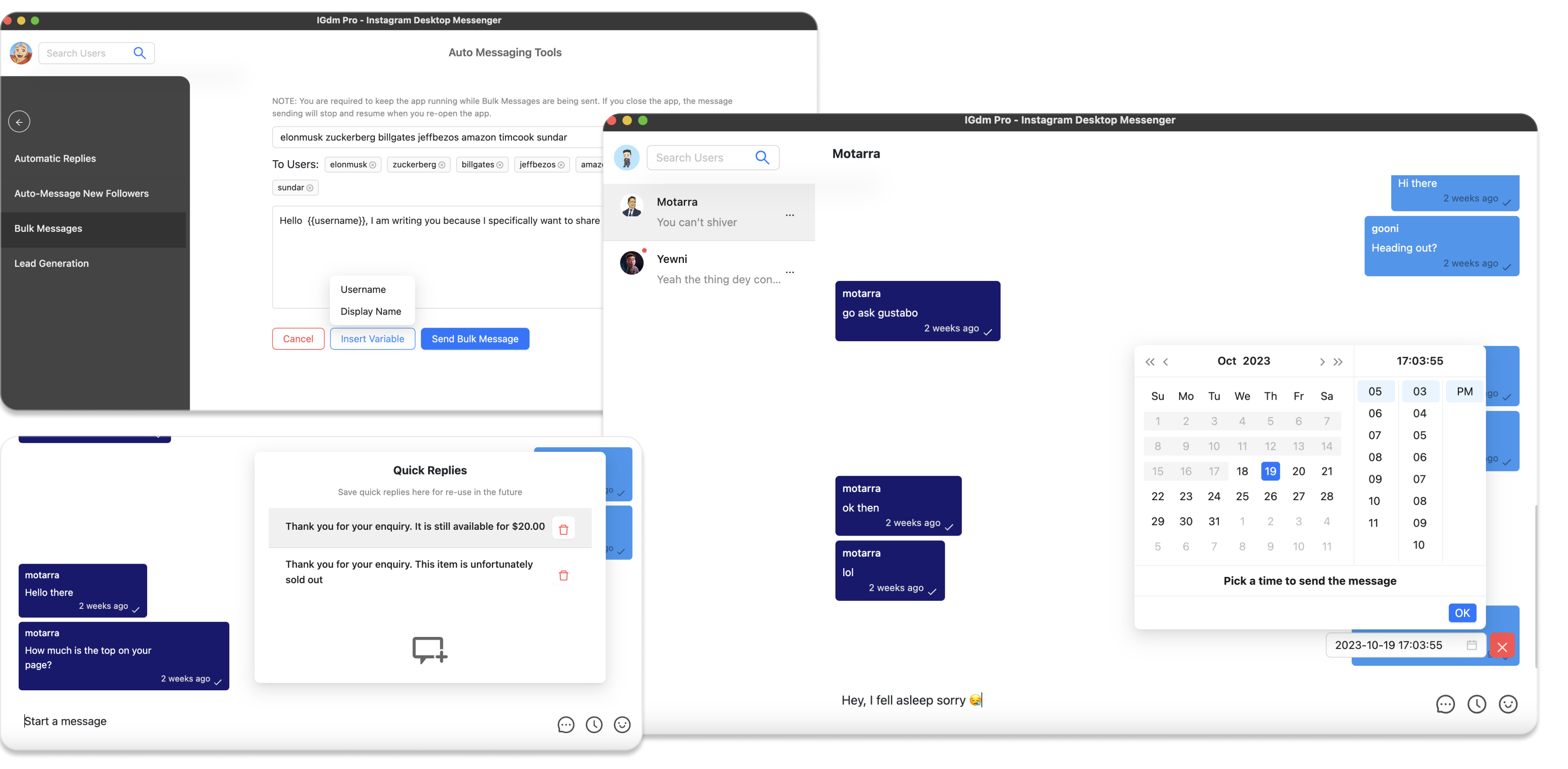
That is the workflow IGdm Pro is built for. This guide covers how the system fits together: bulk campaigns, AI personalisation, optional familiarity tactics, and safe send limits.
Table of Contents
- What outreach automation with AI personalisation means
- Why templates alone are not enough
- How to set it up in IGdm Pro
- Optional layers that lift reply rates
- Pacing and send windows
- Common mistakes
- Conclusion
What outreach automation with AI personalisation means
Outreach automation sends Instagram DMs to a list without opening each chat manually.
AI personalisation makes each send different in a useful way. In IGdm Pro, that usually means:
- You write the base message and keep the offer/CTA.
- AI reads signals such as bio text, account category, display name, or recent post captions.
- A personalised bridge is inserted for that recipient (often in the middle of the message).
- If personalisation is not possible, the campaign can fall back to unique message variants.
The point is not “let AI invent a random pitch.” The point is your offer + their context, delivered at campaign scale.
Why templates alone are not enough
Merge tags like {{firstname}} help, but they are easy to spot. Recipients notice when 50 people get the same pitch with one word swapped. Instagram’s spam patterns notice identical blasts too.
AI personalisation helps because:
- Each message references something about that profile.
- Wording varies naturally across the list.
- Your core offer stays consistent, so the campaign is still measurable.
Automation without relevance burns accounts. Personalisation without automation does not scale. You need both.
How to set it up in IGdm Pro
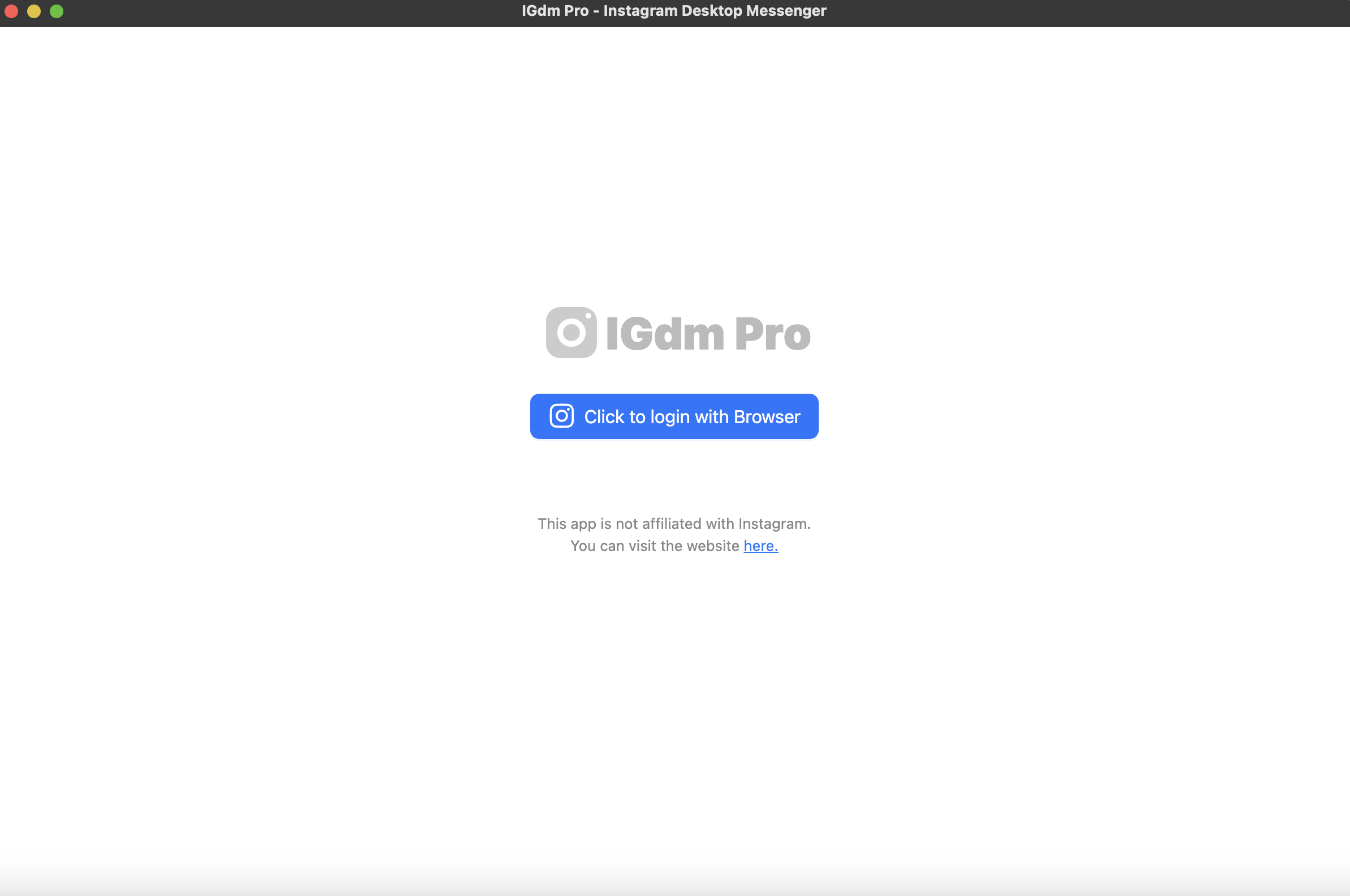
Step 1: Install and log in
Download IGdm Pro, install it, then log in with Click to login with Browser.
Step 2: Open a bulk messaging campaign
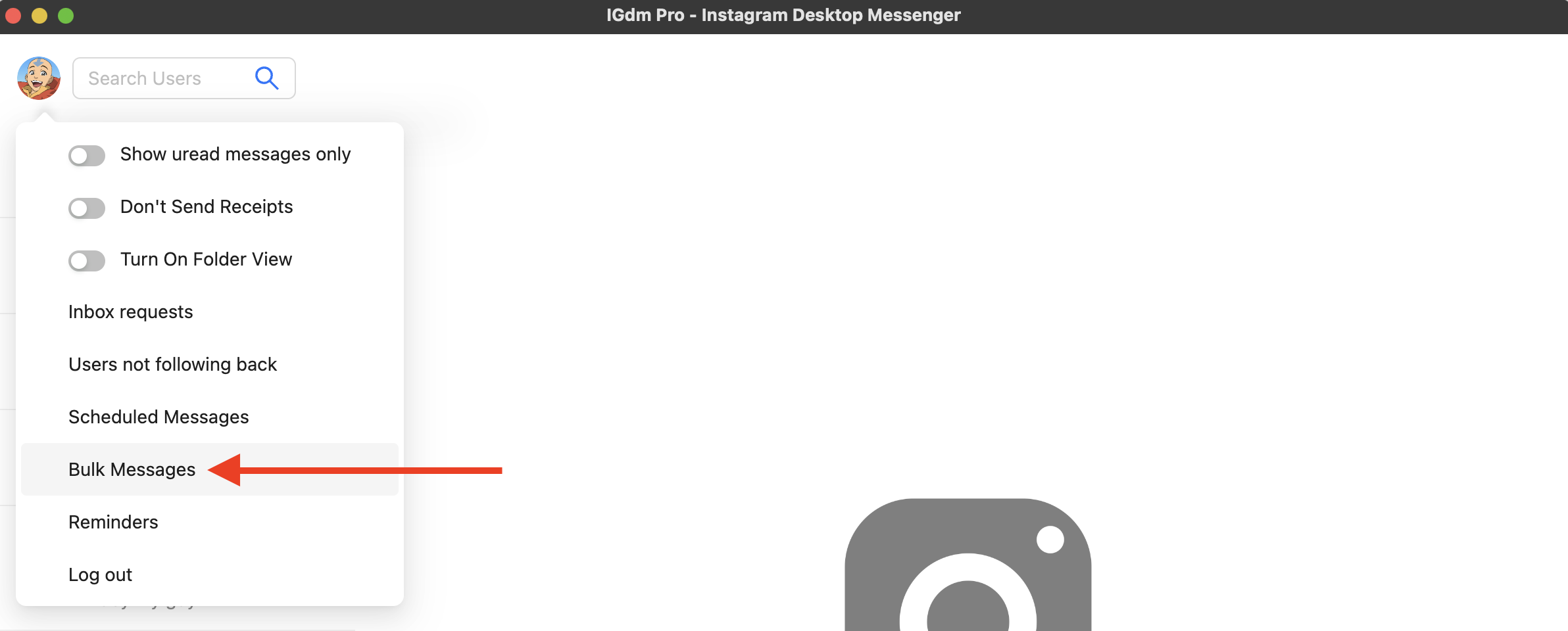
- Hover your profile picture in the top-left corner.
- Click Bulk Messages.
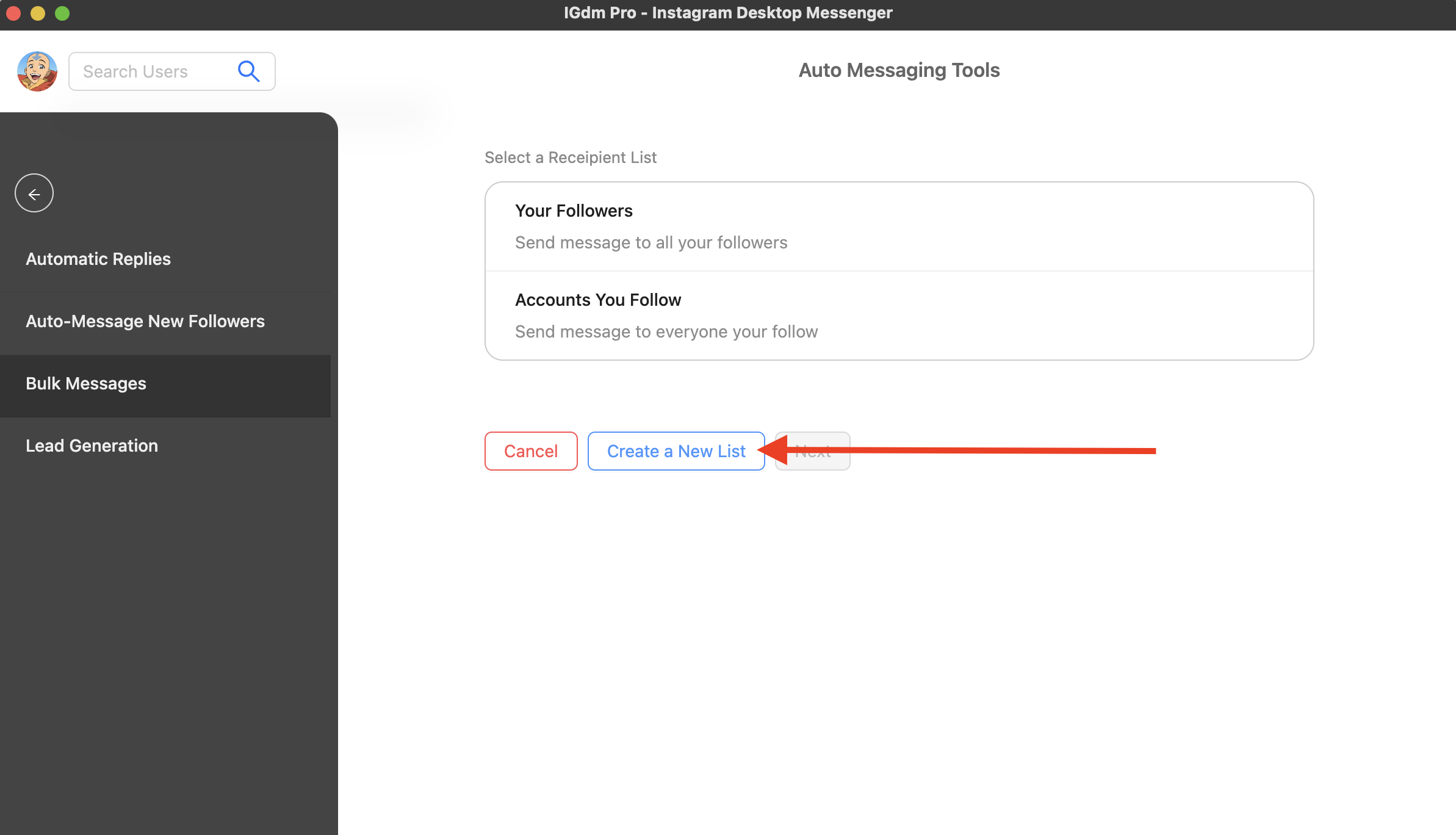
- Choose recipients (custom list for cold outreach, or followers for warmer lists) and open the campaign composer.
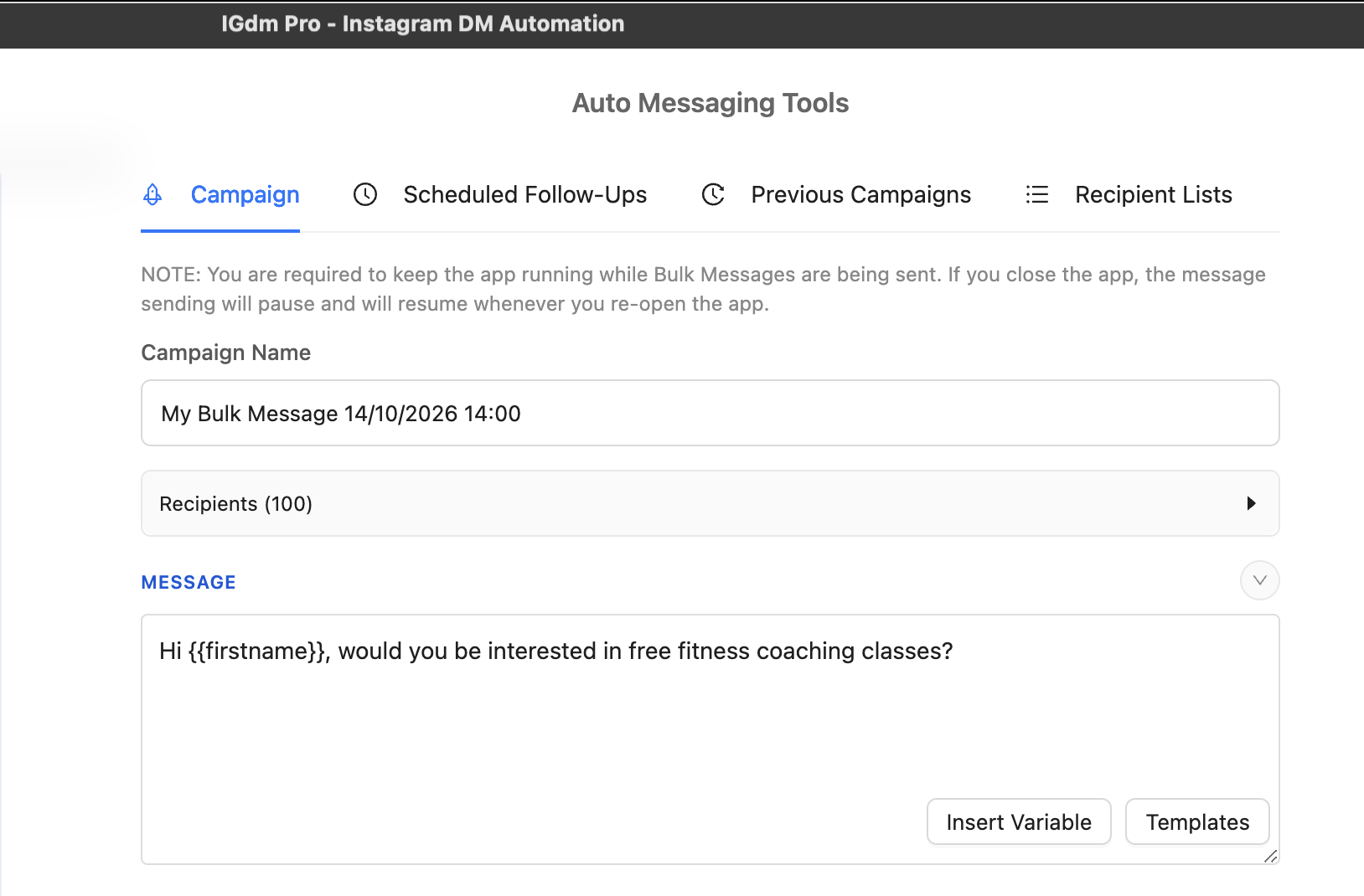
Step 3: Write a clear base message
Write the message you would send if you had a minute per person.
Keep it short, specific, and leave room in the middle for personalisation. Variables like {{firstname}} still work.
Step 4: Turn on AI message personalisation
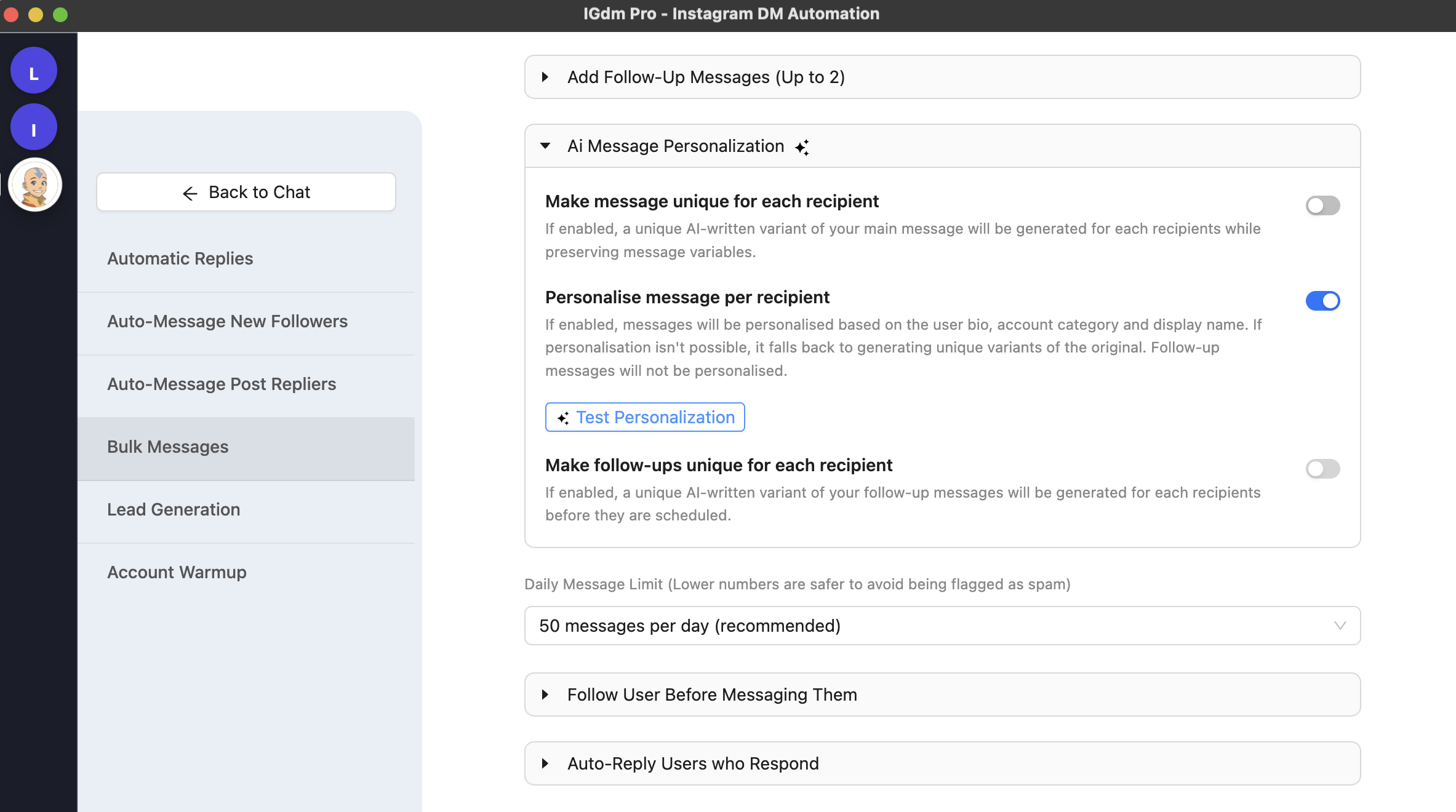
In the campaign settings below the editor, expand Ai Message Personalization.
For outreach that needs relevance, enable Personalise message per recipient. That option personalises from bio, account category, and display name. If personalisation is not possible, it can fall back to unique variants of your original message.
You can also enable:
- Make message unique for each recipient for AI-written variants that preserve variables
- Make follow-ups unique for each recipient if you schedule follow-ups and want those variants too
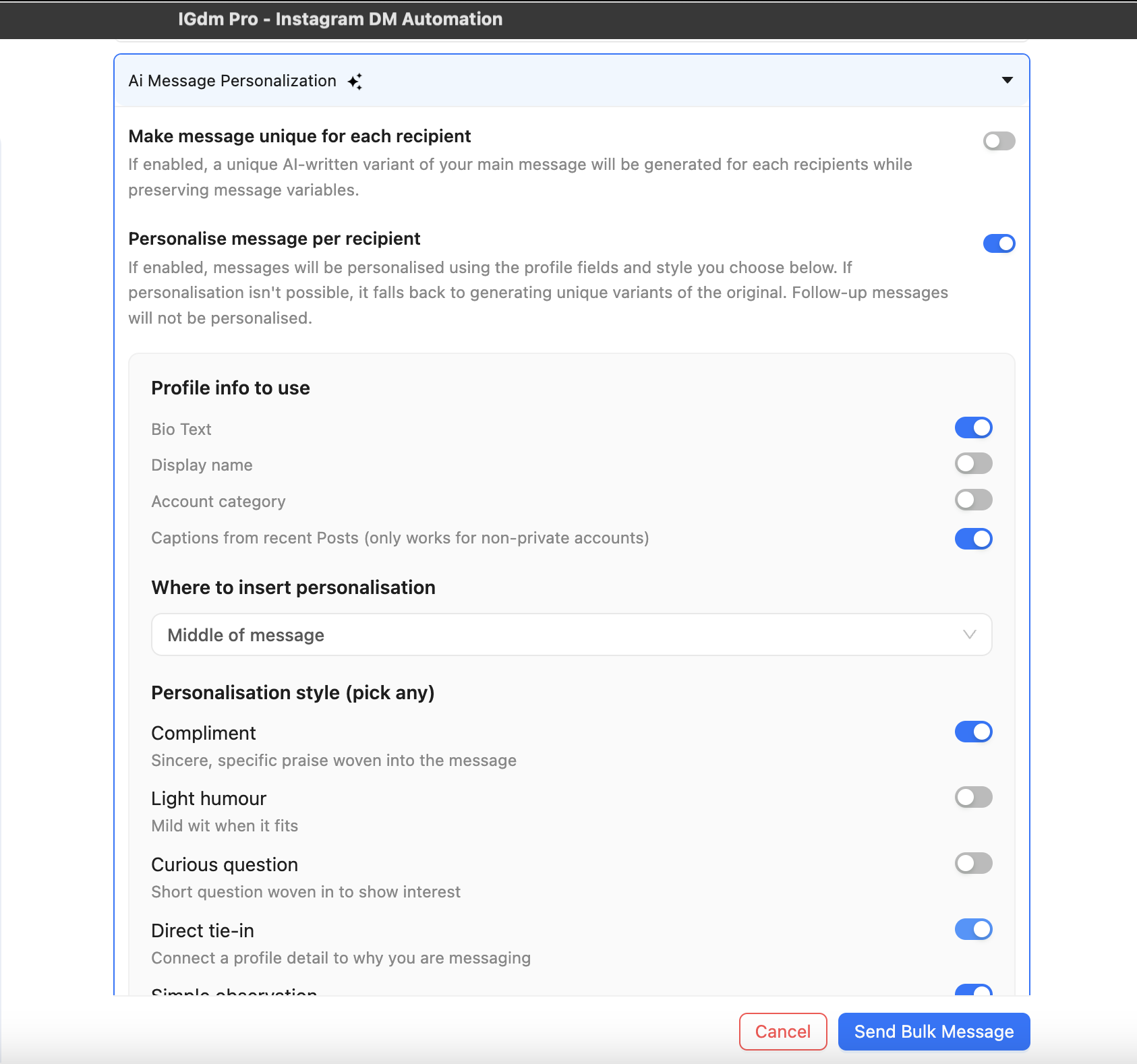
For a colder list, also configure the deeper personalisation controls: bio and recent post captions as signals, middle-of-message insertion, and styles such as Compliment, Direct tie-in, or Simple observation.
AI message personalisation is part of AI Personalization & Intent Matching on the Ultra plan. Use automation responsibly and within Instagram’s Terms of Service.
For a deeper walkthrough of bio + post context settings, see The Best Way to Personalize Instagram Cold DMs with AI.
Step 5: Test before you send
Click Test Personalization and review a real preview. Check that the offer still sounds like you, and that the personalised line feels natural.
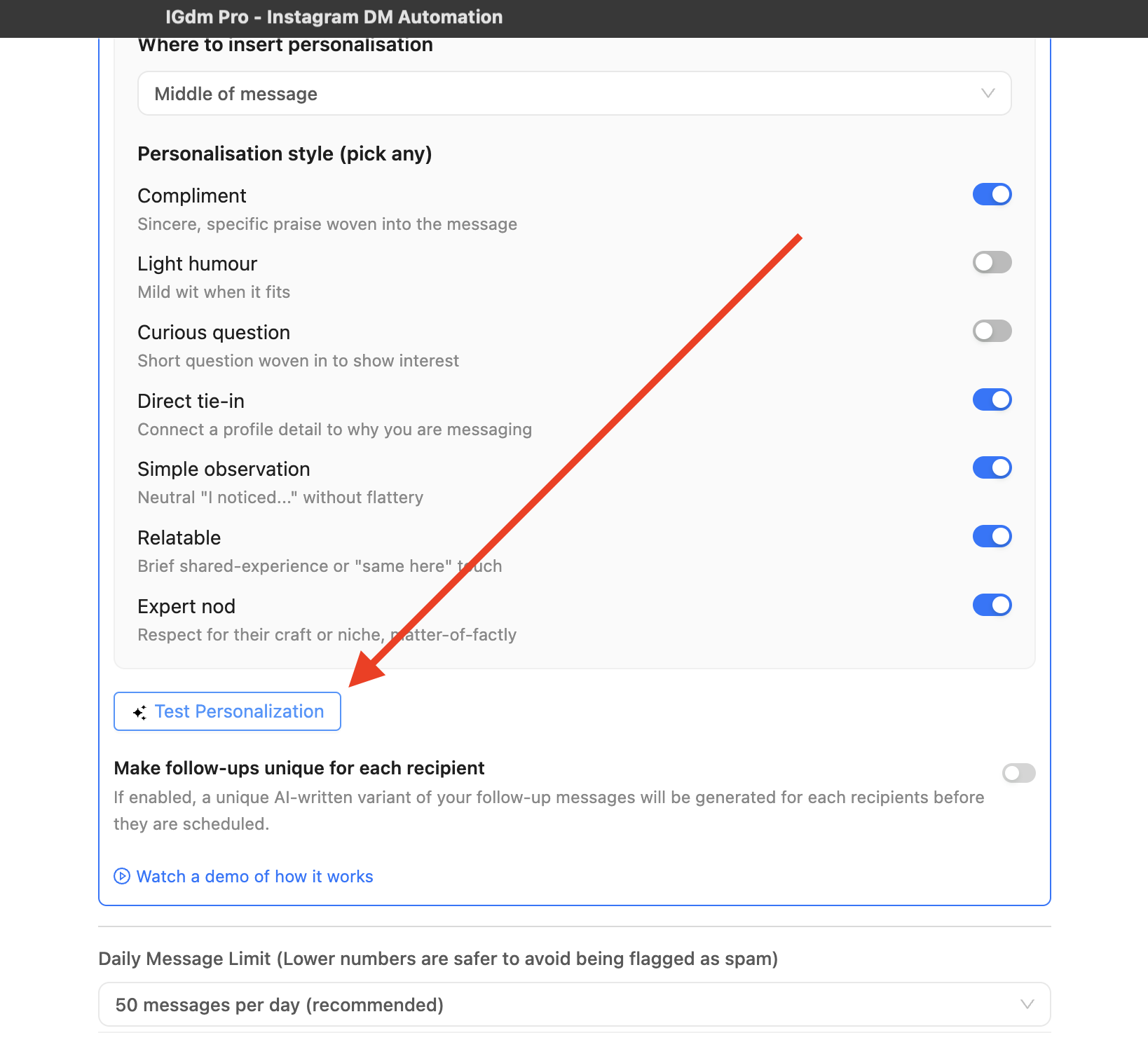
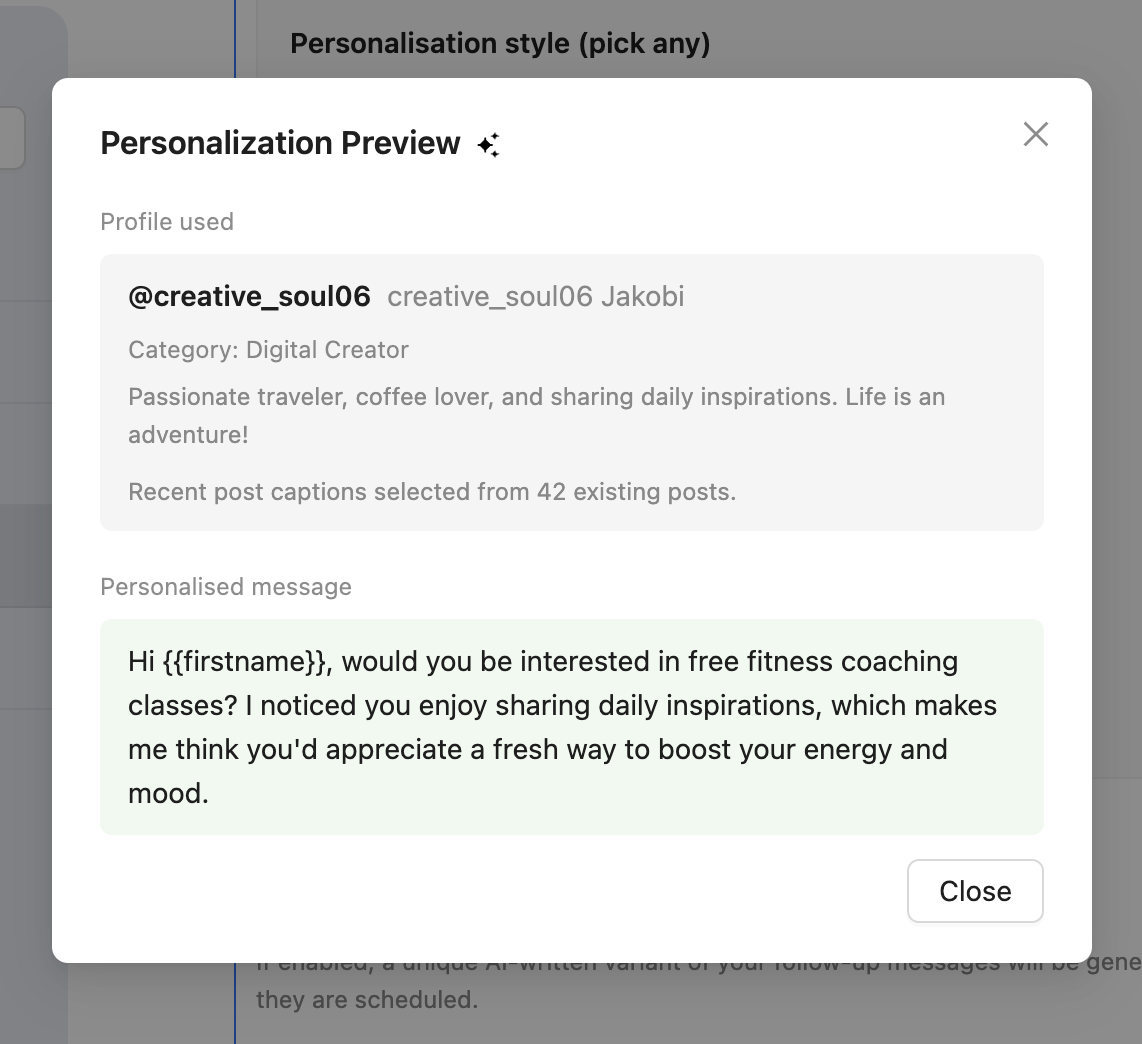
Fix weird previews before you raise volume. Quality first, then scale.
Optional layers that lift reply rates
AI personalisation improves the message. Two campaign toggles improve the first impression around that message.
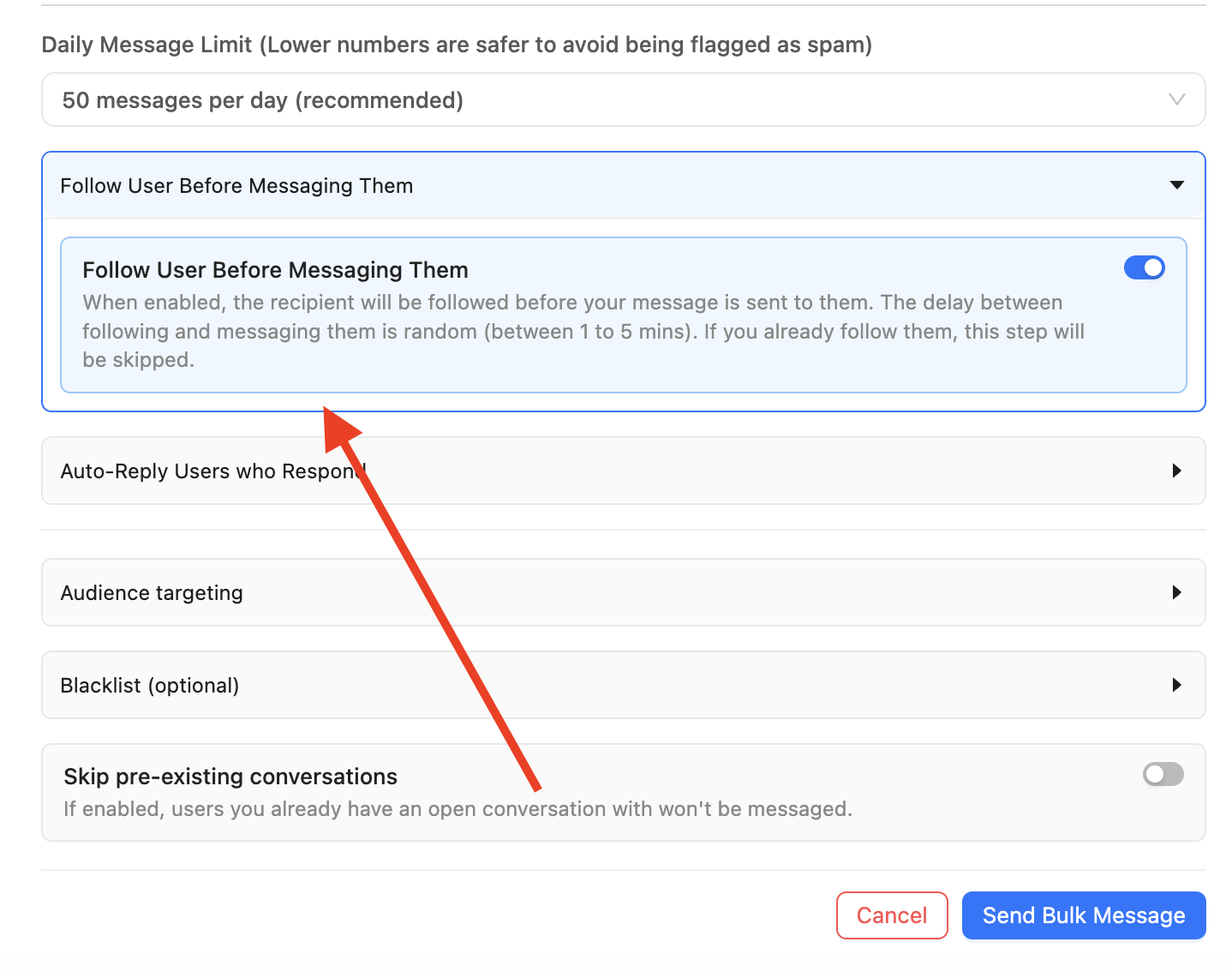
Follow before messaging
Enable Follow User Before Messaging Them so the recipient sees a follow before the DM. IGdm Pro waits a short random delay between the follow and the message.
Send as a story reply
Enable Send message as story reply when you want the DM to land more like a normal reply path. If the person has no active story, IGdm Pro can still fall back to a normal DM.
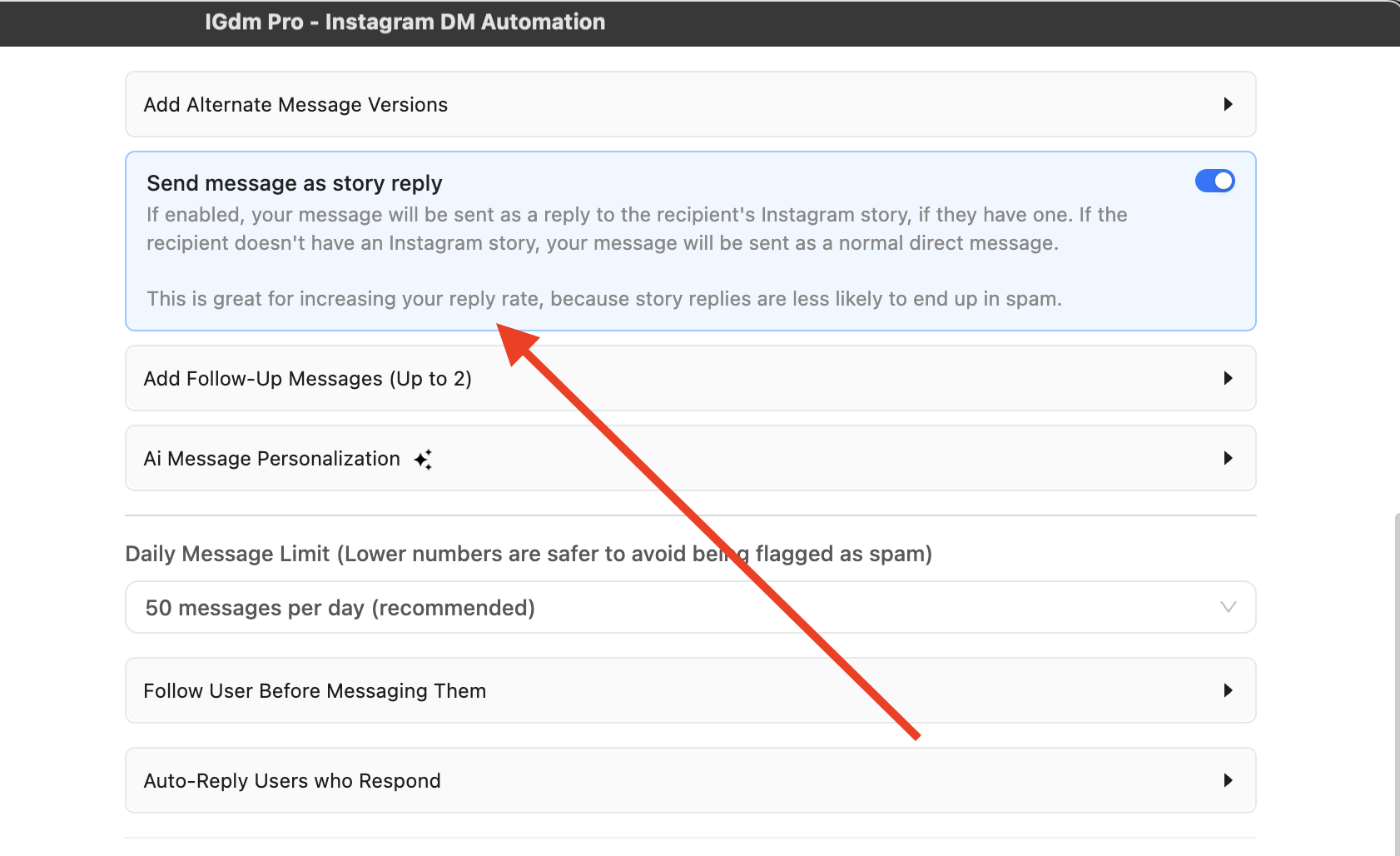
Stacking follow-before-DM, AI personalisation, and story replies is covered in How to Get More Replies to Your Instagram Cold DMs.
Pacing and send windows
Personalised automation still needs human-like delivery.
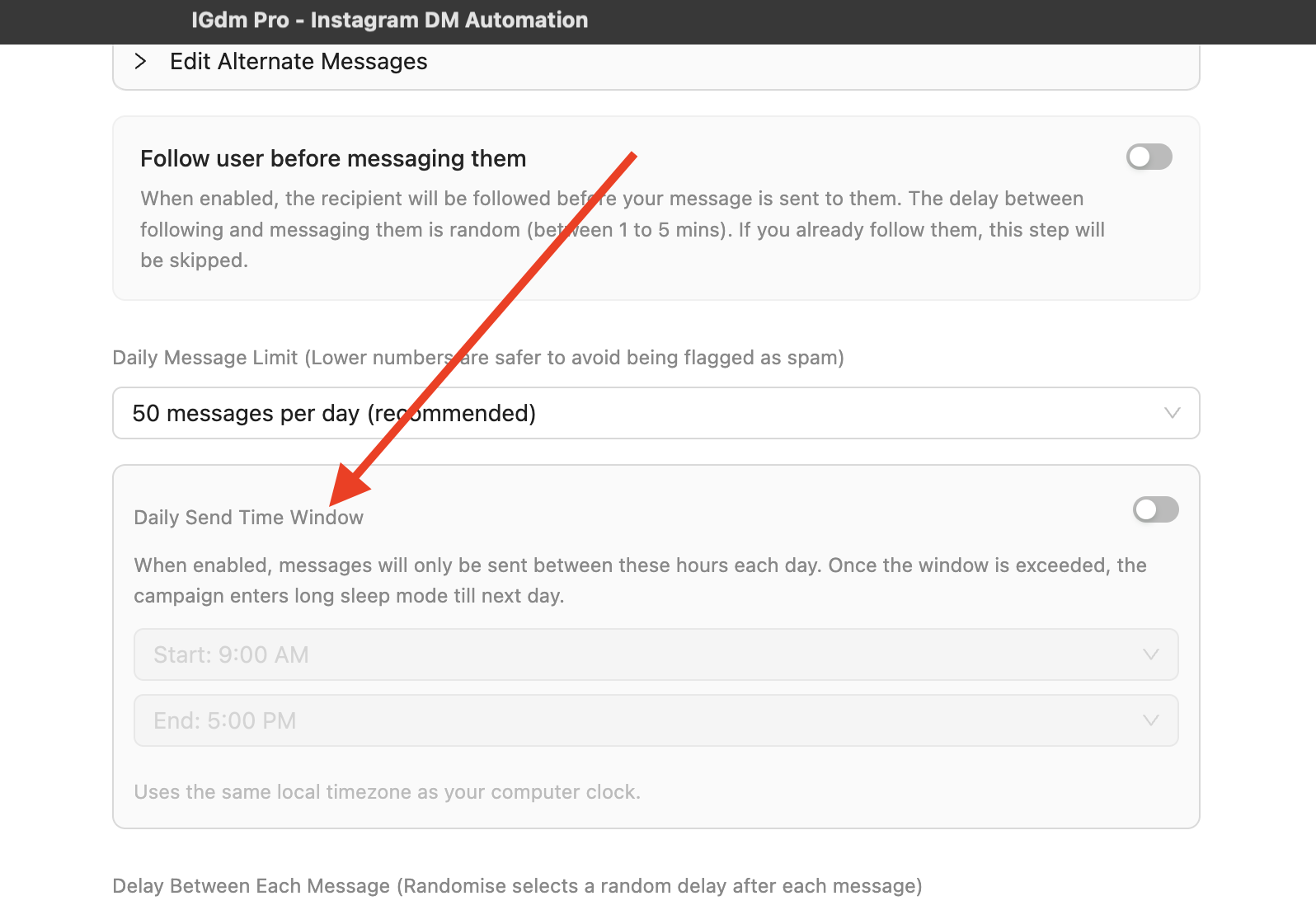
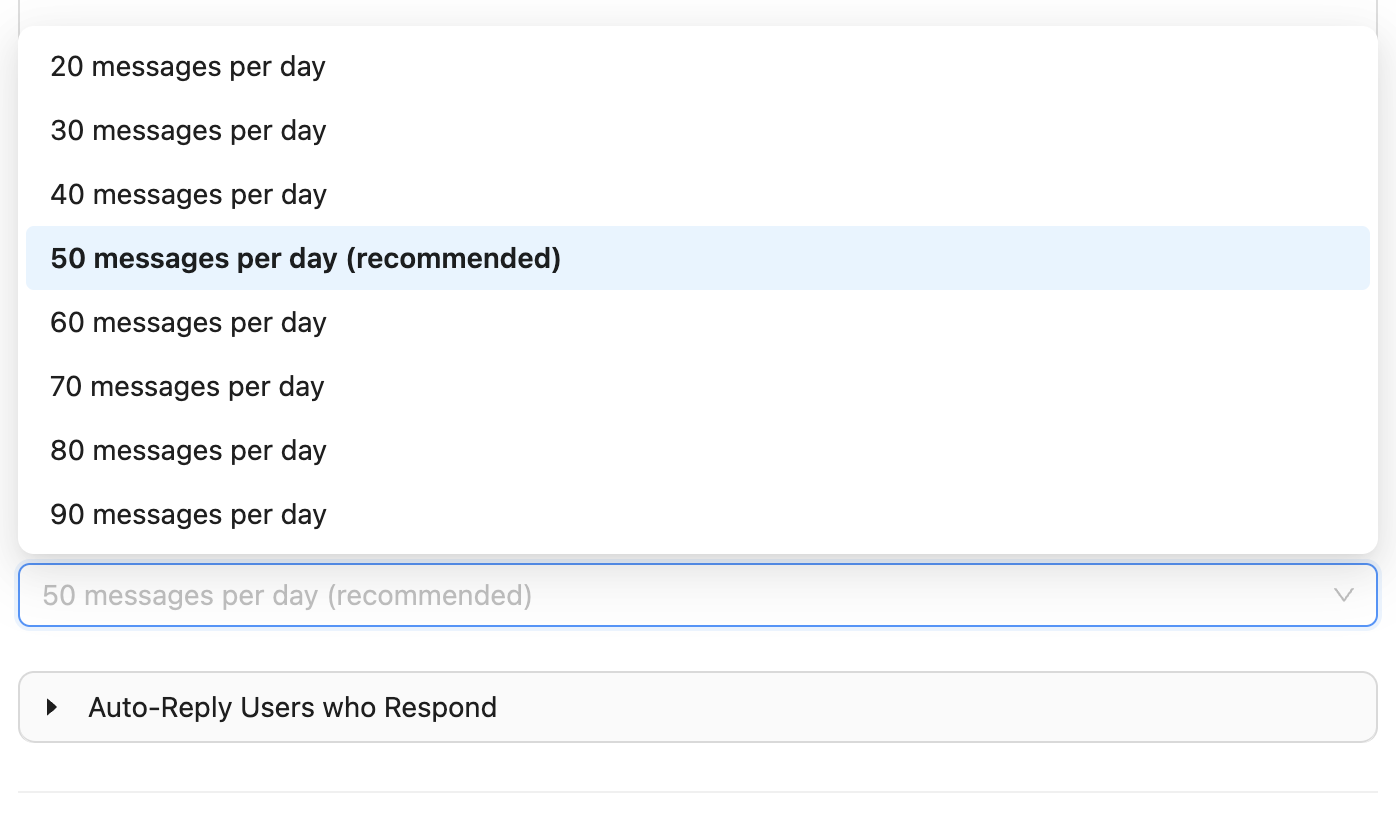
- Set Daily Message Limit to a conservative starting point. 50 messages per day (recommended) is a common default.
- Optionally enable a Daily Send Time Window so sends only run during chosen hours on your computer’s local timezone.
- Keep the app running while the campaign sends.
Warm the account before aggressive outbound. See How to Warm Up Your Instagram Account Automatically and How to Automate Instagram Outreach Without Getting Banned.
Common mistakes
- Automating a weak template and calling it AI. AI cannot rescue a vague offer.
- Letting AI rewrite the entire pitch. Keep the CTA yours.
- Skipping Test Personalization. One odd compliment can waste a good lead.
- Sending high volume on day one. Personalisation does not replace pacing.
- Using empty profiles as your list. Thin bios and no posts mean weaker personalisation.
- Turning on every toggle with no test. Enable AI first, preview, then add follow-before-DM and story reply if they fit the list.
Conclusion
Instagram outreach automation with AI personalisation works when you treat AI as a relevance layer, not a replacement for strategy.
In IGdm Pro that means: build a list, write a clear base message, enable AI personalisation, test the preview, then send with limits and optional familiarity tactics.
Ready to run personalised outreach at scale? Start with a 10-day free trial of IGdm Pro.