Best Way to Auto Reply Instagram Comments with AI
Replying to every Instagram comment by hand turns engagement into a second job. By the time you catch up, the post is cold and half the questions never got an answer.
Keyword tools help a little, but they miss the comments that mean the same thing with different wording. “Do you ship to the US?” and “do you deliver abroad?” are the same intent. Exact phrase lists usually catch one and miss the other.
The best way to auto reply Instagram comments with AI is:
- Watch the posts you care about.
- Tell AI which comments should get a reply, and which should not, using examples.
- Reply under the post (or by DM, or both) with a clear answer.
- Optionally make each public reply unique so the thread does not look copy-pasted.
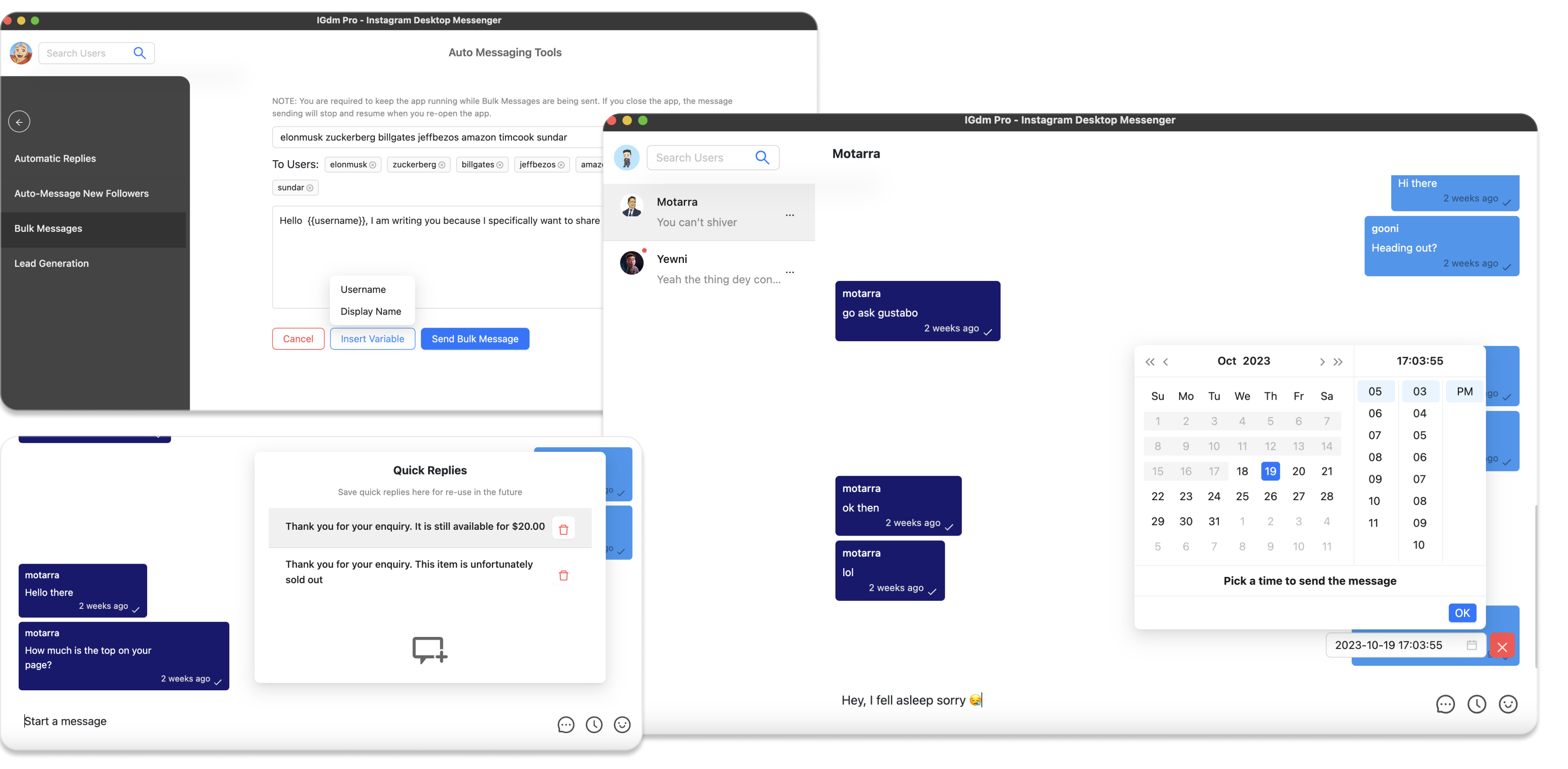
That is the Comment Automation workflow in IGdm Pro.
Table of Contents
- Why keyword-only auto replies fall short
- What AI comment auto reply actually does
- Step-by-step in IGdm Pro
- Reply under the post, by DM, or both
- Best practices for AI matching
- Common mistakes
- Conclusion
Why keyword-only auto replies fall short
Classic comment automation waits for exact trigger phrases like price, info, or link.
That breaks down when:
- People ask the same question in ten different ways
- Typos and slang skip your keyword list
- Generic praise (“love this!”) still contains a word you listed by accident
- You want to answer delivery questions but ignore size or price questions on the same post
AI matching flips the model. You show examples of comments that should get a reply, and examples that should not. The system matches by intent and similarity, not by a rigid phrase list.
What AI comment auto reply actually does
In IGdm Pro Comment Automation, AI shows up in two places:
- Match with AI: decide which new comments deserve a response
- AI message personalization: optionally generate a unique variant of your reply text for each commenter (while keeping variables)
Matching is the core. Personalization is the polish so a busy thread does not look like one canned line repeated twenty times.
You can still use trigger phrases or “any new comment” when that fits. For most business posts, Match with AI is the better default.
Step-by-step in IGdm Pro
Step 1: Install and log in
- Download IGdm Pro for Windows, macOS, or Linux.
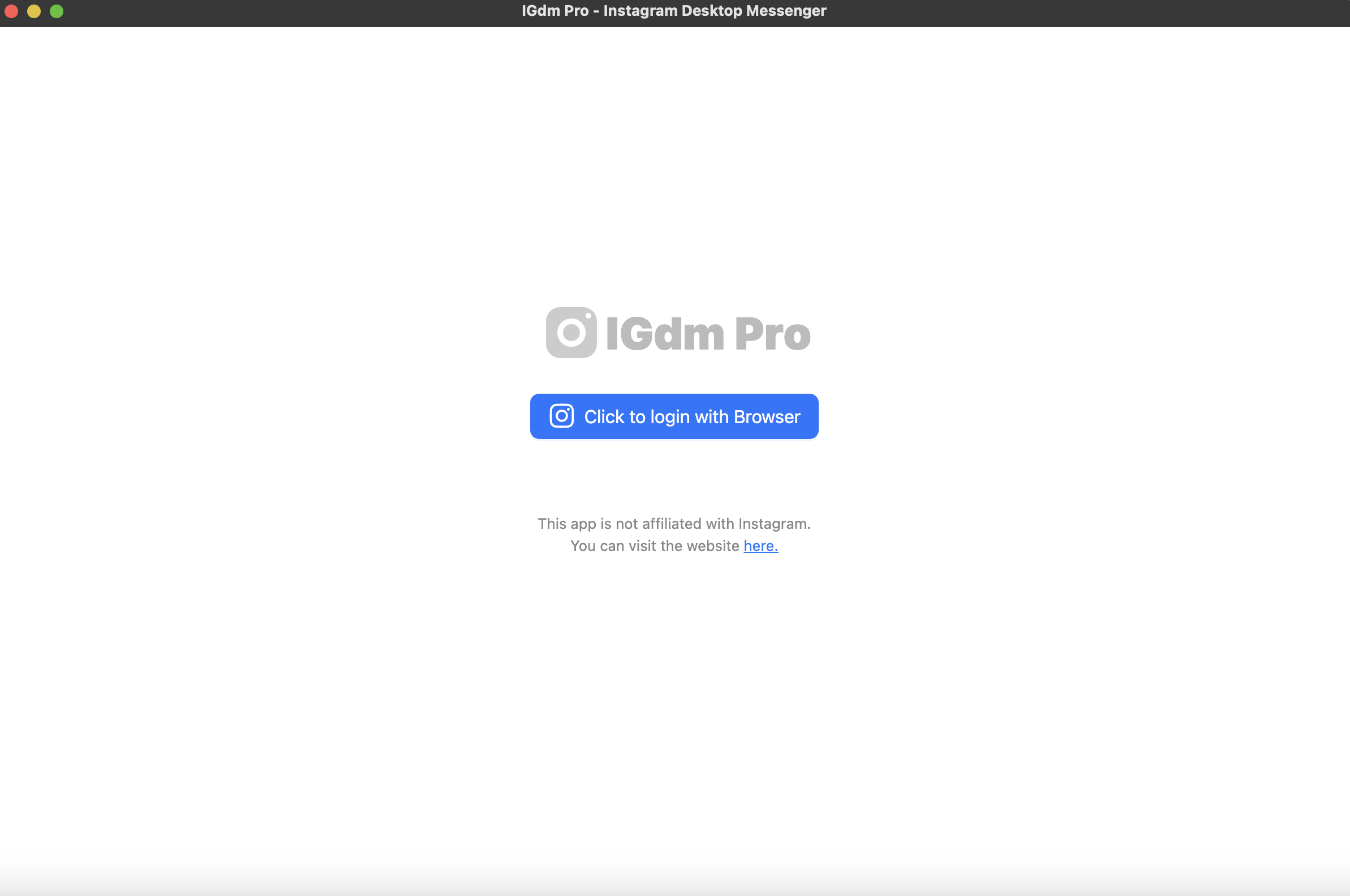
- Launch the app and click Click to login with Browser.
- Sign in to Instagram, then return to IGdm Pro while it loads your account.
Step 2: Open Comment Automation
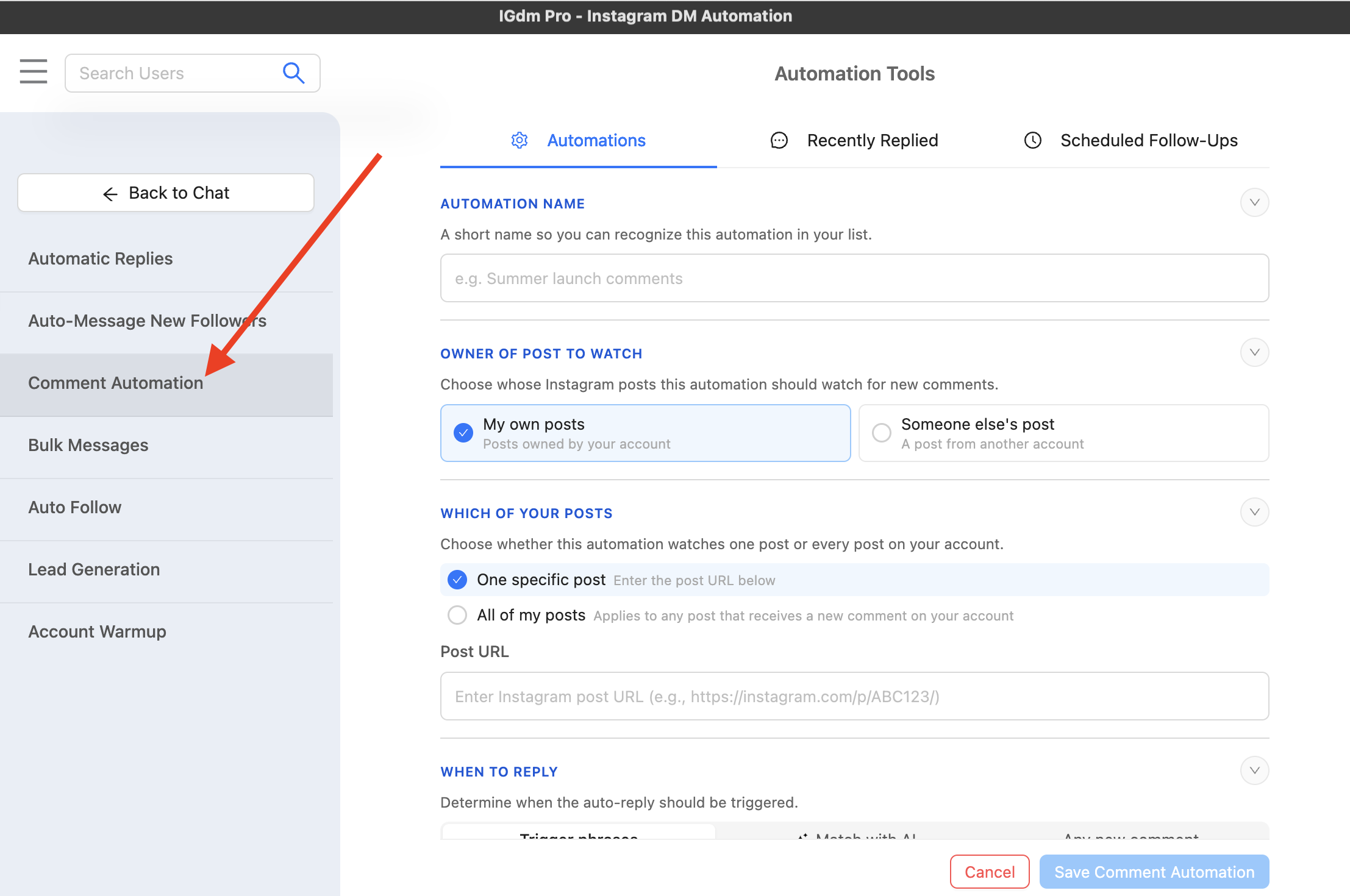
- Hover your profile picture in the top-left corner.
- Open Auto-Messaging Tools.
- In the left sidebar, select Comment Automation.
Step 3: Name the automation and choose which posts to watch
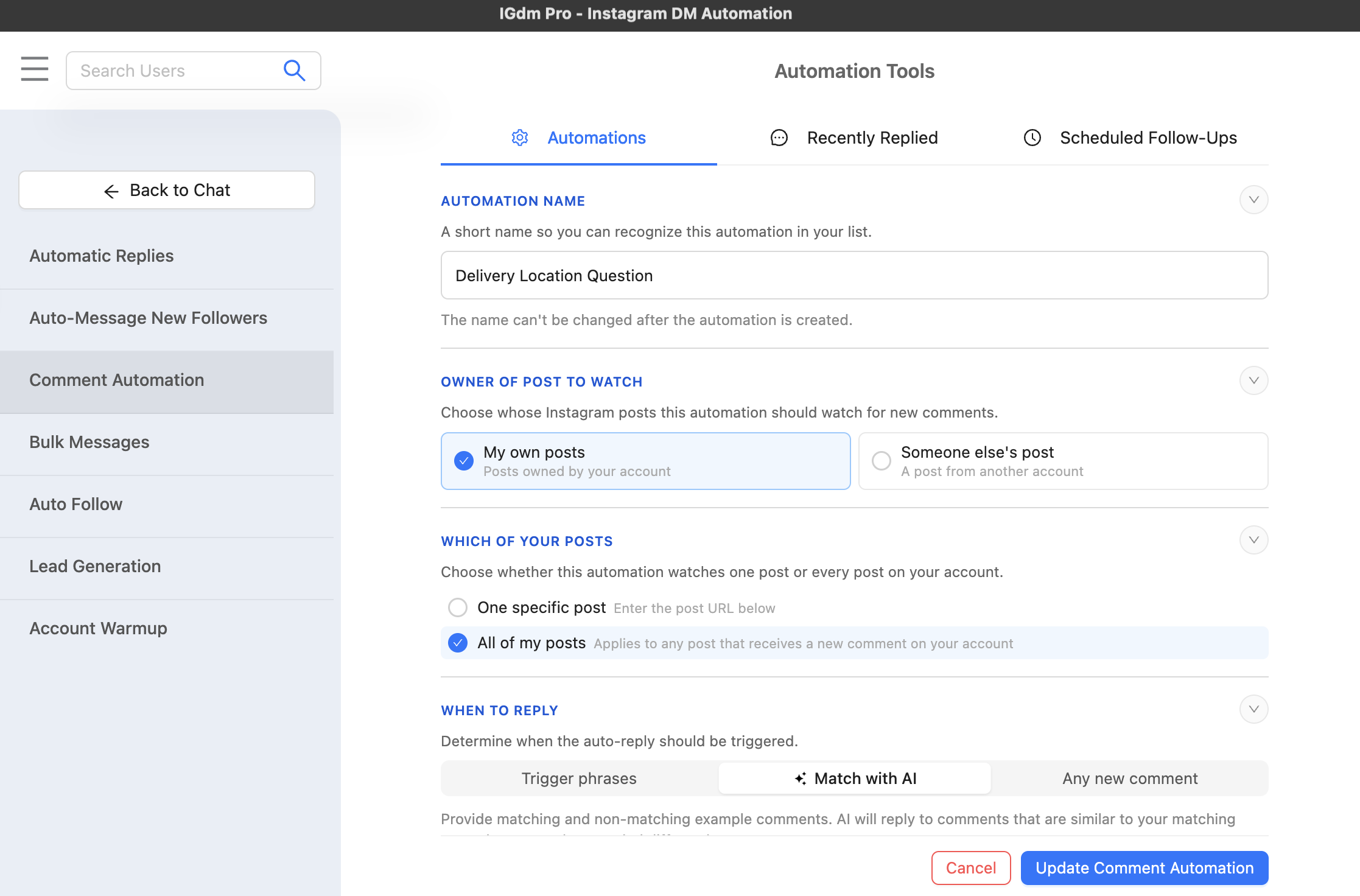
Give the automation a short name you will recognize later (for example, “Delivery Location Question”). Names lock after creation.
Then set:
- Owner of post to watch: your own posts, or someone else’s post
- Which of your posts: one specific post (paste the URL), or All of my posts
For a recurring FAQ that shows up across launches, All of my posts plus AI matching is usually the cleanest setup.
Step 4: Choose Match with AI and add examples
Under When to reply, select Match with AI.
Add:
- Examples the AI should match (comments that deserve a reply)
- Examples the AI should not match (comments to skip)
Example for a delivery FAQ:
- Match: “do you deliver abroad?”, “what is the estimated delivery time?”, “do you do deliveries to USA?”
- Do not match: “How much do they go for?”, “What size are those?”, “those look really nice.”
AI will reply to comments similar to your matching examples, even when the wording is different.
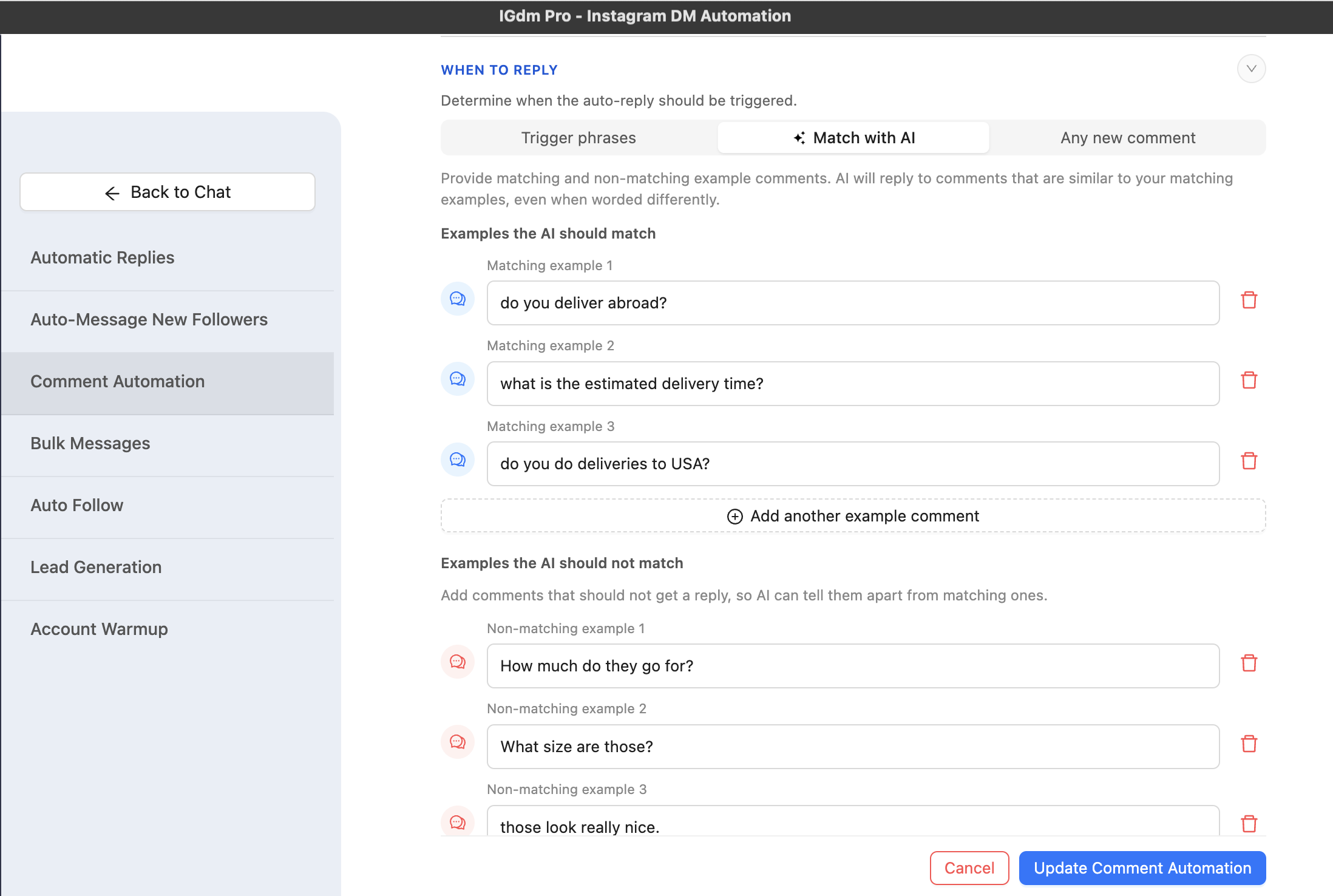
You need at least one matching example and one non-matching example. Add more when the edge cases matter.
Step 5: Choose how to reply and write the answer
Under How to reply, pick one:
- Send a message (private DM)
- Reply to comment (public reply under the post)
- Reply as message and comment (both)
For “auto reply Instagram comments,” choose Reply to comment. Write the answer people should see in the thread.
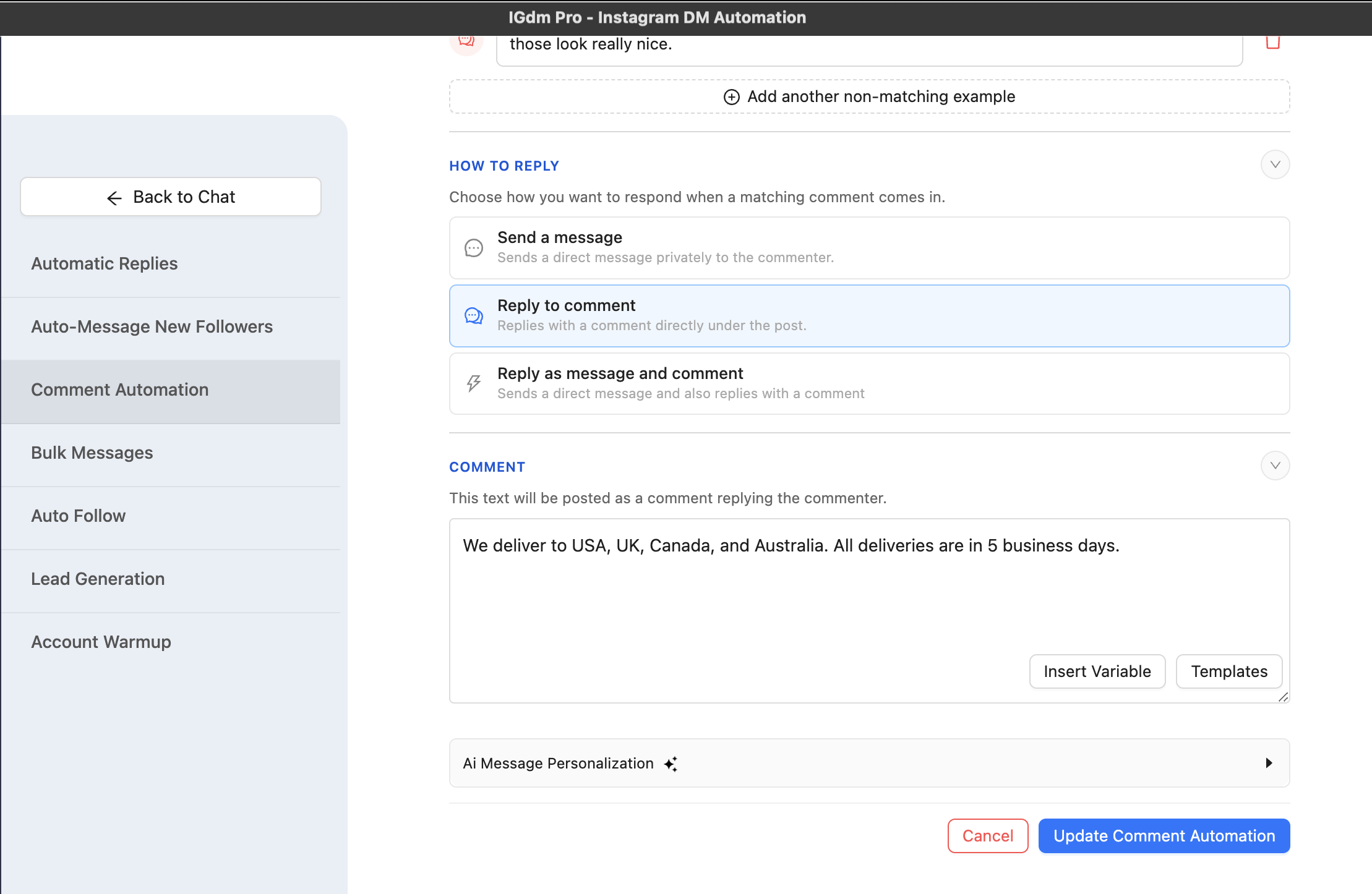
Optionally expand Ai Message Personalization and enable Make each comment reply unique so each public reply is an AI-written variant of your base text. Keep the facts the same. Let the wording vary.
AI personalization and intent matching are part of AI Personalization & Intent Matching on the Ultra plan. Use automation responsibly and within Instagram’s Terms of Service.
Step 6: Save and keep the app running
Click Save Comment Automation (or Update Comment Automation if you are editing). Enable the automation if it is not already on.
Comment Automation only runs while IGdm Pro is open. If you quit the app, replies pause until you launch it again.
Reply under the post, by DM, or both
Pick the channel based on what the comment needs:
| Goal | Best reply mode |
|---|---|
| Keep the public thread helpful and visible | Reply to comment |
| Send a link, price sheet, or private details | Send a message |
| Acknowledge publicly and continue privately | Reply as message and comment |
Public comment replies also signal activity on the post. DMs are better when the answer should not live in the open thread.
If your main goal is converting commenters into private leads with trigger words, see How to Set Up Comment to DM Automation on Instagram.
Best practices for AI matching
- Train with real comments. Pull wording from your last few posts, not perfect marketing copy.
- Separate intents. One automation for delivery questions, another for pricing, another for sizing. Mixing intents in one example set makes matching fuzzier.
- Give clear non-matches. Teach the AI what “nice post” and off-topic praise look like so those stay unanswered (or get a different automation).
- Keep the reply short and factual. One clear answer beats a paragraph.
- Use unique variants carefully. Enable uniqueness after the base reply is solid, so every variant still says the same true thing.
- Start on your own posts. Confirm matching quality before you monitor someone else’s post for outreach.
Common mistakes
- Using only keywords when intent varies. You will miss half the real questions.
- Skipping non-matching examples. Without them, AI has a weaker boundary between “answer this” and “ignore that.”
- Replying to every comment with the same sales pitch. Match the answer to the question.
- Closing the app and wondering why replies stopped. Keep IGdm Pro running while the automation is active.
- Turning on unique replies with a vague base message. AI will vary fluff. Fix the base answer first.
- Expecting Instagram’s native tools to do this. The Instagram app has no built-in AI comment auto-reply for your posts at this level of control.
Conclusion
The best way to auto reply Instagram comments with AI is not “blast every comment with the same line.” It is intent matching + a clear reply, with optional unique wording so the thread still looks human.
In IGdm Pro that means: open Comment Automation, watch your posts, select Match with AI, teach it with matching and non-matching examples, choose Reply to comment, save, and leave the app running.
Ready to try it? Start with a 10-day free trial of IGdm Pro.